All posts by Vera Holmes

A/B Testing Video Titles, Thumbnails, and Descriptions for Higher CTR

Why Small Changes Can Lead to Big Results

Publishing a great video is only half the battle. Whether you’re creating content for YouTube, Facebook, Instagram, LinkedIn, or your own website, your audience first decides whether to click before they ever see what you’ve created. That decision often happens in just a few seconds.

Your title, thumbnail, and description work together as your video’s first impression. Even a professionally produced video can struggle if these elements fail to capture attention or communicate value. On the other hand, a few carefully tested adjustments can dramatically increase your click-through rate (CTR), helping your videos reach more viewers without spending additional money on advertising.

This is where A/B testing becomes one of the most valuable techniques in video marketing.

Instead of guessing what might work, you compare two versions, analyze the results, and make decisions based on real audience behavior. Over time, these small improvements compound into significant increases in traffic, engagement, and conversions.
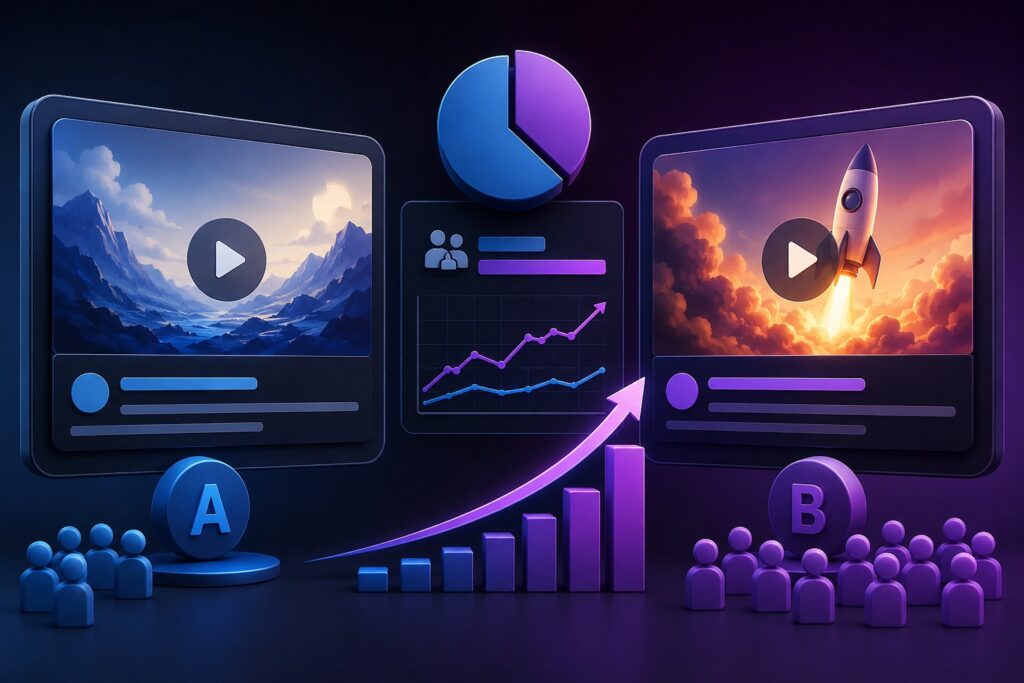
A/B Testing Video Titles, Thumbnails, and Descriptions for Higher CTR
image generated by ChatGPT

What Is A/B Testing?

A/B testing is the process of comparing two versions of a marketing element to determine which one performs better.

For video marketing, you might test:

  • Video titles
  • Thumbnail designs
  • Video descriptions
  • Calls to action
  • Opening hooks
  • End screens

The goal is simple: improve the percentage of people who click on your video after seeing it.

For example, imagine two titles for the same video:

Version A:

“How to Create Better Marketing Videos”

Version B:

“Stop Wasting Money on Videos That Don’t Convert”

Although both describe similar content, they appeal to viewers differently. After collecting enough data, you may discover that one consistently generates a higher CTR.

Rather than relying on assumptions, A/B testing lets your audience tell you what they prefer.


Understanding Click-Through Rate (CTR)

Click-through rate measures how often people click your video after seeing it.

The formula is straightforward:

CTR = Clicks ÷ Impressions × 100

If your video appears 20,000 times and receives 1,200 clicks, your CTR is 6%.

While average CTR varies depending on industry, audience, and platform, improving it even by one or two percentage points can result in thousands of additional views over time.

Higher CTR also sends positive engagement signals that may help platforms recommend your content to more users.


Why Testing Titles Matters

Your title is usually the first thing potential viewers read.

An effective title should immediately communicate:

  • What the viewer will learn
  • Why it matters
  • Why they should watch now

Instead of stuffing keywords into every title, focus on clarity and usefulness.

Examples include:

  • How to Double Your Video Engagement Without Buying Ads
  • 10 Video Marketing Mistakes That Cost Businesses Customers
  • Beginner’s Guide to Creating Videos That Convert

Good titles create curiosity while accurately reflecting the video’s content.

Avoid misleading “clickbait” that promises something the video doesn’t deliver, as disappointed viewers often leave quickly, hurting overall performance.


Thumbnail Testing Can Produce Dramatic Results

Thumbnails often influence clicks more than any other visual element.

A strong thumbnail should remain clear and recognizable even on mobile devices.

When testing thumbnails, experiment with one variable at a time, such as:

  • Close-up faces versus product images
  • Bright backgrounds versus darker colors
  • Minimal text versus no text
  • Different emotional expressions
  • Clean layouts versus detailed designs

Consistency also matters. Developing a recognizable visual style can help returning viewers identify your content more easily.


Should You Test Video Descriptions?

Many creators overlook descriptions, but they play an important role in both discoverability and user experience.

A well-written description should:

  • Clearly summarize the video
  • Naturally include relevant keywords
  • Encourage viewers to continue watching
  • Link to related resources when appropriate
  • Include timestamps for longer videos

Testing different opening paragraphs, calls to action, and keyword placement can reveal which versions generate more clicks or longer viewing sessions.


Test One Variable at a Time

One of the biggest mistakes is changing everything simultaneously.

If you modify the title, thumbnail, and description together, you won’t know which change improved performance.

A better process looks like this:

  1. Publish the original version.
  2. Test a new title while keeping everything else the same.
  3. Measure the results.
  4. Keep the better-performing version.
  5. Test a different thumbnail.
  6. Repeat the process.

This structured approach produces reliable insights instead of guesswork.


Give Each Test Enough Time

Avoid drawing conclusions too quickly.

Depending on your audience size, allow enough time for your video to gather meaningful impressions before declaring a winner.

Testing over several days—or longer for lower-traffic channels—helps reduce the impact of daily fluctuations and gives a more accurate picture of performance.


Monitor More Than CTR

A higher CTR is valuable, but it isn’t the only metric worth tracking.

Also pay attention to:

  • Average view duration
  • Audience retention
  • Watch time
  • Engagement (likes, comments, shares)
  • Subscriber growth
  • Conversion rate
  • Website visits
  • Leads or sales generated

Sometimes a title that attracts more clicks may also attract the wrong audience, leading to lower watch time. The best-performing version is often the one that balances strong CTR with meaningful engagement.


Useful Ideas to Test

You don’t need to redesign your entire strategy. Start with simple experiments such as:

  • Questions versus statements in titles
  • Numbers versus no numbers
  • Short titles versus longer, descriptive titles
  • Different color combinations in thumbnails
  • Human faces versus product-focused images
  • Different calls to action in descriptions
  • Keyword placement in the first sentence
  • Different emotional triggers such as curiosity, urgency, or problem-solving

Even modest improvements can add up over dozens of videos.


Common Mistakes to Avoid

Many creators unintentionally limit their results by:

  • Changing multiple elements at once
  • Using misleading titles
  • Ignoring mobile users
  • Writing vague descriptions
  • Ending tests too early
  • Focusing only on views instead of conversions
  • Failing to document test results

Keeping a simple spreadsheet of your experiments can help identify long-term patterns and improve future decisions.


Build a Habit of Continuous Improvement

Successful video marketers rarely assume their first idea is the best one. They treat every upload as an opportunity to learn more about their audience.

By regularly testing titles, thumbnails, and descriptions, you’ll develop a better understanding of what captures attention, earns clicks, and keeps viewers engaged. Those insights can improve not only your current videos but every piece of content you create in the future.

A/B testing isn’t about chasing trends or making random changes. It’s about using data to refine your message, strengthen your presentation, and consistently deliver content that resonates with your audience.

Over time, those incremental improvements can lead to higher click-through rates, stronger audience engagement, increased search visibility, and more meaningful business results. Whether you’re growing a YouTube channel, promoting products, or building brand awareness, making A/B testing a regular part of your workflow is one of the smartest investments you can make in your video marketing strategy.

Frequently Asked Questions

How often should I A/B test my video titles?

Whenever possible. If a video continues receiving impressions, testing a new title or thumbnail can uncover opportunities to improve performance even months after publication.

Which should I test first: the title or the thumbnail?

Most marketers begin with the thumbnail because it’s often the first visual element viewers notice. After selecting a strong thumbnail, test the title to further improve CTR.

Does A/B testing help with YouTube SEO?

Yes. Improving click-through rate and viewer engagement can contribute to stronger overall performance, which may increase the likelihood of your videos being recommended and discovered by more viewers.

How long should an A/B test run?

The ideal duration depends on your audience size and traffic. Rather than focusing on a fixed number of days, wait until you’ve gathered enough impressions to make a meaningful comparison between versions.

source: YouTube Creators

Final Thoughts

Improving your video’s click-through rate doesn’t always require expensive equipment or a larger marketing budget. Often, the biggest gains come from refining the details that influence whether someone chooses to click in the first place.

By systematically testing your titles, thumbnails, and descriptions, measuring the results, and applying what you learn, you can create a repeatable process for growing your audience and increasing the effectiveness of every video you publish.

The written content on this page was generated by ChatGPT.
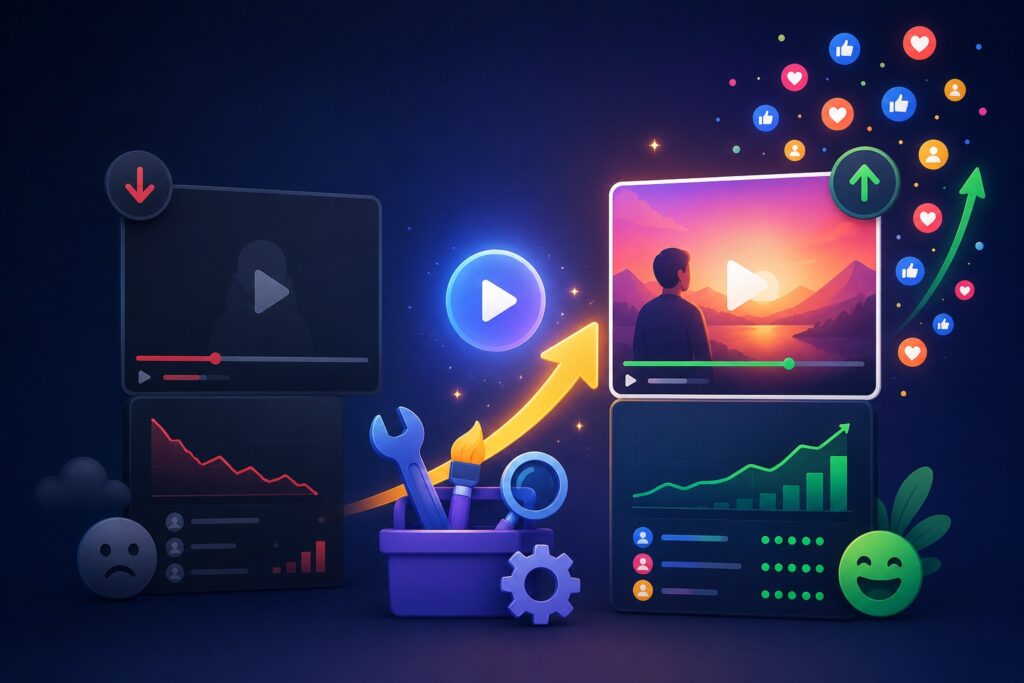
How to Improve Underperforming Videos and Increase Engagement

It’s frustrating when you put time into a video—planning it, filming it, editing it—and then it barely moves. A few views trickle in, maybe a like or two, and then it just sits there.

Most creators assume the video is “bad” and move on. But in reality, underperforming videos are often some of the most useful assets you have. They show you exactly where your content strategy is breaking down.

The problem usually isn’t the entire video—it’s one or two specific weak points that stop it from gaining traction.

Once you learn how to identify and fix those weak points, even older videos can start performing better without re-shooting anything.

How to Improve Underperforming Videos and Increase Engagement
image generated by ChatGPT

Start by Understanding What’s Actually Going Wrong

Before changing anything, you need to understand the type of underperformance you’re dealing with. Not all “low views” mean the same thing.

A video can struggle in different ways:

Sometimes it never gets shown to enough people. Other times, it gets impressions but no clicks. And in some cases, people click but leave almost immediately.

Each of these situations points to a different issue.

For example:

  • If no one is seeing the video, it’s usually a distribution or SEO problem.
  • If people see it but don’t click, it’s a packaging issue (title or thumbnail).
  • If people click but leave early, it’s a content or pacing problem.
  • If people watch but don’t engage, it’s a connection or messaging problem.

This distinction matters because fixing the wrong thing won’t change anything.


Look at the First Signal: Click Behavior

One of the most overlooked metrics is whether people actually click on your video when they see it.

A low click-through rate usually has nothing to do with the video itself. It’s about how the video is presented before someone even watches it.

Think of your title and thumbnail as a storefront window. If it doesn’t make someone curious enough to step inside, the content inside doesn’t matter.

In many cases, creators underestimate how competitive attention is. People are scrolling quickly, comparing your video to dozens of others in seconds.

A small improvement in clarity or curiosity in your title can completely change performance.

For example, instead of something generic like “Video Marketing Tips,” a stronger version might hint at transformation or outcome, such as “Why Most Marketing Videos Fail in the First 10 Seconds.”

It’s not about exaggeration—it’s about giving people a reason to care.


The Thumbnail Is Often the Real Problem

If there’s one place where videos silently fail, it’s the thumbnail.

People don’t usually ignore videos because the content is bad. They ignore them because nothing visually stands out.

A strong thumbnail doesn’t need to be complicated. In fact, simpler usually works better. What matters is clarity.

A good thumbnail does three things:

  • It shows a clear subject or idea
  • It avoids clutter and confusion
  • It creates a small sense of curiosity or tension

If your thumbnail blends in with everything else on the page, your video is already at a disadvantage.

A practical approach is to compare your thumbnail with the top-performing videos in your niche. If yours doesn’t visually compete, it’s likely being skipped.


The First 10 Seconds Decide Everything

Even if people click, the next challenge is keeping them.

Most drop-offs happen in the first few seconds, and it’s usually because the video takes too long to “start.”

A common mistake is opening with greetings, long intros, or context that doesn’t immediately matter to the viewer.

But viewers aren’t patient anymore. They want to know quickly:

  • What is this about?
  • Why should I stay?
  • What will I get from this?

If those answers don’t show up fast, they leave.

A stronger approach is to begin directly with a problem, a bold statement, or a relatable frustration.

For example:
“Most videos fail before the viewer even reaches the main point—and it usually happens in the first 10 seconds.”

That kind of opening immediately signals relevance.


Weak Engagement Often Means Weak Interaction Design

Many videos are informative but passive. They talk at the viewer instead of involving them.

Engagement doesn’t happen by accident. People need to be invited into the conversation.

Simple shifts can make a big difference:

  • Asking a direct question during the video
  • Encouraging viewers to share their experience
  • Challenging a common assumption
  • Pausing briefly to let a point sink in

Even something as simple as “Have you experienced this before?” can increase comments significantly.

The key is making the viewer feel like part of the conversation, not just an observer.


Sometimes the Problem Is Pacing, Not Content

When people say a video is “boring,” what they often mean is that it feels slow.

Even good information loses impact if it drags.

This doesn’t mean you need to rush through everything. It means the video should feel dynamic.

That can be achieved by:

  • Removing repetition
  • Cutting unnecessary explanations
  • Using tighter transitions between ideas
  • Breaking up long sections with examples or visuals

Think of it like this: if nothing is changing for too long, attention naturally drops.


Metadata Still Matters More Than People Think

Even if your video is strong, it still needs to be discoverable.

Titles, descriptions, and tags help platforms understand who should see your content.

A well-written description isn’t just filler—it reinforces relevance. The first few lines especially matter because they often show up in previews.

Instead of treating metadata as an afterthought, it should align closely with what the video delivers.

If your content is about fixing engagement, your metadata should reflect that exact problem and solution clearly.


Don’t Delete Underperforming Videos—Reposition Them

One of the most common mistakes is removing videos that don’t perform well.

In many cases, the content is fine. It just needs better packaging or distribution.

Before deleting anything, try:

  • Updating the thumbnail
  • Rewriting the title
  • Improving the description
  • Re-sharing it on other platforms
  • Turning parts of it into short-form clips

Sometimes a video doesn’t fail—it’s just been shown the wrong way.


Turn One Video Into Multiple Opportunities

A single long video can be repurposed into several smaller pieces of content.

Short clips often perform better because they are easier to consume and distribute.

You can extract:

  • Key insights
  • Strong statements
  • Step-by-step tips
  • Before/after ideas

Then post them on platforms like TikTok, Instagram Reels, or YouTube Shorts to bring new traffic back to the original video.

source: TubeBuddy

Final Thought

Improving a video isn’t about guessing what went wrong. It’s about breaking performance into specific parts—visibility, clicks, retention, engagement—and fixing them one by one.

Most videos don’t need to be replaced. They need to be reworked.

And once you start looking at performance this way, you’ll notice something important: even your “failed” content still has value. It just hasn’t been optimized yet.

The written content on this page was generated by ChatGPT.
Google Analytics for Video Marketing: Complete Setup Guide

Creating a great marketing video is often the part businesses focus on most. Hours are spent planning concepts, writing scripts, filming scenes, and editing footage. Once the video is published, there is usually a sense of accomplishment and anticipation. Views begin to accumulate, likes start appearing, and comments trickle in. At first glance, everything seems to be moving in the right direction.

But there is a question many businesses never stop to ask: What happens after someone watches the video?

Did viewers stay engaged until the end? Did they visit your website afterward? Did they become leads or customers? Was the video responsible for generating revenue, or was it simply attracting views without delivering meaningful results?

These questions separate successful video marketing campaigns from those that simply generate vanity metrics. While views and social engagement have their place, they only tell a small part of the story. To truly understand the impact of video marketing, businesses need access to data that reveals what viewers are doing before, during, and after they interact with video content.

This is where Google Analytics becomes one of the most valuable tools in a marketer’s toolkit.

When configured correctly, Google Analytics provides a detailed picture of user behavior, helping businesses understand how video content contributes to website traffic, lead generation, customer engagement, and sales. Rather than making decisions based on assumptions, marketers can use real-world data to improve performance and maximize return on investment.

This guide walks through the complete process of setting up Google Analytics for video marketing and explains how to turn data into actionable insights.

Google Analytics for Video Marketing: Complete Setup Guide

Why Tracking Video Performance Matters

Video has become one of the most powerful forms of digital communication. Consumers increasingly prefer watching a short video over reading lengthy blocks of text. Businesses use videos to explain products, showcase services, build trust, educate prospects, and drive conversions.

However, publishing videos without tracking performance is similar to running an advertising campaign without knowing whether it generated results.

Consider two different scenarios.

The first video receives 50,000 views but generates very little website traffic. The second video receives only 5,000 views but leads to dozens of qualified inquiries and several new customers.

Which video was more successful?

Without proper analytics, the answer may not be obvious.

Video tracking helps businesses identify:

  • Which videos attract the most engaged viewers
  • How long people watch before leaving
  • Which platforms drive the highest quality traffic
  • What content influences purchasing decisions
  • Which videos contribute to lead generation
  • How video marketing affects overall business goals

The ability to answer these questions can significantly improve future campaigns.

Understanding How Google Analytics 4 Works

Google Analytics has evolved considerably over the years. The latest version, known as Google Analytics 4 (GA4), was designed to provide a more comprehensive view of customer behavior across websites and digital platforms.

Unlike earlier versions that focused heavily on page views and sessions, GA4 centers around events.

An event is any meaningful action a visitor takes while interacting with your website. Examples include:

  • Watching a video
  • Clicking a button
  • Downloading a file
  • Completing a form
  • Making a purchase
  • Viewing a specific page

This event-based approach is particularly useful for video marketers because it allows individual interactions with video content to be tracked with precision.

Instead of merely knowing that a visitor landed on a page containing a video, you can understand exactly how they interacted with that video.

Setting Up Your Google Analytics Account

The first step is creating a Google Analytics property if one does not already exist.

After signing into Google Analytics, create a new GA4 property and connect it to your website. During setup, Google will provide a Measurement ID that serves as the connection between your site and the analytics platform.

Think of this ID as a tracking bridge. Every interaction visitors make on your website can be collected and organized through this connection.

Once installed correctly, data begins flowing into your analytics dashboard almost immediately.

Installing Tracking on Your Website

Adding the tracking code is a critical step because analytics data cannot be collected until Google Analytics is connected to your site.

Most modern website platforms simplify this process.

WordPress users often install Google Analytics through plugins that require little technical knowledge. Shopify, Wix, Squarespace, and many other website builders offer direct integrations that can be configured within minutes.

Businesses operating custom websites may need to manually add the GA4 tracking script to the site’s header.

After installation, verify that data is being received by opening the Realtime report inside Google Analytics. If active visitors appear in the report, the connection is working correctly.

Enabling Enhanced Measurement Features

One of GA4’s most useful capabilities is Enhanced Measurement.

Many website owners overlook this feature, even though it automatically tracks several important user interactions without requiring additional coding.

Enhanced Measurement can record:

  • Page views
  • Scroll depth
  • Outbound link clicks
  • Site searches
  • File downloads
  • Video interactions

Enabling these features creates a stronger foundation for understanding how visitors engage with your content.

For businesses relying heavily on video marketing, video engagement tracking should always be activated.

Going Beyond Views: Tracking Viewer Engagement

Many marketers celebrate view counts. While views are important, they often provide limited insight into actual audience interest.

A more valuable metric is viewer engagement.

Imagine a five-minute video.

A view count only tells you someone clicked play. It does not reveal whether they watched five seconds or the entire presentation.

Engagement tracking provides answers to questions such as:

  • How many people started the video?
  • How many watched halfway through?
  • How many reached the end?
  • At what point did viewers leave?

This information often uncovers patterns that can improve future content.

For example, if viewers consistently abandon videos after the first thirty seconds, the introduction may need improvement. If engagement remains high throughout the entire video, the content is likely resonating with the audience.

Using Google Tag Manager for Advanced Tracking

Businesses that want deeper insights often implement Google Tag Manager alongside Google Analytics.

Google Tag Manager acts as a management system that allows marketers to deploy tracking tags without constantly editing website code.

For video marketing, Tag Manager provides significant advantages.

It allows businesses to track:

  • Video starts
  • Pause events
  • Percentage viewed
  • Video completion
  • Custom engagement actions

This additional layer of tracking provides a far more complete picture of viewer behavior.

Rather than simply knowing a video was watched, marketers can identify precisely how viewers interacted with it.

Creating Meaningful Video Events

When setting up video tracking, consistency is important.

Events should be named logically and organized clearly.

Examples include:

  • video_start
  • video_progress_25
  • video_progress_50
  • video_progress_75
  • video_complete

Using a standardized naming convention makes reporting cleaner and simplifies future analysis.

Over time, these events create a valuable dataset that reveals engagement trends across your entire video library.

Tracking Conversions From Video Content

The ultimate goal of most marketing videos is not simply generating views. Businesses typically want viewers to take action.

These actions may include:

  • Filling out a contact form
  • Scheduling a consultation
  • Joining an email list
  • Requesting a quote
  • Purchasing a product

Google Analytics allows these actions to be tracked as conversions.

Once conversion tracking is configured, marketers can identify which videos contribute directly to business outcomes.

This is where analytics becomes particularly powerful.

Instead of asking whether a video was popular, you can determine whether it generated measurable results.

Understanding Traffic Sources

A successful video strategy often involves distributing content across multiple channels.

Videos may appear on:

  • YouTube
  • Facebook
  • Instagram
  • LinkedIn
  • Email campaigns
  • Blog posts
  • Paid advertising campaigns

Google Analytics helps identify which channels deliver the most valuable traffic.

Sometimes a platform that generates fewer views can produce significantly higher conversion rates.

Knowing this allows marketers to allocate resources more effectively.

Using UTM Parameters for Better Attribution

One challenge in digital marketing is understanding exactly where visitors come from.

UTM parameters solve this problem.

These small tracking tags can be added to URLs shared within video descriptions, social media posts, advertisements, and email campaigns.

By using UTM parameters consistently, marketers can see:

  • Which campaign generated traffic
  • Which platform drove visitors
  • Which specific video influenced engagement
  • Which promotions resulted in conversions

This level of detail helps eliminate guesswork.

Building Custom Video Marketing Reports

As data accumulates, custom reports become increasingly valuable.

Rather than navigating dozens of standard reports, businesses can create dashboards that focus specifically on video performance.

Useful metrics to include are:

  • Total video starts
  • Video completion rate
  • Average engagement time
  • Conversion rate
  • Traffic source performance
  • Revenue attribution
  • Audience retention

A well-designed dashboard provides an instant snapshot of campaign performance and highlights areas requiring attention.

Common Mistakes Businesses Make

Many organizations invest in video marketing but fail to establish proper measurement systems.

Several mistakes appear repeatedly.

One of the most common is focusing exclusively on view counts.

Another is neglecting conversion tracking altogether.

Some businesses collect large amounts of data but rarely review it, while others fail to implement campaign tagging and lose valuable attribution information.

Analytics only becomes useful when data is consistently reviewed and used to guide future decisions.

Turning Data Into Better Videos

Collecting data is only the beginning.

The real value comes from applying insights to future content.

If analytics reveal that shorter videos consistently outperform longer ones, future production efforts can reflect that preference.

If certain topics generate more leads than others, content calendars can prioritize those subjects.

If viewers abandon videos during lengthy introductions, future videos can move directly into the main message.

Each improvement compounds over time.

Businesses that continuously analyze and refine their video strategy often achieve significantly better results than competitors relying on intuition alone.

source: Create a Pro Website

Final Thoughts

The most successful video marketers understand that creativity and analytics work together. Great content captures attention, but data reveals what happens afterward.

Google Analytics provides the visibility needed to understand audience behavior, evaluate campaign performance, and identify opportunities for growth. By combining GA4, conversion tracking, Google Tag Manager, and strategic reporting, businesses can gain a much deeper understanding of how video influences customer decisions.

The companies that consistently improve their video marketing efforts are rarely the ones producing the most content. More often, they are the organizations measuring performance carefully, learning from the data, and making smarter decisions with every new video they create.

When analytics becomes part of your video marketing process, every view, click, and conversion tells a story. Learning how to read that story is what transforms video content from a marketing expense into a measurable business asset.

The written content on this page was generated by ChatGPT.
How to Use YouTube Studio Analytics to Grow Your Channel Faster

Every Successful YouTube Channel Has One Thing in Common

It is easy to assume that viral videos are created through luck or expensive production equipment. In reality, many of the fastest-growing YouTube channels achieve consistent success because they pay close attention to data instead of guessing what viewers want.

Every upload generates valuable information. The number of people who click, how long they stay, where they leave, and which videos convince them to subscribe all tell a story about your audience. Ignoring these insights means missing opportunities to improve future content.

YouTube Studio Analytics gives creators access to this information without requiring expensive software or advanced technical skills. Whether you manage a personal vlog, an educational channel, or a business brand, understanding analytics can help you make smarter decisions that lead to steady growth.

Instead of chasing trends blindly, you can create videos backed by real audience behavior.

How to Use YouTube Studio Analytics to Grow Your Channel Faster
image generated by ChatGPT

Why Analytics Matter More Than Subscriber Count

Many new creators celebrate every new subscriber while overlooking the performance data that actually drives long term success.

Subscriber numbers are important, but they are only one piece of the puzzle. A channel with fewer subscribers and strong viewer engagement will often outperform a larger channel with low watch time and poor retention.

Analytics reveal what your audience enjoys, what encourages them to continue watching, and what motivates them to return for more content.

When you understand these patterns, every video becomes an opportunity to improve your overall strategy.

Getting Familiar with YouTube Studio Analytics

YouTube Studio is designed to give creators a complete picture of channel performance.

Inside the dashboard, you can explore information related to:

  • Views
  • Watch time
  • Audience retention
  • Traffic sources
  • Subscriber growth
  • Click through rates
  • Demographics
  • Revenue for monetized channels

Instead of focusing on isolated numbers, successful creators examine how these metrics work together.

For example, a video may receive thousands of impressions but relatively few views. That usually points to a thumbnail or title problem rather than poor content quality.

Understanding the Overview Dashboard

The Overview section is often the first place creators visit after publishing a video.

Here you will find a quick summary of channel performance over different periods, allowing you to identify trends rather than reacting to daily fluctuations.

Views Tell You What Is Getting Attention

Views measure how many times your content has been watched.

While high view counts feel rewarding, they should never be the only success indicator.

A video that attracts 5,000 highly engaged viewers can provide more long term value than one that receives 50,000 quick clicks with poor retention.

Focus on sustainable growth instead of temporary spikes.

Watch Time Is One of YouTube’s Favorite Signals

Watch time measures the total amount of time viewers spend watching your content.

Longer watch sessions tell YouTube that people find your videos valuable, increasing the likelihood of appearing in recommendations and suggested feeds.

Improving watch time should be a priority for every creator.

Simple improvements such as stronger introductions, better storytelling, and smoother transitions often increase watch duration significantly.

Subscriber Growth Reveals What Builds Loyalty

Every creator wants more subscribers, but analytics can show exactly which videos are responsible for those gains.

Compare your top subscriber generating videos and look for similarities.

You may discover that tutorials consistently outperform opinion videos or that educational content attracts more loyal viewers than short entertainment clips.

These insights help shape a stronger content strategy.

Audience Retention: The Report That Changes Everything

One of the most valuable reports inside YouTube Studio is Audience Retention.

This graph tracks viewer behavior from the beginning of your video until the end.

Many creators are surprised when they discover large portions of their audience leaving within the first minute.

This information is incredibly valuable because it highlights areas that need improvement.

If viewers consistently leave during long introductions, shorten them.

If retention increases during demonstrations or storytelling sections, expand those elements in future videos.

The goal is not perfection but gradual improvement with every upload.

How Click Through Rate Influences Growth

Click Through Rate, commonly known as CTR, measures the percentage of people who click after seeing your video.

Even the best content cannot perform well if nobody chooses to watch it.

Improving CTR often comes down to three elements:

Better Thumbnails

Create images that are clean, easy to understand, and visually interesting.

Avoid overcrowding the design with unnecessary text or distracting elements.

Stronger Titles

A title should create curiosity while accurately describing the content.

Instead of vague wording, clearly communicate the value viewers will receive.

Matching Expectations

Your thumbnail and title should accurately reflect the video.

Misleading clickbait may increase initial views but often hurts watch time and audience trust.

Discover Where Your Audience Comes From

Traffic Sources reveal how viewers find your content.

Understanding these sources allows creators to focus their marketing efforts more effectively.

YouTube Search

Videos optimized with relevant keywords often generate consistent long term traffic.

Evergreen tutorials, how to guides, and educational content perform especially well in search results.

Suggested Videos

Suggested traffic appears alongside related content.

Creating multiple videos around similar topics increases the likelihood that YouTube recommends your content to viewers already interested in your niche.

Browse Features

The YouTube homepage and subscription feed fall into this category.

Consistent publishing schedules and strong engagement help improve visibility here.

External Traffic

Visitors may arrive through websites, newsletters, blogs, or social media platforms.

Sharing videos beyond YouTube expands your audience and creates additional growth opportunities.

Learn More About Your Viewers

The Audience tab provides detailed demographic information that helps creators better understand who is watching.

This includes:

  • Geographic location
  • Age groups
  • Returning viewers
  • New viewers
  • Subscriber activity
  • Peak viewing times

Knowing when your audience is online allows you to publish videos at times that maximize initial engagement.

If most viewers become active during evening hours, scheduling uploads before that period can improve early performance.

Turn Winning Videos Into Content Series

Many creators constantly search for new ideas while ignoring their existing success.

Analytics can reveal which topics consistently attract views and engagement.

Suppose a beginner camera tutorial performs exceptionally well.

Instead of moving to an unrelated subject, consider expanding the topic with additional content such as:

  • Camera settings for beginners
  • Affordable lighting setups
  • Video editing basics
  • Audio improvement techniques

Creating content clusters helps establish topical authority while giving subscribers more of what they already enjoy.

Compare Videos to Find Hidden Patterns

Comparing videos side by side often uncovers valuable insights.

Pay attention to differences in:

  • Average view duration
  • Click through rate
  • Watch time
  • Subscriber conversion
  • Engagement rate

Small patterns become obvious over time.

You may notice that shorter introductions consistently perform better or that question based titles generate more clicks than generic headlines.

These observations help refine your entire content strategy.

Build a Monthly Analytics Routine

Rather than checking numbers every hour, establish a regular review process.

A simple monthly routine might include:

Review Top Performing Videos

Identify the uploads that generated the highest watch time and subscriber growth.

Analyze Viewer Retention

Look for common drop off points and improve future videos accordingly.

Refresh Older Content

Update thumbnails, titles, and descriptions for videos with high impressions but low click through rates.

Plan Future Topics

Create new content based on subjects that have already proven successful.

This systematic approach removes guesswork and replaces it with informed decision making.

Mistakes That Slow Channel Growth

Even experienced creators sometimes misinterpret analytics.

Avoid these common errors:

  • Obsessing over daily view counts
  • Ignoring audience retention reports
  • Publishing without reviewing previous performance
  • Changing niches too frequently
  • Focusing on viral trends instead of evergreen content

Sustainable growth comes from consistent improvement rather than chasing overnight success.

source: Profit Pulse

Using Analytics as a Long Term Growth Strategy

The most successful YouTube creators rarely rely on luck. They study audience behavior, test new ideas, measure results, and continuously refine their approach.

YouTube Studio Analytics provides all the information needed to understand what works and what needs adjustment. Every graph represents real viewer behavior, making it one of the most valuable tools available to creators and businesses alike.

By reviewing performance regularly, improving underperforming videos, and building on proven successes, you create a channel that grows naturally over time. Instead of hoping your next upload performs well, you will have a clear strategy backed by data, allowing every new video to become stronger than the last.

The result is not just more views or subscribers but a loyal audience that returns consistently, engages with your content, and helps your channel grow month after month.

The written content on this page was generated by ChatGPT.
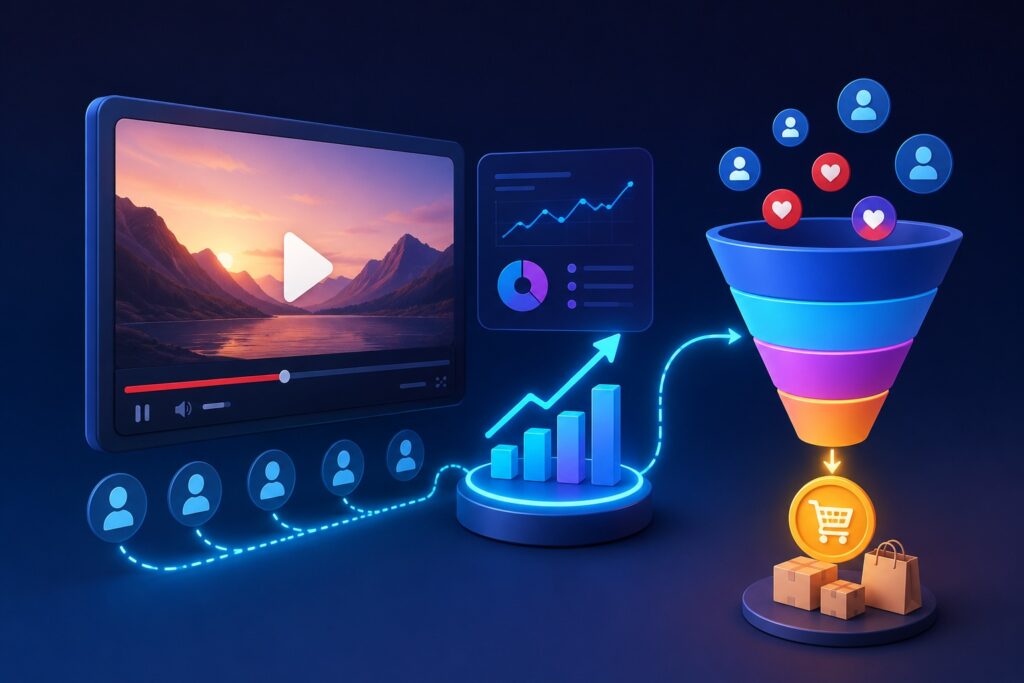
How to Track Video Conversions and Turn Views Into Sales

Video content has a way of attracting attention almost effortlessly. A well-made clip can pull in thousands of views, likes, and shares in a short time. But once the excitement of those numbers fades, many businesses are left with the same question: why aren’t these views turning into actual customers?

That gap between attention and action is where most video marketing strategies fail. Views alone don’t keep a business running—sales do. And to get from one to the other, you need to understand what your videos are really doing behind the scenes.

Tracking video conversions is what turns video marketing from guesswork into a structured growth system. Once you can see exactly how people move from watching a video to taking action, you can start improving results in a meaningful way.

How to Track Video Conversions and Turn Views Into Sales
image generated by ChatGPT

Understanding What “Conversion” Really Means in Video Marketing

Before you even think about tools or analytics, it’s important to get clear on what you’re actually tracking.

A conversion is simply the moment a viewer does something valuable for your business. That action can look different depending on what you sell or offer.

For some businesses, a conversion might be:

  • A customer making a purchase
  • Someone filling out a contact form
  • A booking or appointment request
  • Signing up for a free trial or newsletter
  • Clicking through to a product or pricing page

What matters most is not the type of action, but the fact that it represents real intent. Without defining this clearly, your data becomes messy and your decisions become unreliable.


Why Views Alone Can Be Misleading

It’s easy to get caught up in surface-level numbers. A video with 50,000 views looks impressive, but it doesn’t automatically mean the business is growing. If none of those viewers take action, the video is not doing its job.

On the other hand, a smaller video with 1,500 views that generates steady leads every day is far more valuable.

This is where many businesses misjudge performance. They optimize for attention instead of outcomes. Tracking conversions shifts your focus to what actually matters: how many viewers become customers.


Setting Up the Right Tracking Foundation

To understand conversions properly, you need systems that connect video activity with user behavior. Without this, you are only seeing part of the picture.

Using Google Analytics to See What Happens After the View

Google Analytics plays a major role in understanding post-view behavior. It shows you what users do after they land on your website from a video.

You can track things like:

  • Pages visited after watching
  • Time spent on your site
  • Whether users complete a goal or drop off

This helps you connect video traffic to actual business outcomes instead of isolated engagement metrics.


Understanding Audience Behavior with YouTube Insights

YouTube Studio gives you a detailed look at how people interact with your videos directly on the platform.

You can study:

  • Audience retention (where viewers stop watching)
  • Click-through rates on thumbnails
  • Watch time trends
  • Traffic sources

These signals help you understand whether your content is holding attention long enough to influence action.


Tracking Actions with Event Tools

Google Tag Manager allows you to go deeper by tracking specific user actions on your site.

Instead of guessing, you can measure:

  • Button clicks inside or below videos
  • Form submissions after viewing
  • Scroll behavior on landing pages
  • Custom conversion events

This is especially useful when videos are embedded on service pages or product pages.


Connecting Video Views to Real Customer Journeys

One of the most important shifts in thinking is understanding that conversions rarely happen instantly. Most users don’t watch a video and buy immediately.

Instead, they move through a journey:

  1. They watch your video
  2. They click through to learn more
  3. They explore your website
  4. They return later when ready to buy

If you only measure the first step, you miss the bigger picture.

That’s why tracking needs to follow the entire path—not just the initial view.


The Role of Strong Calls-to-Action

Even the best video will struggle to convert if it doesn’t clearly guide the viewer.

A call-to-action is what connects interest to action. Without it, viewers are left unsure of what to do next.

Effective CTAs might include:

  • “Visit our website to learn more”
  • “Get a free quote today”
  • “Start your free trial”
  • “Book your consultation now”

The key is clarity. A video should never end without a clear next step.


Why Landing Pages Matter More Than You Think

A video can spark interest, but a landing page is often where the decision actually happens.

If your landing page doesn’t match the message of your video, conversions drop quickly. Consistency is everything.

A strong landing page should:

  • Reinforce what the video explained
  • Focus on one main action
  • Remove distractions
  • Build trust through reviews or proof

When video and landing page work together, conversion rates increase significantly.


Using UTM Tracking to Understand What Actually Works

Once you start distributing videos across multiple platforms, it becomes harder to know where results are coming from.

This is where UTM tracking becomes useful. It allows you to see:

  • Which video generated the lead
  • Which platform drove the traffic
  • Which campaign performed best

Instead of guessing, you get clear attribution for every conversion.


Improving Performance Through Real Data

Tracking alone doesn’t improve results. What matters is what you do with the information.

For example:

  • If viewers drop off early → improve your hook or intro
  • If clicks are low → test new thumbnails or titles
  • If traffic is high but conversions are low → fix your landing page
  • If engagement is strong → double down on that content style

Over time, this creates a feedback loop where each video performs better than the last.


Testing and Refining Your Video Strategy

A/B testing is one of the most effective ways to improve conversion rates without guessing.

You can test:

  • Different video titles
  • Thumbnail styles
  • Call-to-action wording
  • Landing page layouts

Even small changes can produce noticeable differences in performance. The goal is to let real user behavior guide your decisions, not assumptions.


Focusing on the Right Audience, Not Just Bigger Numbers

One of the most common mistakes in video marketing is chasing reach instead of relevance.

A highly targeted audience that is already interested in your service will always outperform a large general audience.

Better targeting leads to:

  • Higher engagement
  • Better retention
  • Stronger conversion rates
  • More predictable sales

At the end of the day, it’s not about how many people watch—it’s about whether the right people are watching.

source: Morgan Manson

Final Thoughts

Video marketing becomes truly powerful when it stops being about visibility and starts being about outcomes. Views are only the beginning. The real value comes from understanding what happens after those views.

When you combine proper tracking systems, clear conversion goals, strong calls-to-action, and continuous optimization, your videos stop being just content—they become a consistent source of leads and sales.

The difference between struggling video campaigns and profitable ones usually comes down to one thing: knowing exactly how attention turns into action.

The written content on this page was generated by ChatGPT.
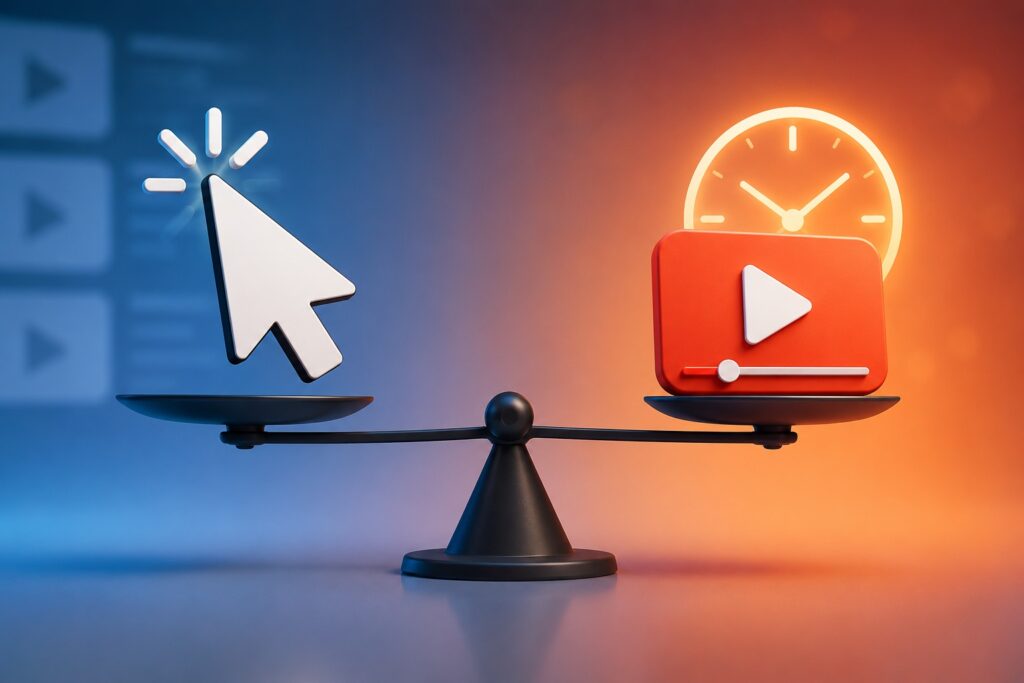
Click-Through Rate vs Watch Time: What Matters More in Video Marketing

Video marketing has become one of the most powerful ways to grow a business online, but it has also become one of the most misunderstood. Many creators obsess over numbers without fully understanding what those numbers actually represent.

Two metrics usually sit at the center of the debate: Click-Through Rate (CTR) and Watch Time. At first glance, they seem to compete with each other. One measures how many people click. The other measures how long they stay.

But in reality, they are not rivals at all. They are two stages of the same journey.

If you want consistent growth on platforms like YouTube, Facebook, or TikTok, you need to understand not only what these metrics mean—but how they influence each other.

Click-Through Rate vs Watch Time: What Matters More in Video Marketing
Generated by ChatGPT

Why Video Metrics Matter More Than Ever

In earlier forms of marketing, success was measured in simple exposure. How many people saw your ad. How many impressions you bought. How many eyeballs were reached.

Video marketing changed that completely.

Today, platforms don’t just care about whether someone saw your content. They care about what people did after seeing it. Did they click? Did they stay? Did they engage?

That shift is why CTR and Watch Time became so important. They are no longer vanity numbers. They are signals that determine whether your video gets pushed to more people or quietly disappears.


What Click-Through Rate Actually Tells You

Click-Through Rate is often misunderstood as a success metric, but it is really a curiosity metric.

It answers one simple question:

“Did your video look interesting enough for someone to click?”

CTR is shaped before anyone even watches your content. It depends on how your video is presented in the feed.

This includes:

  • The thumbnail
  • The title
  • The topic framing
  • Audience targeting
  • Emotional appeal

A high CTR usually means your packaging works. People see it and think, “I want to know more.”

But CTR alone does not guarantee success. It only gets someone through the door.


What Watch Time Really Measures

Watch Time is where reality shows up.

Unlike CTR, which is about attraction, Watch Time is about retention. It measures whether your content can actually hold attention once someone clicks.

This includes:

  • How long people stay
  • When they drop off
  • Whether they finish the video
  • Overall audience retention

Watch Time tells platforms something very important:

“This content delivered on its promise.”

If CTR is the invitation, Watch Time is the experience.

And in most modern algorithms, experience matters more than curiosity.


The Hidden Relationship Between CTR and Watch Time

It’s easy to treat these two metrics separately, but platforms don’t.

They evaluate them together as a sequence:

  1. A user sees your video (impression)
  2. They decide whether to click (CTR)
  3. They decide whether to stay (Watch Time)

If either step fails, the chain breaks.

A video with high CTR but low Watch Time sends a negative signal. It tells the platform that the packaging worked, but the content didn’t deliver.

On the other hand, a video with low CTR but high Watch Time struggles to scale. It performs well only after people find it, but not enough people ever see it.


When CTR Is High but Watch Time Is Weak

This is one of the most common problems in video marketing.

It usually happens when:

  • Titles are too sensational
  • Thumbnails are misleading
  • Expectations are inflated

At first, everything looks promising. Views come in quickly. The CTR looks strong.

But then something changes.

People start leaving within seconds. Retention drops. The algorithm slows down distribution.

What went wrong is simple: the video attracted attention but didn’t sustain it.

Over time, platforms stop recommending it because it fails to satisfy viewers.


When Watch Time Is Strong but CTR Is Low

This is a quieter problem, but just as limiting.

Here, the content itself is solid. People who watch tend to stay. Engagement is strong. The video performs well internally.

But it never gets enough exposure.

Why?

Because the packaging doesn’t trigger curiosity.

Weak thumbnails, unclear titles, or poor positioning can all reduce CTR. And if people don’t click in the first place, even great content stays hidden.

In this case, the video is valuable—but invisible.


So Which Metric Matters More?

If you look at how modern platforms operate, the answer becomes clearer.

Watch Time carries more long-term weight because it reflects satisfaction and content quality.

However, CTR is still essential because it determines whether your content gets tested in the first place.

A simple way to think about it is this:

  • CTR opens the door
  • Watch Time determines how long you stay inside

One without the other creates imbalance.


How Platforms Actually Evaluate Your Video

Most major platforms don’t look at metrics in isolation. Instead, they evaluate performance in stages.

Stage 1: Exposure and Clicks

Your video is shown to a small audience. The platform measures CTR to see if people are interested.

If CTR is too low, distribution slows immediately.


Stage 2: Engagement and Retention

If people click, the platform watches behavior closely.

  • Do they stay?
  • Do they leave early?
  • Do they watch more content afterward?

This is where Watch Time becomes critical.


Stage 3: Satisfaction Signals

Beyond watch behavior, platforms also track:

  • Likes
  • Comments
  • Shares
  • “Not interested” clicks

These signals help refine future recommendations.

Together, these stages decide whether your video grows or fades.


How to Improve Click-Through Rate Naturally

Improving CTR is less about tricks and more about clarity and curiosity.

Strong CTR usually comes from:

  • Clear, high-contrast thumbnails
  • Titles that create curiosity without confusion
  • Topics that match audience intent
  • Emotional or outcome-driven framing

The goal is not to exaggerate—but to make people want to understand more.


How to Improve Watch Time Effectively

Watch Time improves when the content itself respects attention.

That means:

  • Starting quickly without long introductions
  • Delivering value early in the video
  • Keeping pacing dynamic
  • Avoiding unnecessary filler
  • Matching what the title promised

A viewer should never feel like they clicked into something different from what they expected.


The Real Strategy: Balancing Both Metrics

The strongest video marketing systems don’t optimize for CTR or Watch Time alone. They build alignment between them.

When your packaging and your content match, something powerful happens:

  • More people click
  • More people stay
  • The algorithm gains confidence
  • Distribution expands

This creates a compounding effect where each new video performs better than the last.

source: Nick Nimmin

Final Thoughts

Click-Through Rate and Watch Time are often discussed as if one must be more important than the other. But in reality, they are part of the same system.

CTR determines whether your video gets attention.
Watch Time determines whether it deserves more.

If you want sustainable video marketing growth, the goal is not to choose between them—but to build a structure where both naturally improve together.

That’s what separates videos that get a few views from videos that consistently grow over time.

The written content on this page was generated by ChatGPT.

How to Measure Success in Your First Video Marketing Campaign

Starting your first video marketing campaign often feels like a major milestone. You plan the script, shoot the footage, edit everything together, and finally publish it. There is a sense of accomplishment when the video goes live.

But after that initial excitement fades, a more important question appears. How do you actually know if it worked?

A video can look polished and still fail to deliver results. At the same time, a simple video shot on a phone can quietly bring in customers, leads, and real business growth. The difference is not always in production quality—it is in how success is measured and interpreted.

Understanding how to evaluate performance early on helps you avoid guesswork and gives you a clearer path for improvement with every video you create.

How to Measure Success in Your First Video Marketing Campaign
image generate by ChatGPT

Why Measurement Matters More Than the Video Itself

Many beginners focus heavily on making the video look perfect. Lighting, editing, background music, and transitions all take priority. While these things matter, they do not guarantee results.

What truly determines success is how your audience responds after watching.

When you measure properly, you begin to understand:

  • What actually holds attention
  • What causes viewers to lose interest
  • What motivates people to take action
  • Which content style fits your audience best

Without measurement, you are simply publishing content and hoping for the best. With measurement, you are building a strategy that improves over time.


Start by Defining What Success Means for You

Before checking any numbers, it is important to step back and ask a simple question: what is this video supposed to achieve?

Different businesses use video for different reasons.

Some want visibility and awareness, especially if they are just starting out. Others are focused on getting inquiries, calls, or direct sales. Some simply want to educate their audience and build trust over time.

A few common goals include:

  • Getting more people to recognize your brand
  • Driving traffic to your website
  • Generating leads or inquiries
  • Increasing product or service sales
  • Building audience engagement

The key is to choose one primary goal for each video. Trying to measure everything at once often leads to confusion.


Views Are Only the Starting Point

One of the first numbers people look at is views. It is easy to understand and gives a quick sense of reach.

However, views alone do not tell the full story.

A video might get thousands of views simply because it was shown to the right audience at the right time. But if those viewers do not stay, interact, or take action, the video is not truly effective.

Instead of focusing only on how many people clicked play, it is more useful to look at what happens after they start watching.


Watch Time Shows Real Interest

Watch time is one of the strongest indicators of content quality.

It tells you how long people are actually paying attention to your video. A high watch time usually means your message is clear, engaging, and relevant to the viewer.

If people stop watching early, that is also important information. It could mean:

  • The introduction is too slow
  • The message is not clear enough
  • The video does not match audience expectations

Improving watch time is often more valuable than increasing views, because it signals genuine interest.


Audience Retention Reveals Where You Lose People

While watch time gives an overall picture, audience retention shows something more detailed.

It helps you understand exactly where viewers stop watching. This can reveal patterns that are easy to miss otherwise.

For example:

  • If many viewers leave in the first 10 seconds, your intro may need improvement
  • If there is a drop in the middle, the content may be too complex or slow
  • If viewers stay until the end, your structure is likely working well

This type of insight allows you to refine your videos step by step instead of guessing what went wrong.


Engagement Shows Emotional Connection

Engagement is where you start to see how people feel about your content.

When viewers like, comment, or share your video, it shows they are not just watching—they are reacting.

Each type of engagement gives different insight:

  • Likes suggest approval or agreement
  • Comments show interest or curiosity
  • Shares indicate strong value or relatability
  • Saves suggest usefulness or reference value

High engagement often leads to better reach, because platforms tend to promote content that keeps people interacting.


Click-Through Rate Tells You If People Take Action

If your video includes a link, offer, or next step, click-through rate becomes an important measure.

It shows how many viewers moved from watching to doing something.

A low click-through rate does not always mean the video is bad. It may simply mean:

  • The call-to-action was unclear
  • The timing of the CTA was off
  • The offer was not strong enough

Sometimes a small adjustment in wording or placement can significantly improve results.


Conversions Show Real Business Impact

Ultimately, the most meaningful measure of success is whether the video helped your business grow.

Conversions can include things like:

  • Filling out a contact form
  • Making a purchase
  • Booking a service
  • Signing up for a newsletter
  • Making a phone call

This is where video marketing becomes more than content creation. It becomes a business tool.

Tracking conversions often requires analytics tools or tracking links, but it is worth the effort because it connects your video directly to real outcomes.


Comparing Platforms Gives You Direction

Not every platform will perform the same way. A video that works well on one platform may perform differently on another.

By comparing results, you can learn:

  • Where your audience is most active
  • Which platform brings better engagement
  • Where conversions are strongest

This helps you focus your energy instead of spreading your content too thin across multiple channels.


Understanding Return on Investment

If you spent money producing or promoting your video, it is important to understand what you gained in return.

Return on investment is not always just financial. It can also include:

  • New leads
  • Increased website traffic
  • Improved brand visibility
  • Higher engagement rates

A simple way to think about it is whether the value you gained is greater than what you spent.

Even small wins can justify continuing your video strategy.


Use What You Learn to Improve the Next Video

The most important part of measuring success is not the report itself—it is what you do with it.

Every video you publish gives you new information about your audience. Over time, patterns start to appear. You begin to see what works and what does not.

This allows you to improve:

  • Video length
  • Messaging style
  • Visual presentation
  • Calls to action
  • Target audience focus

Instead of starting from scratch each time, you are building on experience. That is where real growth happens.

source: Semrush

Final Thoughts

Measuring success in your first video marketing campaign is not about chasing big numbers. It is about understanding behavior, learning from it, and making better decisions moving forward.

When you focus on meaningful metrics like watch time, engagement, and conversions, you move away from guesswork and toward a more intentional strategy.

The goal is not just to create videos. The goal is to create videos that improve with every attempt and contribute directly to your business growth.

The written content on this page was generated by ChatGPT.

Why Testimonial Videos Are One of the Most Powerful Marketing Tools

Most businesses say the same thing: “We’re the best,” “We deliver quality,” “We care about our customers.” The problem is, those claims don’t mean much on their own anymore. People hear them all the time, across every industry, from every competitor.

What actually breaks through that noise is something far more grounded—real customers sharing real experiences in their own words. That’s where testimonial videos come in, and why they’ve become one of the most effective tools in modern marketing.

Unlike polished advertisements, testimonial videos don’t try to convince in a traditional sense. Instead, they show proof. And in today’s environment, proof matters more than promotion.

Why Testimonial Videos Are One of the Most Powerful Marketing Tools
image generate by ChatGPT

Why People Trust Other People More Than Brands

There’s a simple reason testimonial videos work so well: people trust other people more than they trust companies.

When someone is deciding whether to buy a product or hire a service, they naturally look for reassurance. They want to know if it has worked for someone else, especially someone who seems relatable.

This is where psychology plays a big role. Humans rely heavily on social proof when making decisions. If others have had a good experience, it reduces uncertainty. It makes the choice feel safer.

A written review can help with that, but video goes further. When you see a real person speaking, you pick up on details that text cannot carry—tone, emotion, hesitation, excitement, confidence. All of these signals shape how believable the message feels.


The Difference Between Hearing It and Seeing It

There’s a major gap between reading a testimonial and watching one.

A written review might say:
“Great service, highly recommended.”

But a video shows someone explaining:
what problem they had,
why they were frustrated,
how they discovered the solution,
and what actually changed afterward.

That narrative structure matters. People don’t just want praise—they want context. They want to understand the journey.

Video makes that journey visible. It adds facial expressions, voice tone, and real reactions. Those small details make the story feel less like marketing and more like a conversation.


Why Testimonial Videos Build Trust Faster Than Anything Else

Trust usually takes time to develop. Businesses often spend months or even years building credibility through branding, content, and advertising.

Testimonial videos speed up that process significantly.

Instead of a company trying to convince a potential customer, the message comes from someone who has no obligation to promote the brand. That difference changes how the message is received.

It lowers skepticism. It reduces hesitation. And it replaces “Is this really true?” with “This seems to have worked for them.”

In many cases, that shift is enough to move someone from browsing to buying.


Why Video Testimonials Convert Better Than Written Reviews

Written testimonials still have value, but they are easy to overlook. People scroll past them, skim them, or question their authenticity.

Video, on the other hand, demands attention.

It also holds attention longer. When someone is watching a testimonial video, they’re not just reading words—they’re observing a real human experience unfold. That engagement increases the chances that the message will actually stick.

There’s also an emotional element. A satisfied customer speaking with genuine enthusiasm is far more persuasive than text alone. Emotion plays a major role in decision-making, even when people think they are being purely logical.


How Testimonial Videos Influence Every Stage of Buying Decisions

Testimonial videos are useful at every stage of the customer journey.

At the beginning, they introduce your brand in a relatable way. Instead of a business explaining what it does, a customer explains what they experienced.

During the consideration stage, they help compare options. When someone is weighing different providers, real feedback often becomes the deciding factor.

At the final stage, they reduce doubt. Even when a customer is close to making a decision, hesitation can still appear. A strong testimonial can remove that final barrier.

This is especially true in industries where trust is essential—services, healthcare, coaching, real estate, and high-ticket products.


Authenticity Matters More Than Production Quality

One common mistake businesses make is overproducing testimonial videos. While high-quality visuals can be helpful, perfection is not the goal.

What actually works best is authenticity.

A slightly imperfect video, where a customer speaks naturally and casually, often feels more believable than a heavily scripted production. People can tell when something feels rehearsed, and that can reduce trust instead of building it.

What matters most is honesty. If the emotion is real, the video works.


How Businesses Should Approach Testimonial Videos

Getting effective testimonial videos is not about asking customers to repeat marketing messages. It’s about guiding them to tell their story.

A simple structure works best:
What problem did they have?
Why was it important to solve it?
What made them choose your business?
What happened after using your product or service?

This structure creates a natural narrative that viewers can follow easily.

Placement also matters. Testimonial videos should not be hidden away on a separate page. They perform best when placed where decisions are made—landing pages, product pages, checkout pages, and even social media ads.


The Impact on Conversions and Sales

Testimonial videos often have a direct effect on conversion rates.

When people see others achieving results, it reduces perceived risk. Buying anything involves uncertainty, and testimonials help remove that uncertainty by showing real outcomes.

This is why businesses that use testimonial videos often see stronger performance metrics, including higher engagement, longer time on page, and better sales conversions.

It’s not just about persuasion—it’s about reassurance.


Where Testimonial Videos Are Heading Next

As online competition continues to grow, trust will become even more important. And video is becoming the most natural way to build that trust at scale.

We are also starting to see new developments in personalization and distribution. Businesses are beginning to use testimonial content more strategically, matching different testimonials to different audience segments.

In the future, testimonial videos may become even more targeted, interactive, and integrated into customer journeys.

But even with all the changes in technology, the foundation remains the same.

People trust people.

That is something marketing will never replace.

source: Aleric Heck

Final Thoughts

Testimonial videos are powerful because they don’t feel like marketing. They feel like experience sharing. That difference is what makes them so effective.

They shorten the trust-building process, reduce hesitation, and help potential customers feel more confident in their decisions.

In a digital world filled with claims and promises, real voices stand out. And those real voices often make the difference between someone just looking—and someone actually buying.

The written content on this page was generated by ChatGPT.

Explainer Videos vs Product Demo Videos: Which One Should You Use First?

Most businesses don’t struggle with whether video marketing works. That part is already settled. The real challenge shows up much earlier—choosing what kind of video to start with.

Two of the most commonly used formats are explainer videos and product demo videos. On the surface, they might look similar. Both are short, both are promotional, and both are used to increase sales. But in practice, they serve very different roles in your marketing strategy.

So the real question is not just what they are—but which one actually makes sense to create first when you’re starting from zero or building a new campaign?

To answer that properly, it helps to understand how each one behaves in the real world.

Explainer Videos vs Product Demo Videos: Which One Should You Use First?

What an Explainer Video Actually Does for Your Business

An explainer video is usually the first “conversation” your business has with a potential customer.

At this stage, people don’t really know you yet. They may have landed on your website, seen a social post, or clicked an ad out of curiosity. They are not looking for deep technical details. They are still trying to answer something very basic:

“What is this, and why should I care?”

That’s exactly where explainer videos perform best.

Instead of focusing on features or step-by-step usage, they focus on clarity. They take something that might be complicated—like a service, software, or business model—and turn it into something easy to understand in under two minutes.

Where explainer videos really shine

They are especially effective when:

  • Your product or service is new to the market
  • Your idea needs context before it makes sense
  • Your audience is cold and unfamiliar with your brand
  • You need to simplify something technical or abstract

A good explainer video removes confusion. And in marketing, clarity often comes before interest.

For example, if a company offers a subscription-based cleaning service, most people won’t immediately understand how scheduling, pricing, or recurring visits work. An explainer video can walk through that entire experience in a simple story, helping the viewer understand the value without effort.

That “instant understanding” is what makes explainer videos powerful at the beginning of a customer journey.


What a Product Demo Video Actually Focuses On

A product demo video comes in at a very different stage.

By the time someone is watching a demo, they already have some level of interest. They are no longer asking what the product is. Instead, they are asking something more practical:

“How does it actually work, and will it solve my problem?”

This is where detail matters.

Unlike explainer videos, demos don’t simplify the idea—they prove it. They show the product in action, often step by step, so the viewer can visualize exactly what owning or using it would feel like.

Where product demo videos perform best

They are most effective when:

  • Your audience already understands the product category
  • You’re targeting warm leads or returning visitors
  • The purchase decision depends on features or usability
  • You need to reduce hesitation before buying

For example, if you’re selling a project management tool, the audience likely already knows what such tools do. What they need now is confidence. A demo video showing task creation, team collaboration, and workflow automation helps remove doubt and makes the decision easier.

In other words, demos don’t introduce—they reassure.


The Real Difference Between the Two

Although both formats sit under video marketing, they operate at different stages of persuasion.

Here’s a simple way to think about it:

  • Explainer videos build understanding
  • Product demos build confidence

That difference changes everything.

Explainer videos are emotional and conceptual. They focus on the “why.”
Product demos are logical and functional. They focus on the “how.”

One prepares the audience. The other convinces them.


So Which One Should You Create First?

If you’re just starting out, the safest and most effective answer is usually this:

Start with an explainer video.

That might feel less exciting, especially if you’re eager to show off your product. But in most cases, skipping the explainer stage creates a hidden problem—people don’t fully understand what you do, which means they don’t engage deeply enough to care about the demo.

There are a few reasons why explainer videos typically come first:

1. Most audiences need context before details

If someone doesn’t fully understand your offer, showing them features won’t help. It only adds more confusion.

2. Cold traffic needs simplicity

People seeing your brand for the first time are not ready for technical explanations. They need a clear message before anything else.

3. It forces you to refine your message

Creating an explainer video forces you to simplify your business into its core idea. That clarity improves everything else—ads, landing pages, and even sales conversations.


When a Product Demo Should Come First Instead

There are situations where starting with a demo actually makes more sense.

For example:

1. Your product category is already familiar

If people already understand what your product is (like smartphones, apps, or tools), you don’t need to explain the concept—you just need to show what makes yours better.

2. You already have warm traffic

If visitors are already aware of your brand, a demo becomes more powerful than another introduction.

3. Your focus is direct conversion

If your goal is immediate sales rather than awareness, demos can push people closer to purchase faster.


The Most Effective Strategy: Use Both in Sequence

The real strength of video marketing comes when you stop thinking in terms of “which one is better” and start thinking in terms of “what order makes sense.”

A strong funnel often looks like this:

Stage 1: Awareness

  • Explainer videos
  • Short brand introductions
  • Educational content

Stage 2: Consideration

  • Product demos
  • Tutorials
  • Feature breakdowns

Stage 3: Decision

  • Testimonials
  • Case studies
  • Reviews

When structured this way, each video has a clear job. Nothing overlaps, and nothing feels wasted.


A Simple Real-World Example

Imagine a small business offering an online fitness coaching app.

At the beginning, most people don’t know what makes it different from hundreds of other fitness apps. An explainer video helps introduce the concept, the benefits, and the transformation it offers.

Once that interest is built, a product demo shows how the app actually works—tracking workouts, logging meals, and following guided programs.

The result is a smoother customer journey. People understand the idea first, then see the proof, and finally feel comfortable committing.


A Mistake Many Businesses Make

One of the most common mistakes is skipping the explainer stage entirely and jumping straight into product demos.

On paper, it sounds logical. If you show the product, people should buy it. But in reality, it often fails because the viewer is still trying to figure out the bigger picture.

Without that foundation, even a great demo can feel irrelevant.

source: XPLAI

Final Takeaway

There is no universal winner between explainer videos and product demo videos. The right choice depends entirely on where your audience is in their journey.

But as a general rule:

  • Start with an explainer video when you need to build awareness and clarity
  • Use a product demo video when you need to build confidence and drive decisions
  • Combine both when you want a complete, structured marketing system

When used in the right order, these two video types don’t compete with each other—they support each other.

And that combination is often what separates average video marketing from campaigns that actually convert.

The written content on this page was generated by ChatGPT.

How Video Marketing Fits Into Your Overall Digital Marketing Strategy

There’s a moment many business owners hit where they realize traditional marketing just isn’t enough anymore. Social media is crowded, attention spans are shorter, and customers are increasingly making decisions based on what they can see rather than what they read.

That’s where video comes in.

The idea of video marketing often feels intimidating at first—especially if you have no experience, no editing skills, and a limited budget. It can seem like something reserved for big brands with professional teams and expensive equipment.

But that assumption is outdated.

Today, video marketing is one of the most accessible forms of content creation available. If you have a smartphone and a clear message, you already have enough to begin. The real challenge isn’t equipment—it’s knowing what to say, how to start, and how to stay consistent.

Let’s break it down in a practical way.

How Video Marketing Fits Into Your Overall Digital Marketing Strategy
image generate by ChatGPT

Why Video Marketing Is Worth Starting Early

Before focusing on tools or strategy, it helps to understand why video matters so much in the first place.

People process video faster than text. They trust what they can see. And they remember visual content far longer than written content alone. This is why even a simple video can often outperform a polished blog post or static image.

For small businesses, this creates a major advantage. Video allows you to:

  • Explain your service quickly without confusion
  • Show real proof of what you do
  • Build familiarity and trust with potential customers
  • Stand out in crowded feeds where text gets ignored

You don’t need to go viral. You just need to be visible and understandable.


Starting Without Equipment or Experience

One of the biggest mental barriers is the belief that you need “proper gear” before you can begin. In reality, most effective early-stage videos are shot with nothing more than a phone.

If your smartphone can record clear video and decent audio, that’s enough to start.

Instead of focusing on upgrades, focus on three basics:

Good lighting makes your video look clearer than expensive cameras ever will. Natural light near a window is often enough.

Stable framing helps your video feel more professional. You don’t need a tripod—stacking books or leaning your phone works fine.

Clear sound is more important than perfect visuals. People will tolerate average video quality, but they won’t tolerate unclear audio.

Once those basics are in place, you’re already ahead of most beginners who never start at all.


Choosing Your First Simple Video Idea

A common mistake at the beginning is trying to create something “impressive.” This usually leads to overthinking and no actual content being produced.

Instead, your first videos should be simple, direct, and based on what you already know.

Some of the easiest starting points include:

  • Introducing who you are and what your business does
  • Answering a common customer question
  • Showing how your service works in real time
  • Sharing a short tip related to your industry
  • Giving a behind-the-scenes look at your process

These types of videos work because they feel real, not scripted or forced.


A Simple Way to Structure Any Video

Even though you’re keeping things simple, having structure helps your message stay clear.

A basic framework you can always rely on is:

Start with a hook that quickly explains what the viewer will gain or learn. This prevents people from scrolling away in the first few seconds.

Then briefly introduce the problem your audience is facing. This creates relevance.

After that, present your solution—this is where your business naturally fits in.

Finally, include a simple next step. This could be visiting your website, sending a message, or calling your business.

You don’t need complexity. You just need clarity.


Recording Your First Video Without Pressure

The hardest part for most people is simply pressing record.

There’s often a fear of not sounding professional enough or making mistakes. But in reality, early videos are not about perfection—they’re about communication.

It’s normal for the first few videos to feel awkward. That discomfort fades quickly once you start getting used to speaking on camera.

What matters most is that you:

  • Speak slowly and clearly
  • Keep your message short
  • Avoid overthinking every sentence
  • Focus on helping the viewer rather than impressing them

The more natural you are, the more relatable your video becomes.


Editing Without Overcomplicating It

Editing often scares beginners, but it doesn’t need to.

Your goal is not to create cinematic content. Your goal is to make your message easy to understand.

Basic editing usually includes:

  • Cutting out long pauses or mistakes
  • Keeping the video concise
  • Adding simple text if needed for clarity
  • Making sure audio is balanced

That’s it.

Over-editing often makes videos feel less authentic, especially for small business content.


Where to Post Your Videos First

Creating a video is only half the process. The other half is making sure people actually see it.

You don’t need to be on every platform. In fact, starting with too many platforms can slow you down.

Instead, focus on one or two places where your audience already spends time. For many businesses, this might be Facebook, Instagram, or YouTube.

Consistency matters more than platform variety.


What Actually Makes Video Marketing Work Over Time

Most people assume video marketing works instantly. In reality, it builds gradually.

Your early videos are not about immediate results—they’re about learning what your audience responds to.

Over time, you’ll start noticing patterns:

  • Which topics get more attention
  • What type of videos people watch longer
  • What messages lead to inquiries or sales

That feedback loop is where real growth happens.


Mistakes That Slow Beginners Down

There are a few common issues that often hold people back:

Waiting too long to start because things don’t feel “ready” yet.

Trying to make every video perfect instead of just publishing consistently.

Making videos too complicated instead of keeping them simple and direct.

Ignoring audience feedback and continuing to post without adjustment.

Avoiding these mistakes is often more important than any advanced strategy.

source: Blake Ridder

Final Thoughts

Starting video marketing without experience or a large budget is not only possible—it’s increasingly the norm.

The businesses that succeed with video are rarely the ones with the most expensive production. They are the ones that begin early, stay consistent, and improve over time.

Your first video doesn’t need to be impressive. It just needs to exist.

Because once you start, everything becomes easier from there.

The written content on this page was generated by ChatGPT.