Tag Archives: content repurposing

How to Repurpose YouTube Videos Into Blog Posts

Creating a useful YouTube video takes planning, recording, editing, and promotion. The good news is that the work does not have to end when the video is published. One well-made video can become the foundation for a detailed blog post that continues attracting search traffic long after the original upload.

Repurposing YouTube videos into blog posts is a practical content marketing strategy for businesses that want to get more value from existing content. Instead of starting every article from a blank page, you can use the ideas, examples, questions, and explanations already covered in your video as the starting point for a written resource.

The important part is not simply copying the video’s transcript. A strong blog post should add context, organization, examples, useful details, and information that makes sense for someone who prefers reading rather than watching.

How to Repurpose YouTube Videos Into Blog Posts
image generated by Gemini

Why Turn YouTube Videos Into Blog Posts?

Video and written content serve different types of audiences. Some people would rather watch a demonstration, while others prefer scanning headings, jumping to specific sections, or reading at their own pace.

Turning a YouTube video into an article allows your business to reach both groups.

It can also help you build a larger library of content without creating an entirely separate idea for every blog post. A single video might contain several useful topics that can be expanded into an article, FAQ, checklist, comparison, or tutorial.

There is another advantage: a webpage gives your business a place to provide additional information around the video. Google recommends making videos accessible on webpages and provides guidance for helping search engines understand video content.

The goal, however, should be content expansion rather than transcript duplication.

1. Choose YouTube Videos With Strong Search Potential

Not every video needs to become a blog post.

Start with videos that answer a question, explain a process, solve a problem, compare options, or teach something useful. These subjects are usually easier to transform into search-focused articles.

For example, suppose a business has a YouTube video called:

“How to Create a Marketing Video for Your Small Business.”

That could become a much broader article such as:

“How to Create a Small Business Marketing Video That Attracts Customers.”

The article can expand on equipment, planning, scripting, filming, editing, publishing, promotion, and performance measurement.

Look through your YouTube library for videos that:

  • Answer questions customers frequently ask
  • Explain complicated subjects
  • Demonstrate a product or service
  • Address common problems
  • Have consistent viewer interest
  • Cover topics relevant to your website
  • Can be expanded with examples or additional information

Your existing videos can become a valuable source of future blog topics.

2. Use the Video Transcript as a Starting Point

A transcript can save considerable time when creating the first draft.

YouTube provides transcripts for videos that have captions. Viewers can open a video’s transcript and use it to jump to particular parts of the video.

For your own videos, the transcript can help you identify:

  • Main talking points
  • Important examples
  • Questions answered in the video
  • Statistics or facts mentioned
  • Step-by-step instructions
  • Frequently repeated ideas
  • Natural subtopics that deserve their own headings

However, don’t simply paste the transcript into WordPress and publish it as a blog post.

Spoken language is usually different from written language. A video might contain pauses, repeated phrases, conversational expressions, and transitions that make sense when heard but feel awkward on a webpage.

Instead, treat the transcript like research material.

Read through it, identify the important ideas, and reorganize them into a useful article.

3. Find the Main Search Intent

Before writing the article, determine what someone would actually search for when looking for the information in your video.

For example, a video about creating business videos could lead to several different search intents:

  • How to create business videos
  • Business video marketing tips
  • How to make promotional videos
  • Video marketing for small businesses
  • How to create videos that generate leads

Choose one primary topic for the article rather than trying to target every possible keyword.

Your title, introduction, headings, examples, and supporting information should all reinforce that central subject.

This creates a much clearer article for readers and gives search engines a better understanding of what the page is about.

4. Build a New Article Outline

Once you’ve reviewed the video, create an outline before writing.

A simple structure might look like this:

H1: How to Create a Marketing Video for Your Small Business

Introduction

H2: Why Video Marketing Matters for Small Businesses

H2: Plan Your Video Before Recording

H2: Choose the Right Video Format

H2: Write a Simple Video Script

H2: Record and Edit Your Video

H2: Publish and Promote Your Video

H2: Measure Your Video Marketing Results

H2: Common Video Marketing Mistakes

H2: Frequently Asked Questions

Conclusion

The video may have covered these subjects in a completely different order. That’s fine.

The blog post doesn’t have to follow the video’s structure.

In fact, reorganizing the information can make the written version considerably more useful.

5. Expand the Video Instead of Repeating It

This is one of the most important parts of the process.

A video might spend 30 seconds explaining a concept that deserves several paragraphs in an article. That’s an opportunity to add value.

For each major point in the video, ask:

“What additional information would help someone understand or act on this?”

You could add:

  • Examples
  • Definitions
  • Step-by-step instructions
  • Common mistakes
  • Pros and cons
  • Expert recommendations
  • Frequently asked questions
  • Supporting statistics
  • Related resources
  • Screenshots or diagrams
  • Links to other relevant articles

For example, a video might say:

“Choose a format that matches your marketing goal.”

The blog article could explain the difference between product demonstrations, testimonials, tutorials, explainer videos, behind-the-scenes content, and short-form social videos.

That transforms a brief statement from the video into genuinely useful written content.

6. Add the YouTube Video to the Blog Post

Embedding the original video into the corresponding article gives readers the option to watch instead of read—or do both.

Place the video somewhere that makes sense rather than automatically putting it at the very bottom.

For a tutorial, embedding the video near the introduction can work well. The article can then provide a written version of the process underneath it.

This creates a useful combination:

Video → Written explanation → Examples → Additional resources → Call to action

Google supports pages containing embedded videos, including pages using third-party video platforms such as YouTube.

If you’re using video structured data on your website, make sure the information accurately describes the actual video. Google specifically recommends unique and consistent video information such as the title, thumbnail, and description.

7. Turn Video Chapters Into Blog Headings

If your YouTube video already has chapters, those chapters can provide a useful starting point for your article structure.

For example:

YouTube Chapter:

00:00 Introduction
02:15 Choosing a Video Topic
05:30 Writing the Script
09:10 Recording the Video
14:20 Editing
18:45 Publishing

These can become:

  • Choosing a Video Topic
  • Writing a Marketing Video Script
  • Recording Your Business Video
  • Editing Your Marketing Video
  • Publishing and Promoting Your Video

You don’t have to use exactly the same wording.

Rewrite the headings around the search intent and make them descriptive enough that readers can understand what each section contains.

YouTube timestamps can also help users navigate videos, and Google may use timestamps and labels for key moments in search results.

8. Add Original Examples and Business Insights

Your existing video provides the foundation, but the article should have something extra.

Consider adding an example after each major concept.

For instance, if your article discusses customer testimonial videos, explain how a local service company might use one:

A garage door company could record a short customer testimonial showing the problem, the repair process, and the customer’s experience. The accompanying blog section could explain how testimonials fit into the consideration stage of the buying process.

Examples make an article easier to understand and give readers something practical to take away.

They also help prevent the article from feeling like a rewritten transcript.

9. Add Internal Links to Related Articles

Repurposing YouTube content is also a good opportunity to strengthen your website’s internal linking structure.

Suppose your website has articles about:

  • Video Marketing Basics
  • Social Media Video Marketing
  • Video SEO
  • Video Marketing Metrics
  • Video Advertising
  • Video Content Creation

A new article about repurposing YouTube videos could naturally link to several of these pages.

For example:

How to Repurpose YouTube Videos Into Blog Posts

→ How to Create a Video Content Strategy
→ How to Optimize Marketing Videos for Google
→ How to Measure Video Marketing ROI
→ Social Media Video Marketing Tips

The links should be genuinely useful rather than inserted simply to increase the number of internal links.

A well-organized content network helps readers discover related information and makes your website easier to navigate.

10. Optimize the Blog Post for Search

After turning the video into an article, optimize the page naturally.

Start with a clear primary keyword, such as:

repurpose YouTube videos into blog posts

Then build related phrases into the article where appropriate:

  • YouTube video repurposing
  • video content repurposing
  • turn YouTube videos into articles
  • repurpose video content
  • YouTube content strategy
  • video marketing strategy
  • convert video into blog content

Don’t force these phrases into every paragraph.

A better approach is to write naturally around the subject and cover the topic thoroughly.

Pay attention to:

  • Page title
  • H1 heading
  • Introduction
  • H2 and H3 headings
  • Image alt text
  • URL
  • Meta description
  • Internal links
  • Video title and description
  • Relevant FAQs

The article should be written primarily for people. SEO should support the content rather than make it awkward.

11. Create a Better Title Than the Original Video

Your YouTube title and blog title don’t have to be identical.

A YouTube title might be designed to encourage clicks:

“7 Easy Ways to Get More From Your YouTube Videos”

The corresponding blog post could use a more search-focused title:

“How to Repurpose YouTube Videos Into Blog Posts”

This allows each piece of content to serve its platform without creating unnecessary duplication.

You can also target a related long-tail search query with the article while allowing the original video to target a slightly broader phrase.

12. Add FAQs to Capture More Search Intent

Questions from your YouTube comments can be especially useful here.

Look at the questions viewers ask about the video. Some of those questions may deserve their own sections in the article.

For example:

Can I turn every YouTube video into a blog post?

Not necessarily. Videos that teach, explain, demonstrate, or answer specific questions are usually the easiest to transform into useful articles. Videos that are primarily entertainment or highly visual may require a different approach.

Should a blog post contain the entire YouTube transcript?

A transcript can be useful as source material, but simply publishing it may not produce the best reading experience. A better approach is to reorganize the information, edit the language, add context, and create a complete article around the subject.

Should I embed my YouTube video in the blog post?

In many cases, yes. An embedded video gives visitors another way to consume the information and can complement the written content.

13. Turn One Video Into Multiple Content Assets

The biggest opportunity isn’t necessarily creating one blog post from one video.

A strong video can become an entire content package.

For example, one 15-minute YouTube video could become:

1 YouTube video
↓
1 detailed blog post
↓
3 short social media videos
↓
5 social media posts
↓
1 email newsletter
↓
1 FAQ section
↓
1 downloadable checklist
↓
Several future blog topics

This approach allows businesses to spend more time developing useful ideas and less time constantly searching for completely new ones.

14. Update Older Videos With New Blog Content

You don’t have to focus exclusively on new YouTube videos.

Look through your older library.

You may have videos that were published months or years ago but still address questions your customers care about. If the subject remains relevant, those videos can become the starting point for new articles.

You can also update the article when important information changes.

This creates another opportunity to connect older video content with newer website content.

A Simple YouTube-to-Blog Repurposing Workflow

You can make the process repeatable by using the same workflow every time.

Step 1: Choose a useful YouTube video.

Step 2: Review the transcript and chapters.

Step 3: Identify the primary search intent.

Step 4: Research related questions and subtopics.

Step 5: Create a new article outline.

Step 6: Use the transcript as source material.

Step 7: Rewrite and expand the ideas.

Step 8: Add examples, statistics, FAQs, and original insights.

Step 9: Embed the YouTube video.

Step 10: Add relevant internal links.

Step 11: Optimize the title, headings, URL, images, and metadata.

Step 12: Proofread the article and publish it.

Step 13: Promote the article alongside the original video.

Step 14: Monitor performance and update the article when appropriate.

Don’t Turn Your Blog Into a Transcript Library

The biggest mistake with video repurposing is treating the transcript as the finished article.

A transcript tells readers what was said.

A good blog post helps readers understand the subject, find the information they need, and take action.

Those are not the same thing.

Use your video as the raw material, then improve it for the written format. Add information that wasn’t possible to explain in the video. Break complicated concepts into sections. Include examples. Answer related questions. Link to other useful resources.

That’s what turns repurposed content into something worth ranking.

source: Kevin Kolbe

Final Thoughts

Learning how to repurpose YouTube videos into blog posts can make your content marketing strategy considerably more efficient. Instead of treating your YouTube channel and website as two separate projects, you can use them to support each other.

Your videos can introduce ideas, demonstrate processes, and build trust. Your blog posts can expand those ideas, answer additional questions, attract search traffic, and guide visitors toward other pages on your website.

The key is to avoid simply copying the video.

Start with the video’s best ideas, identify what your audience is searching for, build a useful article around that intent, and add information that makes the written version valuable on its own. Done consistently, this approach can turn your existing video library into a much larger content marketing asset.

The written content on this page was generated by ChatGPT.
How to Improve the Performance of an Old Marketing Video

Creating a marketing video takes time, money, and planning. But once a video has been published, many businesses simply move on to the next piece of content. That can be a mistake.

An older marketing video may still contain useful information, a strong message, or footage that could attract customers today. Instead of abandoning it, businesses can often improve the performance of an old marketing video by updating its packaging, refreshing its message, improving its distribution, and connecting it to newer content.

You don’t always need to produce an entirely new video to get better results. Sometimes, a few strategic changes can give an existing video another opportunity to reach the right audience.

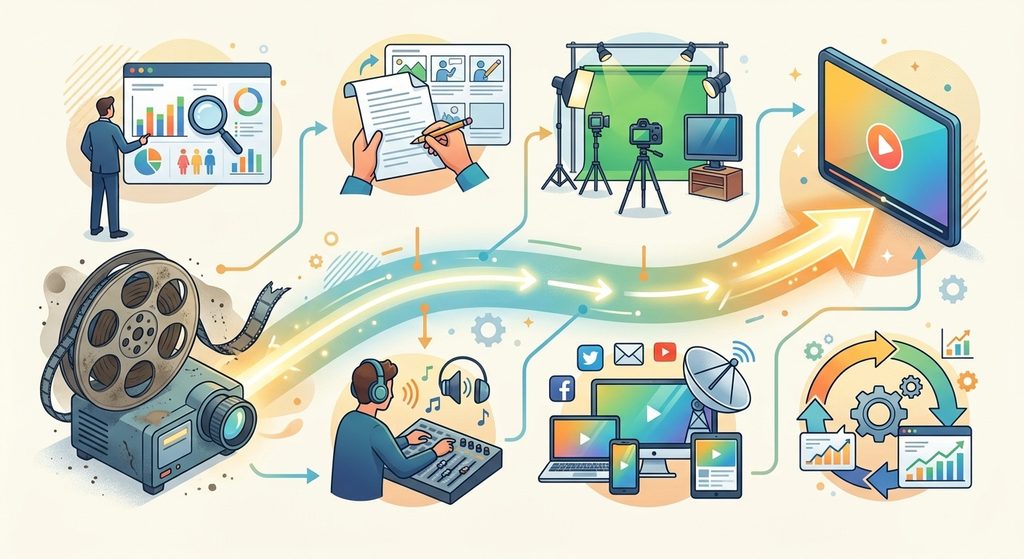
How to Improve the Performance of an Old Marketing Video
image generated by Gemini

Start by Reviewing the Video’s Current Performance

Before changing anything, determine why the video is underperforming.

Look at available analytics and ask:

  • How many people are watching?
  • Where are viewers discovering the video?
  • How long do they typically watch?
  • Where are viewers leaving?
  • Is the video generating website visits or leads?
  • Has interest in the topic changed?
  • Is the video still relevant to your target customer?

This information helps you avoid making changes based purely on guesswork.

For example, a video may have a useful message but receive very few clicks because its title and thumbnail are weak. Another may attract plenty of viewers but lose most of them during the opening because it takes too long to get to the point.

Those are two completely different problems and require different solutions.

Update the Video Title

One of the simplest ways to improve an old marketing video is to reconsider its title.

Older videos are sometimes given titles that make sense internally but don’t clearly communicate their value to potential customers. A better title should tell people what they can expect while naturally incorporating the topic they’re interested in.

YouTube recommends accurate, concise titles that help viewers understand what a video is about. It also advises putting the most important words toward the beginning of the title.

For example, instead of:

Our Company’s Marketing Approach

consider:

How Small Businesses Can Get More Customers With Video Marketing

The second title immediately communicates the subject and potential benefit.

Don’t turn the title into a string of keywords, though. The goal is to make it useful to humans first.

Create a Better Thumbnail

A thumbnail can determine whether someone stops scrolling and considers watching your video.

If an old video has a dated, cluttered, blurry, or generic thumbnail, replacing it may make the content more appealing to new viewers.

A strong business video thumbnail should:

  • Clearly communicate the subject
  • Be easy to understand at a small size
  • Avoid unnecessary visual clutter
  • Create curiosity without misleading viewers
  • Work well on both desktop and mobile devices
  • Match the actual content of the video

YouTube specifically recommends experimenting with updated thumbnails for older videos and using analytics to understand how titles and thumbnails affect performance.

If your channel has access to YouTube’s native A/B testing feature, older videos can be particularly useful candidates for testing different titles and thumbnails. YouTube currently allows eligible creators to compare up to three combinations, with the test evaluating performance based on watch time.

Improve the Video Description

An old description may be short, outdated, or missing important information.

Rewrite it so that it accurately explains what viewers will learn and gives them a reason to continue exploring your business.

Include relevant information such as:

  • What the video covers
  • Who the video is intended for
  • Important products or services mentioned
  • Links to relevant pages on your website
  • Related videos
  • A useful call to action
  • Relevant timestamps when appropriate

Avoid stuffing the description with repetitive keywords. A natural explanation is more useful to visitors and provides clearer context.

Add a Stronger Call to Action

An old video may educate viewers but fail to tell them what to do next.

Consider what action makes sense for someone who has just watched the video.

Depending on your business, that could be:

  • Visit a service page
  • Request a quote
  • Schedule a consultation
  • Download a guide
  • Read a related article
  • Watch another video
  • Contact your business
  • Sign up for an email list

The call to action should fit the viewer’s position in the buying process.

A beginner watching an educational video may not be ready to make a purchase. Sending that person to another helpful resource could be more effective than immediately asking for a sale.

Connect the Old Video to New Content

One of the best ways to revive an older video is to surround it with newer content.

Suppose you published a video about creating social media videos several years ago. Since then, you’ve published articles about short-form video, video SEO, content repurposing, and video analytics.

Link the older video from those newer pages where it genuinely adds value.

You can also create a new video that expands on the original topic and directs viewers toward the older resource.

This creates a network of related content rather than leaving the old video isolated.

Refresh Outdated Information

This is especially important for marketing videos.

Platforms, advertising options, software, pricing, social media features, and consumer behavior can change quickly. A video that was accurate several years ago may now contain information that is incomplete or outdated.

Review the video carefully.

Ask:

Is everything still accurate?

If the changes are minor, you may be able to update the title, description, links, and supporting content.

If the actual information inside the video is significantly outdated, consider creating a new version rather than pretending the old video is current.

You can then use the older video to introduce viewers to the updated version.

Improve the Video’s Search Visibility

Video SEO can help people discover your content through search engines.

For videos published on your own website, Google recommends making the video discoverable and indexable, using appropriate video metadata, providing stable thumbnail URLs, and considering structured data such as VideoObject. Videos can potentially appear in Google Search, Video mode, Google Images, and Discover.

If you embed an older video on your website, don’t simply place the video on a page with little surrounding information.

Build a useful page around it.

For example, an article about How to Market a Small Business With Video could include:

  • An introduction
  • The embedded video
  • A written explanation
  • Key takeaways
  • Frequently asked questions
  • Related resources
  • Links to relevant services or products

This gives visitors additional information and provides search engines with more context about the page.

Add Chapters or Key Moments

Longer videos can become easier to navigate when important sections are clearly identified.

If your video covers several distinct subjects, consider adding timestamps or chapters.

For YouTube videos, timestamps can help viewers jump directly to the sections they’re interested in. Google can also use information about important video segments for features such as key moments.

For example:

00:00 Introduction
01:15 Choosing a Video Topic
03:40 Creating the Script
06:10 Promoting Your Video
09:25 Measuring Results

This can make an older long-form video feel considerably more useful without changing the actual footage.

Repurpose the Video

Don’t limit an old marketing video to its original platform.

A single video can become the foundation for several pieces of content.

You might turn it into:

  • Short social media clips
  • Blog content
  • Email content
  • LinkedIn posts
  • Instagram Reels
  • YouTube Shorts
  • Frequently asked questions
  • Sales resources
  • Website content

This is particularly valuable for small businesses that don’t have the time or budget to create completely new videos every week.

The original video becomes a content asset rather than a one-time publication.

Promote the Video Again

Sometimes the problem isn’t the video itself. It simply isn’t being promoted anymore.

If the subject is still relevant, bring the video back into your marketing.

You could feature it in a newsletter, include it in a relevant blog article, share a short clip on social media, or use it as part of an email campaign.

You can also promote an older video when something changes in the market that makes its topic relevant again.

An older video isn’t automatically obsolete just because it isn’t new.

YouTube itself notes that older videos can experience renewed interest when a topic becomes more popular, new viewers discover a channel, or another video causes viewers to explore earlier content.

Improve the First Few Seconds

If you can edit the original footage, pay particular attention to the opening.

Viewers need to understand quickly why they should continue watching.

Remove unnecessary introductions, long logos, excessive greetings, or unrelated opening footage when possible.

Start with the problem, question, result, or benefit the viewer came to find.

For example:

Weak opening:
“Hi everyone, welcome back to our channel. Today we’re going to talk about…”

Stronger approach:
“Your business may already have everything it needs to create better marketing videos. Here’s how to turn your existing footage into content that generates more leads.”

YouTube emphasizes the importance of the opening seconds and recommends making sure the introduction delivers on the promise established by the title and thumbnail.

Don’t Change What Is Already Working

Refreshing an old video doesn’t mean changing every element.

If a video is already generating strong traffic, watch time, leads, or sales, be careful about making unnecessary changes.

Look for weaknesses rather than fixing things simply because they’re old.

YouTube explains that changing a title or thumbnail can affect performance because viewers may respond differently to the new presentation—not simply because the change itself gives the video a ranking boost.

That distinction matters.

The objective isn’t to make an old video look new. It’s to make a good piece of content more useful and easier for the right audience to discover.

Know When to Replace the Video

Not every old marketing video is worth saving.

Sometimes the better choice is to create a new version.

Consider replacing the video when:

  • The information is substantially outdated
  • The business has changed significantly
  • The product or service no longer exists
  • The production quality damages your brand
  • The target audience has changed
  • The original message no longer matches your strategy
  • The video receives little engagement despite repeated optimization

Even then, don’t automatically delete the old content. First determine whether it has valuable backlinks, search traffic, historical engagement, or other useful signals.

Build a Regular Video Refresh Process

Video optimization shouldn’t happen only when something goes wrong.

Set aside time every few months to review older marketing videos.

Create a simple process:

Step 1: Identify older videos with existing traffic or engagement.

Step 2: Review their analytics.

Step 3: Find opportunities to improve titles, thumbnails, descriptions, links, and calls to action.

Step 4: Check whether the information is still accurate.

Step 5: Repurpose useful sections into new content.

Step 6: Monitor performance after making changes.

Step 7: Keep the improvements that produce meaningful results.

Over time, this turns your existing video library into a growing marketing resource.

source: Nate Black

Final Thoughts

An old marketing video isn’t necessarily a failed marketing video.

It may simply need better positioning.

A stronger title can make the subject clearer. A refreshed thumbnail can make the video more appealing. Updated descriptions and links can improve the viewer journey. New supporting content can bring additional traffic. Analytics can reveal exactly where viewers are losing interest.

Most importantly, don’t assume that every marketing problem requires creating something from scratch.

Before spending money producing another video, look through your existing library. You may already have valuable content that can be improved, repackaged, updated, and promoted to a new audience.

The best video marketing strategy isn’t always about creating more videos. Sometimes, it’s about getting more value from the videos you already have.

The written content on this page was generated by ChatGPT.
How to Build a Scalable Video Marketing Strategy for Long-Term Success

Video has become one of the most effective ways to attract customers, build trust, and increase sales. Whether someone is researching a product, comparing services, or simply learning about a company, video often influences their purchasing decisions long before they make contact. Businesses of every size are investing more time and resources into video because audiences consistently prefer watching content over reading lengthy blocks of text.

However, producing a few successful videos isn’t enough to sustain growth. Many businesses start strong, publishing content regularly for a few weeks or months, only to lose momentum because the process becomes too time-consuming or expensive. Without a structured system, video marketing can quickly become difficult to manage.

That’s where a scalable video marketing strategy makes all the difference.

Scalability means creating a process that allows your business to consistently produce valuable video content without dramatically increasing costs, stress, or workload. Instead of reinventing the wheel every time you publish a video, you establish repeatable workflows, reusable assets, and a long-term content plan that grows alongside your business.

Whether you’re a small business owner, entrepreneur, marketing manager, or content creator, building a scalable strategy helps you stay consistent, maximize your marketing budget, and generate results that compound over time.

This guide explores every stage of creating a sustainable video marketing system—from defining your goals and understanding your audience to producing engaging content, optimizing videos for search engines, and measuring performance to continually improve your results.

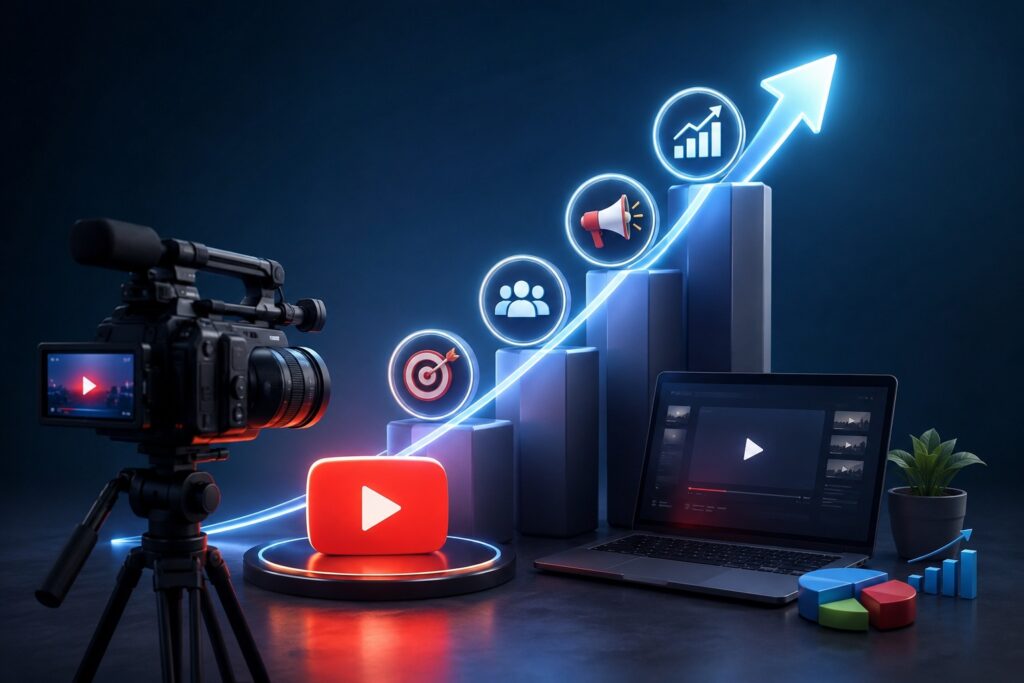
How to Build a Scalable Video Marketing Strategy for Long-Term Success
image generate by ChatGPT

What Is a Scalable Video Marketing Strategy?

A scalable video marketing strategy is a structured approach to planning, creating, publishing, and optimizing videos that continues to work as your business grows.

Rather than focusing on one viral video or a single campaign, scalability emphasizes consistency and repeatability. Every video becomes part of a larger ecosystem that supports your overall marketing objectives.

Instead of asking,

“What video should we make next?”

A scalable strategy asks,

“What system can we build so creating videos becomes easier every month?”

Businesses with scalable strategies typically experience:

  • Higher brand awareness
  • Better search engine visibility
  • More website traffic
  • Increased customer trust
  • Lower production costs over time
  • Consistent lead generation
  • Stronger customer relationships

The goal isn’t simply creating more videos—it’s creating smarter videos that continue delivering value long after they’re published.


Why Scalability Matters

Many companies approach video marketing one project at a time. They brainstorm an idea, record a video, publish it, and then start over from scratch for the next one.

This method works initially, but it often leads to:

  • Inconsistent publishing schedules
  • Creative burnout
  • Rising production costs
  • Missed marketing opportunities
  • Poor organization
  • Limited return on investment

A scalable strategy solves these problems by creating repeatable processes.

Imagine producing one detailed tutorial that later becomes:

  • A YouTube video
  • Five Instagram Reels
  • Six TikTok clips
  • Multiple Facebook videos
  • A LinkedIn post
  • Several Pinterest Idea Pins
  • A blog article
  • An email newsletter
  • Website FAQ videos

One recording session can generate weeks—or even months—of valuable content.

This approach saves time while dramatically increasing your reach.


Step 1: Set Clear Video Marketing Goals

Every successful strategy begins with clearly defined objectives.

Without measurable goals, it’s impossible to know whether your video marketing efforts are producing meaningful results.

Ask yourself:

  • Do you want more website visitors?
  • More qualified leads?
  • Increased online sales?
  • Better customer education?
  • Improved brand recognition?
  • Higher customer retention?
  • More email subscribers?
  • Greater social media engagement?

Different goals require different types of videos.

For example:

Brand Awareness

Focus on:

  • Company story videos
  • Behind-the-scenes content
  • Industry insights
  • Educational videos
  • Thought leadership interviews

Lead Generation

Create:

  • Product demonstrations
  • Explainer videos
  • Webinars
  • Customer testimonials
  • Free educational workshops

Customer Support

Develop:

  • Tutorial videos
  • Frequently asked questions
  • Product setup guides
  • Troubleshooting videos

When your goals are clearly defined, every future video has a purpose.


Step 2: Understand Your Target Audience

Even the highest-quality video won’t perform well if it reaches the wrong audience.

Successful marketers invest time understanding exactly who they’re creating content for.

Build detailed audience profiles that include:

Demographics

  • Age
  • Gender
  • Income
  • Occupation
  • Education
  • Geographic location

Interests

  • Hobbies
  • Industry trends
  • Purchasing habits
  • Preferred social platforms

Challenges

What problems are they trying to solve?

Examples include:

  • Saving time
  • Growing revenue
  • Learning a new skill
  • Reducing expenses
  • Choosing the right product
  • Improving productivity

Buying Behavior

Ask questions such as:

  • What motivates them?
  • What prevents them from purchasing?
  • What questions do they ask before buying?
  • Which competitors do they trust?

Understanding these details allows you to produce videos that answer real questions instead of making assumptions.


Step 3: Develop Content Pillars

One of the biggest mistakes businesses make is creating random videos without a long-term plan.

Instead, organize your content around several core topics known as content pillars.

For example, if you own a digital marketing agency, your pillars might include:

Video Marketing Basics

Teach beginners:

  • Video marketing fundamentals
  • Equipment recommendations
  • Beginner editing tips
  • Video planning

Social Media Videos

Cover:

  • Instagram Reels
  • TikTok marketing
  • YouTube Shorts
  • Facebook videos
  • LinkedIn video strategy

Video SEO

Discuss:

  • Keyword research
  • YouTube SEO
  • Google Video indexing
  • Titles
  • Descriptions
  • Tags
  • Thumbnails

Business Growth

Create videos about:

  • Lead generation
  • Sales funnels
  • Customer retention
  • Marketing automation
  • Analytics

Content pillars make planning significantly easier because every new idea fits within an established category.


Step 4: Build a Repeatable Production Workflow

Many businesses spend far too much time deciding what to create next.

Instead, create a workflow that follows the same steps every time.

A simple production workflow might look like this:

1. Research

  • Identify trending questions.
  • Analyze competitors.
  • Find keyword opportunities.

2. Planning

  • Define the video’s objective.
  • Outline key talking points.
  • Create a call to action.

3. Script Writing

Write naturally while keeping the audience engaged from beginning to end.

4. Recording

Batch record multiple videos during a single filming session whenever possible.

5. Editing

Maintain consistent branding with:

  • Intro animations
  • Colors
  • Music
  • Fonts
  • Logo placement

6. Publishing

Optimize every upload with:

  • Keyword-rich titles
  • Detailed descriptions
  • Relevant tags
  • Custom thumbnails
  • Closed captions

7. Promotion

Share your videos across:

  • Your website
  • Email newsletters
  • Social media platforms
  • Industry forums
  • Online communities

Following the same workflow every time improves efficiency and ensures your videos maintain a consistent level of quality.


Step 5: Create Evergreen Content That Continues Working for You

Trending topics can generate short bursts of traffic, but evergreen content delivers value for years.

Evergreen videos answer questions that people search for consistently, regardless of the season or current trends.

Examples include:

  • How-to tutorials
  • Beginner guides
  • Product comparisons
  • Frequently asked questions
  • Industry best practices
  • Common mistakes to avoid
  • Step-by-step walkthroughs

Evergreen videos often become your strongest long-term assets because they continue attracting viewers long after publication.

Step 6: Choose the Right Video Platforms

One of the biggest misconceptions about video marketing is that every business needs to be active on every platform. In reality, trying to maintain a presence everywhere often leads to inconsistent quality and wasted resources. A scalable strategy focuses on the platforms where your target audience spends the most time.

Each platform serves a different purpose and attracts different types of users.

YouTube

YouTube remains the largest video search engine in the world and is ideal for evergreen content. Tutorials, product reviews, educational videos, webinars, and detailed guides can continue generating traffic for years.

Best for:

  • How-to videos
  • Product demonstrations
  • Educational content
  • Customer success stories
  • Industry insights

Facebook

Facebook works well for businesses looking to build local communities and engage existing customers. Native video uploads, live videos, and short educational clips often perform well.

Best for:

  • Community engagement
  • Local businesses
  • Customer updates
  • Live Q&A sessions

Instagram

Instagram favors visually appealing content. Reels, Stories, and carousel posts help businesses increase visibility and maintain audience engagement.

Best for:

  • Behind-the-scenes videos
  • Product showcases
  • Brand personality
  • Short educational clips

TikTok

TikTok continues to influence purchasing decisions across nearly every industry. Short, authentic videos often outperform polished productions.

Best for:

  • Quick tips
  • Product demonstrations
  • Industry myths
  • Trending topics

LinkedIn

LinkedIn is excellent for B2B companies, consultants, agencies, and professionals looking to establish authority.

Best for:

  • Thought leadership
  • Business advice
  • Company updates
  • Industry trends

Instead of producing unique videos for every platform, create one long-form video and adapt it into multiple formats.


Step 7: Optimize Every Video for Search Engines

Creating an outstanding video is only half the process. If potential customers can’t find it, the impact will be limited.

Video SEO helps your content appear in Google search results, YouTube recommendations, and platform searches.

Perform Keyword Research

Before recording, identify phrases your audience is already searching for.

Look for keywords such as:

  • video marketing strategy
  • how to grow a YouTube channel
  • video SEO tips
  • marketing videos for business
  • video advertising guide

Long-tail keywords often have less competition and attract more qualified visitors.

Examples include:

  • How to build a scalable video marketing strategy
  • Best video marketing strategy for small businesses
  • How to optimize YouTube videos for Google

Write Compelling Titles

Your title should include your primary keyword while encouraging people to click.

Examples:

  • How to Build a Scalable Video Marketing Strategy for Long-Term Success
  • 10 Video Marketing Tips That Actually Increase Sales
  • Video Marketing for Beginners: A Complete Guide

Create Detailed Descriptions

A strong description should:

  • Explain what viewers will learn
  • Include important keywords naturally
  • Add timestamps when appropriate
  • Include links to related resources
  • End with a clear call to action

Design Eye-Catching Thumbnails

Thumbnails influence click-through rates more than many people realize.

Effective thumbnails usually feature:

  • High-quality images
  • Strong contrast
  • Limited text
  • Consistent branding
  • Clear focal point

Add Closed Captions

Captions improve accessibility while giving search engines additional text to understand your video’s content.

Many viewers also watch videos with the sound turned off, making captions even more valuable.


Step 8: Repurpose Every Video Into Multiple Content Pieces

Scalability depends on maximizing every piece of content you create.

Instead of publishing one video and moving on, transform it into several additional assets.

For example, a 15-minute YouTube tutorial can become:

  • Five Instagram Reels
  • Six TikTok videos
  • Four LinkedIn posts
  • Ten Pinterest Pins
  • A detailed blog article
  • Multiple Facebook posts
  • An email newsletter
  • Several quote graphics
  • Website FAQ videos
  • A downloadable guide

Repurposing dramatically increases your return on investment while maintaining consistent messaging across every platform.


Step 9: Create a Content Calendar

Consistency builds trust with both audiences and search engines.

Rather than deciding what to publish each week, plan your content months in advance.

A simple monthly calendar might include:

Week 1

  • One YouTube tutorial
  • Two Shorts
  • One blog article

Week 2

  • Customer testimonial
  • Instagram Reel
  • LinkedIn educational post

Week 3

  • Product demonstration
  • FAQ video
  • Email newsletter

Week 4

  • Live Q&A
  • Case study
  • Behind-the-scenes content

Planning ahead reduces stress and helps maintain a steady publishing schedule.


Step 10: Use AI and Automation Wisely

Automation doesn’t replace creativity—it helps you spend more time creating valuable content.

Helpful tools can assist with:

  • Content research
  • Topic brainstorming
  • Script outlines
  • Caption generation
  • Video transcription
  • Subtitle creation
  • Thumbnail ideas
  • Scheduling social media posts
  • Performance reporting

Automation also simplifies repetitive tasks, allowing your team to focus on strategy and storytelling.


Step 11: Measure the Right KPIs

Publishing videos without tracking performance makes it difficult to improve future campaigns.

Focus on metrics that align with your business goals rather than vanity numbers.

Important KPIs include:

Watch Time

Longer watch times often indicate that viewers find your content engaging and useful.

Audience Retention

Retention graphs reveal where viewers lose interest, helping you improve future videos.

Click-Through Rate (CTR)

CTR measures how often people click after seeing your thumbnail and title.

Improving thumbnails and headlines can significantly increase this metric.

Conversion Rate

Track how many viewers complete a desired action, such as:

  • Purchasing a product
  • Filling out a contact form
  • Downloading a guide
  • Scheduling a consultation
  • Joining your email list

Website Traffic

Use analytics tools to identify which videos drive visitors to your website.

Return on Investment (ROI)

Compare production costs with the revenue or leads generated to determine the effectiveness of your campaigns.


Step 12: Scale Your Strategy Over Time

Once you’ve developed a repeatable workflow, begin expanding gradually.

Ways to scale include:

  • Increase publishing frequency
  • Hire freelance editors
  • Outsource graphic design
  • Batch-record videos monthly
  • Create standardized templates
  • Build a content library
  • Document every workflow
  • Delegate repetitive tasks

Growth should feel organized rather than overwhelming.

A documented process makes it easier to maintain quality while producing more content.


Step 13: Common Video Marketing Mistakes to Avoid

Many businesses unintentionally limit their success by making avoidable mistakes.

Common pitfalls include:

  • Publishing inconsistently
  • Ignoring SEO optimization
  • Focusing only on sales rather than providing value
  • Creating videos without clear goals
  • Forgetting to include calls to action
  • Neglecting audience feedback
  • Producing overly promotional content
  • Failing to analyze performance data
  • Not repurposing existing content
  • Giving up too quickly before seeing long-term results

Avoiding these mistakes helps create a stronger foundation for sustainable growth.


Step 14: Prepare for the Future of Video Marketing

Technology and consumer preferences continue to evolve, making adaptability essential.

Emerging trends include:

  • AI-assisted video editing
  • Interactive videos
  • Personalized customer experiences
  • Shoppable videos
  • Augmented reality demonstrations
  • Voice search optimization
  • Vertical video-first strategies
  • Live streaming with real-time engagement

Businesses that embrace innovation while maintaining consistent quality will be well-positioned for long-term success.


Conclusion

A scalable video marketing strategy is more than a content plan—it’s a long-term system that supports sustainable business growth. By defining clear goals, understanding your audience, organizing content around strategic pillars, and developing repeatable production workflows, you can create videos that continue generating traffic, leads, and sales long after they’re published.

Consistency is the foundation of lasting success. Focus on producing valuable content that answers real questions, optimize every video for search engines, and make the most of each recording by repurposing it across multiple platforms. As your library of content grows, so does your authority, visibility, and ability to reach new customers.

Remember that scaling doesn’t require creating more videos overnight. It starts with improving your process, measuring results, and making data-driven decisions that strengthen your strategy over time. Businesses that invest in sustainable video marketing today will be better equipped to adapt to changing trends and remain competitive in the years ahead.

source: Adam Erhart

Frequently Asked Questions

1. What is a scalable video marketing strategy?

A scalable video marketing strategy is a repeatable system for planning, creating, publishing, and optimizing videos that allows your business to grow without significantly increasing production costs or workload.

2. Why is video marketing important for businesses?

Video marketing helps increase brand awareness, improve customer engagement, drive website traffic, and generate qualified leads while building trust with your audience.

3. How often should businesses publish videos?

Consistency matters more than frequency. Many businesses achieve strong results by publishing one high-quality long-form video each week and repurposing it into several shorter pieces of content.

4. Which platform is best for video marketing?

The best platform depends on your audience. YouTube is ideal for evergreen educational content, while Instagram, TikTok, Facebook, and LinkedIn each serve different marketing objectives and demographics.

5. How can I improve my video SEO?

Use keyword-rich titles, detailed descriptions, relevant tags, custom thumbnails, closed captions, and encourage viewer engagement through comments, likes, and shares.

6. What are content pillars in video marketing?

Content pillars are core topics that organize your video library into categories, making it easier to plan content and establish topical authority.

7. How do I measure video marketing success?

Track metrics such as watch time, audience retention, click-through rate, conversions, website traffic, and return on investment.

8. Can small businesses benefit from video marketing?

Absolutely. Even with a limited budget, small businesses can build trust, educate customers, and compete effectively by producing valuable, consistent video content.

9. Should I repurpose my videos?

Yes. Repurposing one video into multiple formats extends its reach, saves production time, and increases your overall marketing return.

10. How long does it take to see results from video marketing?

Results vary by industry and competition, but businesses that consistently publish optimized content often begin seeing measurable improvements in traffic, engagement, and leads within several months.

The written content on this page was generated by ChatGPT.
Repurposing High-Performing Videos Across Multiple Platforms for Growth

Video marketing has become one of the most effective ways for businesses to connect with their audience, build brand recognition, and drive conversions. However, producing high-quality video content requires time, creativity, and resources. If you’re creating a new video for every platform, you’re likely spending more than necessary while limiting your return on investment.

The smartest marketers don’t simply create more videos—they maximize the value of every successful one. By repurposing high-performing videos across multiple platforms, businesses can expand their reach, attract new audiences, improve search visibility, and generate consistent engagement without constantly starting from scratch.

This guide explains how to repurpose your best-performing videos strategically, ensuring every piece of content continues working long after it’s first published.

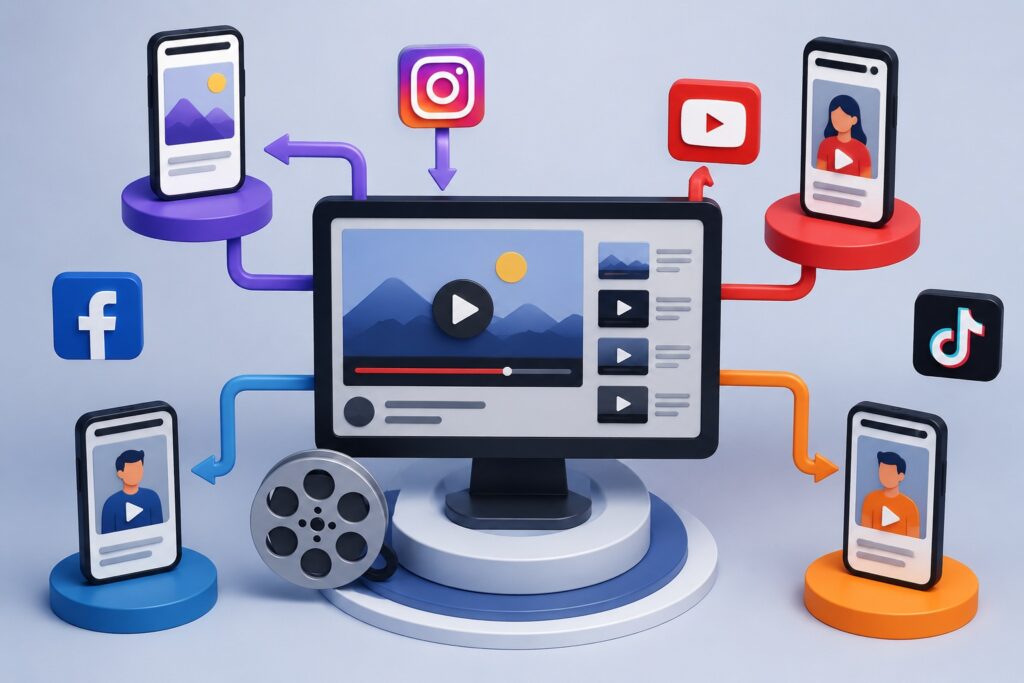
Repurposing High-Performing Videos Across Multiple Platforms for Growth
image generated by ChatGPT

What Is Video Repurposing?

Video repurposing is the process of transforming an existing video into multiple pieces of content designed for different platforms, audiences, and marketing goals.

Instead of uploading the exact same video everywhere, you modify the format, length, aspect ratio, captions, messaging, and call-to-action to fit each platform’s audience and algorithm.

For example, a 15-minute YouTube tutorial can become:

  • Several Instagram Reels
  • TikTok videos
  • LinkedIn educational clips
  • Facebook posts
  • Pinterest Idea Pins
  • Blog content
  • Email marketing assets
  • Podcast episodes
  • YouTube Shorts

One successful video can easily produce dozens of pieces of valuable content.


Why Repurposing Videos Is Essential for Business Growth

Many businesses make the mistake of publishing a video once and moving on to the next project. Unfortunately, that approach leaves significant marketing opportunities untapped.

Repurposing allows your content to continue generating value by reaching people who consume information differently.

Some audiences prefer watching long-form tutorials on YouTube, while others enjoy quick tips on TikTok or LinkedIn.

By adapting your content for multiple channels, you dramatically increase your chances of being discovered.

Additional benefits include:

  • Lower content production costs
  • Better return on investment (ROI)
  • More website traffic
  • Higher brand visibility
  • Improved SEO performance
  • Greater social media engagement
  • Increased lead generation

Instead of creating ten different videos, you can create one exceptional video and distribute it intelligently.


Identify Your Highest-Performing Videos First

Not every video deserves to be repurposed.

Begin by reviewing your analytics to identify videos that consistently perform well.

Look for videos with:

  • High watch time
  • Strong audience retention
  • Excellent engagement
  • Large numbers of shares
  • Consistent comments
  • High click-through rates
  • Quality leads or conversions

Videos that solve common customer problems tend to have the longest lifespan and the greatest repurposing potential.

Evergreen educational content often continues generating traffic for years.


Turn Long Videos into Short-Form Content

Short-form video dominates nearly every major social platform.

A single webinar, podcast interview, tutorial, or product demonstration can produce dozens of short clips.

Consider extracting:

  • Quick tips
  • Frequently asked questions
  • Product features
  • Customer testimonials
  • Industry statistics
  • Common mistakes
  • Before-and-after demonstrations

Each clip should focus on one valuable takeaway that viewers can consume in under one minute.

This strategy keeps your content fresh while reaching audiences with shorter attention spans.


Adapt Videos for Each Social Media Platform

Every platform has unique audience expectations and algorithms.

Rather than posting identical videos everywhere, tailor each version for maximum performance.

YouTube

  • Publish complete tutorials
  • Add keyword-rich titles
  • Create compelling thumbnails
  • Include timestamps
  • Optimize descriptions
  • Link to related videos

YouTube Shorts

  • Share quick educational tips
  • Highlight interesting moments
  • Add captions
  • Keep viewers engaged immediately

Instagram Reels

Focus on:

  • Visual storytelling
  • Fast pacing
  • Trending audio when appropriate
  • Strong opening hooks
  • Clear captions

TikTok

Create authentic content by:

  • Answering common questions
  • Sharing behind-the-scenes footage
  • Demonstrating products
  • Following platform trends naturally

Facebook

Repurpose videos that encourage discussion.

Educational videos, customer stories, and community-focused content typically perform well on Facebook.


LinkedIn

Professional audiences appreciate:

  • Industry insights
  • Business case studies
  • Leadership advice
  • Marketing strategies
  • Company success stories

Pinterest

Convert videos into vertical Idea Pins featuring:

  • Tutorials
  • Checklists
  • Product showcases
  • Step-by-step guides

Pinterest content often generates traffic months after publication.


Transform Videos into SEO-Friendly Blog Articles

One of the most overlooked repurposing strategies is converting videos into written content.

Search engines can easily crawl text, making blog articles an excellent companion to video marketing.

Start by:

  • Transcribing the video
  • Expanding explanations
  • Adding screenshots
  • Including statistics
  • Answering related questions
  • Organizing content with headings
  • Optimizing keywords naturally

Embedding the original video within the article increases user engagement and encourages visitors to spend more time on your website.

This combination strengthens your overall SEO strategy.


Convert Videos into Email Marketing Content

Your email subscribers don’t always follow your social media channels.

Instead of simply sending a video link, create a compelling email featuring:

  • A summary of the video
  • Key takeaways
  • A clickable thumbnail
  • Additional resources
  • A clear call-to-action

This approach encourages higher click-through rates while extending the lifespan of your video.


Create Multiple Calls-to-Action

Different audiences may respond to different offers.

When repurposing videos, customize your call-to-action based on the platform.

Examples include:

  • Visit your website
  • Download a free guide
  • Subscribe to your YouTube channel
  • Schedule a consultation
  • Request a quote
  • Join your email newsletter
  • Purchase a product
  • Register for a webinar

Matching the CTA to the platform often improves conversion rates.


Improve Accessibility with Captions

Many users watch videos with the sound turned off.

Adding captions not only improves accessibility but also increases viewer retention.

Benefits include:

  • Better user experience
  • Improved engagement
  • Enhanced SEO through searchable transcripts
  • Greater reach across international audiences

Captions make your content more inclusive while helping search engines better understand your videos.


Build a Content Library Instead of Individual Posts

Think beyond individual uploads.

Create a searchable library of evergreen content organized by topic.

For example:

Video Marketing

  • Beginner guides
  • Strategy tutorials
  • SEO tips
  • Analytics
  • Advertising

Business Growth

  • Lead generation
  • Customer retention
  • Branding
  • Sales

This organization allows older videos to remain discoverable while supporting future content creation.


Track Performance Across Every Platform

Repurposing is an ongoing process that improves with data.

Monitor metrics such as:

  • Views
  • Watch time
  • Engagement rate
  • Shares
  • Saves
  • Click-through rate
  • Website traffic
  • Leads generated
  • Conversion rate

Identify which formats and platforms consistently deliver the strongest results, then prioritize similar content in future campaigns.


Common Video Repurposing Mistakes to Avoid

Businesses often reduce the effectiveness of repurposed content by making avoidable mistakes.

Some of the most common include:

  • Uploading identical videos without optimization
  • Ignoring platform-specific formatting
  • Forgetting captions
  • Using weak thumbnails
  • Publishing without keyword optimization
  • Omitting clear calls-to-action
  • Repurposing outdated information
  • Failing to monitor analytics

Each platform rewards content that feels native rather than copied.


Create a Sustainable Repurposing Workflow

Instead of repurposing videos randomly, establish a repeatable workflow.

A simple process might look like this:

  1. Publish a long-form YouTube video.
  2. Extract 10–20 short clips.
  3. Create YouTube Shorts.
  4. Publish Instagram Reels.
  5. Share TikTok videos.
  6. Upload LinkedIn clips.
  7. Turn the transcript into a blog article.
  8. Send the video through your email newsletter.
  9. Create Pinterest Idea Pins.
  10. Review analytics and update your strategy.

This workflow allows one high-quality video to generate weeks or even months of valuable content.

source: Amber Figlow

Final Thoughts

Creating exceptional videos is only the beginning of an effective content marketing strategy. Businesses that consistently grow their online presence understand the importance of maximizing every successful piece of content rather than constantly producing new material.

Repurposing high-performing videos across multiple platforms extends their lifespan, improves search engine visibility, increases audience engagement, and delivers a significantly higher return on investment. By tailoring content to the strengths of each platform, optimizing it for search, and monitoring performance, you can transform a single video into a powerful marketing asset that continues driving traffic, leads, and sales long after its initial release.

Instead of asking, “What video should we create next?” consider asking, “How many ways can we reuse the great content we already have?” That simple shift in mindset can become one of the most effective strategies for sustainable business growth through video marketing.

The written content on this page was generated by ChatGPT.