Tag Archives: business video tips

How to Improve Underperforming Videos and Increase Engagement

It’s frustrating when you put time into a video—planning it, filming it, editing it—and then it barely moves. A few views trickle in, maybe a like or two, and then it just sits there.

Most creators assume the video is “bad” and move on. But in reality, underperforming videos are often some of the most useful assets you have. They show you exactly where your content strategy is breaking down.

The problem usually isn’t the entire video—it’s one or two specific weak points that stop it from gaining traction.

Once you learn how to identify and fix those weak points, even older videos can start performing better without re-shooting anything.
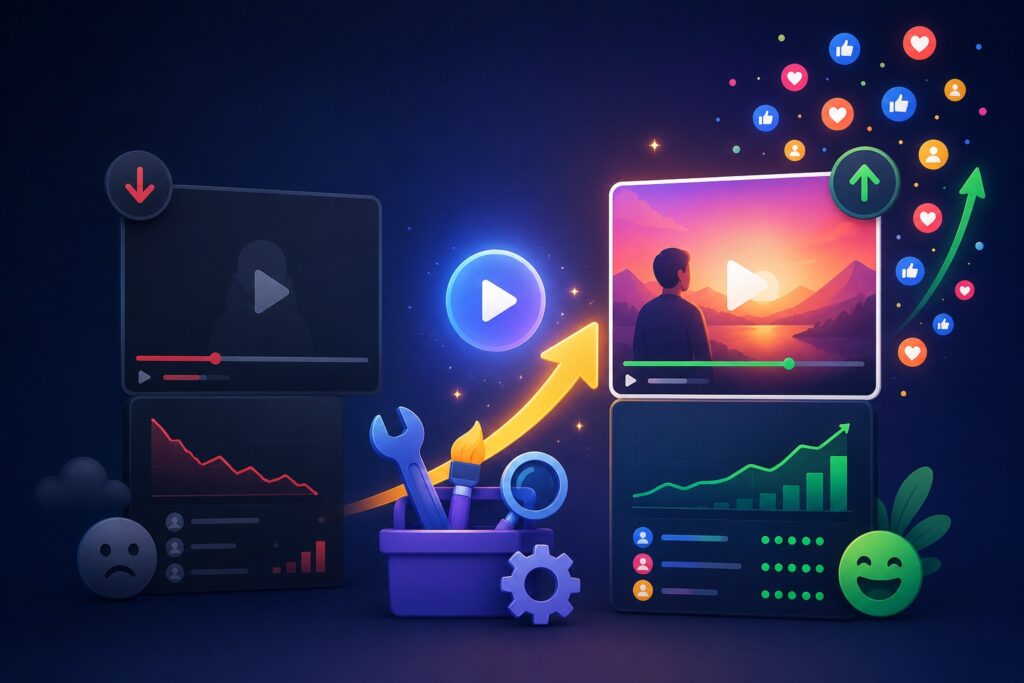
How to Improve Underperforming Videos and Increase Engagement
image generated by ChatGPT

Start by Understanding What’s Actually Going Wrong

Before changing anything, you need to understand the type of underperformance you’re dealing with. Not all “low views” mean the same thing.

A video can struggle in different ways:

Sometimes it never gets shown to enough people. Other times, it gets impressions but no clicks. And in some cases, people click but leave almost immediately.

Each of these situations points to a different issue.

For example:

  • If no one is seeing the video, it’s usually a distribution or SEO problem.
  • If people see it but don’t click, it’s a packaging issue (title or thumbnail).
  • If people click but leave early, it’s a content or pacing problem.
  • If people watch but don’t engage, it’s a connection or messaging problem.

This distinction matters because fixing the wrong thing won’t change anything.


Look at the First Signal: Click Behavior

One of the most overlooked metrics is whether people actually click on your video when they see it.

A low click-through rate usually has nothing to do with the video itself. It’s about how the video is presented before someone even watches it.

Think of your title and thumbnail as a storefront window. If it doesn’t make someone curious enough to step inside, the content inside doesn’t matter.

In many cases, creators underestimate how competitive attention is. People are scrolling quickly, comparing your video to dozens of others in seconds.

A small improvement in clarity or curiosity in your title can completely change performance.

For example, instead of something generic like “Video Marketing Tips,” a stronger version might hint at transformation or outcome, such as “Why Most Marketing Videos Fail in the First 10 Seconds.”

It’s not about exaggeration—it’s about giving people a reason to care.


The Thumbnail Is Often the Real Problem

If there’s one place where videos silently fail, it’s the thumbnail.

People don’t usually ignore videos because the content is bad. They ignore them because nothing visually stands out.

A strong thumbnail doesn’t need to be complicated. In fact, simpler usually works better. What matters is clarity.

A good thumbnail does three things:

  • It shows a clear subject or idea
  • It avoids clutter and confusion
  • It creates a small sense of curiosity or tension

If your thumbnail blends in with everything else on the page, your video is already at a disadvantage.

A practical approach is to compare your thumbnail with the top-performing videos in your niche. If yours doesn’t visually compete, it’s likely being skipped.


The First 10 Seconds Decide Everything

Even if people click, the next challenge is keeping them.

Most drop-offs happen in the first few seconds, and it’s usually because the video takes too long to “start.”

A common mistake is opening with greetings, long intros, or context that doesn’t immediately matter to the viewer.

But viewers aren’t patient anymore. They want to know quickly:

  • What is this about?
  • Why should I stay?
  • What will I get from this?

If those answers don’t show up fast, they leave.

A stronger approach is to begin directly with a problem, a bold statement, or a relatable frustration.

For example:
“Most videos fail before the viewer even reaches the main point—and it usually happens in the first 10 seconds.”

That kind of opening immediately signals relevance.


Weak Engagement Often Means Weak Interaction Design

Many videos are informative but passive. They talk at the viewer instead of involving them.

Engagement doesn’t happen by accident. People need to be invited into the conversation.

Simple shifts can make a big difference:

  • Asking a direct question during the video
  • Encouraging viewers to share their experience
  • Challenging a common assumption
  • Pausing briefly to let a point sink in

Even something as simple as “Have you experienced this before?” can increase comments significantly.

The key is making the viewer feel like part of the conversation, not just an observer.


Sometimes the Problem Is Pacing, Not Content

When people say a video is “boring,” what they often mean is that it feels slow.

Even good information loses impact if it drags.

This doesn’t mean you need to rush through everything. It means the video should feel dynamic.

That can be achieved by:

  • Removing repetition
  • Cutting unnecessary explanations
  • Using tighter transitions between ideas
  • Breaking up long sections with examples or visuals

Think of it like this: if nothing is changing for too long, attention naturally drops.


Metadata Still Matters More Than People Think

Even if your video is strong, it still needs to be discoverable.

Titles, descriptions, and tags help platforms understand who should see your content.

A well-written description isn’t just filler—it reinforces relevance. The first few lines especially matter because they often show up in previews.

Instead of treating metadata as an afterthought, it should align closely with what the video delivers.

If your content is about fixing engagement, your metadata should reflect that exact problem and solution clearly.


Don’t Delete Underperforming Videos—Reposition Them

One of the most common mistakes is removing videos that don’t perform well.

In many cases, the content is fine. It just needs better packaging or distribution.

Before deleting anything, try:

  • Updating the thumbnail
  • Rewriting the title
  • Improving the description
  • Re-sharing it on other platforms
  • Turning parts of it into short-form clips

Sometimes a video doesn’t fail—it’s just been shown the wrong way.


Turn One Video Into Multiple Opportunities

A single long video can be repurposed into several smaller pieces of content.

Short clips often perform better because they are easier to consume and distribute.

You can extract:

  • Key insights
  • Strong statements
  • Step-by-step tips
  • Before/after ideas

Then post them on platforms like TikTok, Instagram Reels, or YouTube Shorts to bring new traffic back to the original video.

source: TubeBuddy

Final Thought

Improving a video isn’t about guessing what went wrong. It’s about breaking performance into specific parts—visibility, clicks, retention, engagement—and fixing them one by one.

Most videos don’t need to be replaced. They need to be reworked.

And once you start looking at performance this way, you’ll notice something important: even your “failed” content still has value. It just hasn’t been optimized yet.

The written content on this page was generated by ChatGPT.

How Video Marketing Fits Into Your Overall Digital Marketing Strategy

There’s a moment many business owners hit where they realize traditional marketing just isn’t enough anymore. Social media is crowded, attention spans are shorter, and customers are increasingly making decisions based on what they can see rather than what they read.

That’s where video comes in.

The idea of video marketing often feels intimidating at first—especially if you have no experience, no editing skills, and a limited budget. It can seem like something reserved for big brands with professional teams and expensive equipment.

But that assumption is outdated.

Today, video marketing is one of the most accessible forms of content creation available. If you have a smartphone and a clear message, you already have enough to begin. The real challenge isn’t equipment—it’s knowing what to say, how to start, and how to stay consistent.

Let’s break it down in a practical way.

How Video Marketing Fits Into Your Overall Digital Marketing Strategy
image generate by ChatGPT

Why Video Marketing Is Worth Starting Early

Before focusing on tools or strategy, it helps to understand why video matters so much in the first place.

People process video faster than text. They trust what they can see. And they remember visual content far longer than written content alone. This is why even a simple video can often outperform a polished blog post or static image.

For small businesses, this creates a major advantage. Video allows you to:

  • Explain your service quickly without confusion
  • Show real proof of what you do
  • Build familiarity and trust with potential customers
  • Stand out in crowded feeds where text gets ignored

You don’t need to go viral. You just need to be visible and understandable.


Starting Without Equipment or Experience

One of the biggest mental barriers is the belief that you need “proper gear” before you can begin. In reality, most effective early-stage videos are shot with nothing more than a phone.

If your smartphone can record clear video and decent audio, that’s enough to start.

Instead of focusing on upgrades, focus on three basics:

Good lighting makes your video look clearer than expensive cameras ever will. Natural light near a window is often enough.

Stable framing helps your video feel more professional. You don’t need a tripod—stacking books or leaning your phone works fine.

Clear sound is more important than perfect visuals. People will tolerate average video quality, but they won’t tolerate unclear audio.

Once those basics are in place, you’re already ahead of most beginners who never start at all.


Choosing Your First Simple Video Idea

A common mistake at the beginning is trying to create something “impressive.” This usually leads to overthinking and no actual content being produced.

Instead, your first videos should be simple, direct, and based on what you already know.

Some of the easiest starting points include:

  • Introducing who you are and what your business does
  • Answering a common customer question
  • Showing how your service works in real time
  • Sharing a short tip related to your industry
  • Giving a behind-the-scenes look at your process

These types of videos work because they feel real, not scripted or forced.


A Simple Way to Structure Any Video

Even though you’re keeping things simple, having structure helps your message stay clear.

A basic framework you can always rely on is:

Start with a hook that quickly explains what the viewer will gain or learn. This prevents people from scrolling away in the first few seconds.

Then briefly introduce the problem your audience is facing. This creates relevance.

After that, present your solution—this is where your business naturally fits in.

Finally, include a simple next step. This could be visiting your website, sending a message, or calling your business.

You don’t need complexity. You just need clarity.


Recording Your First Video Without Pressure

The hardest part for most people is simply pressing record.

There’s often a fear of not sounding professional enough or making mistakes. But in reality, early videos are not about perfection—they’re about communication.

It’s normal for the first few videos to feel awkward. That discomfort fades quickly once you start getting used to speaking on camera.

What matters most is that you:

  • Speak slowly and clearly
  • Keep your message short
  • Avoid overthinking every sentence
  • Focus on helping the viewer rather than impressing them

The more natural you are, the more relatable your video becomes.


Editing Without Overcomplicating It

Editing often scares beginners, but it doesn’t need to.

Your goal is not to create cinematic content. Your goal is to make your message easy to understand.

Basic editing usually includes:

  • Cutting out long pauses or mistakes
  • Keeping the video concise
  • Adding simple text if needed for clarity
  • Making sure audio is balanced

That’s it.

Over-editing often makes videos feel less authentic, especially for small business content.


Where to Post Your Videos First

Creating a video is only half the process. The other half is making sure people actually see it.

You don’t need to be on every platform. In fact, starting with too many platforms can slow you down.

Instead, focus on one or two places where your audience already spends time. For many businesses, this might be Facebook, Instagram, or YouTube.

Consistency matters more than platform variety.


What Actually Makes Video Marketing Work Over Time

Most people assume video marketing works instantly. In reality, it builds gradually.

Your early videos are not about immediate results—they’re about learning what your audience responds to.

Over time, you’ll start noticing patterns:

  • Which topics get more attention
  • What type of videos people watch longer
  • What messages lead to inquiries or sales

That feedback loop is where real growth happens.


Mistakes That Slow Beginners Down

There are a few common issues that often hold people back:

Waiting too long to start because things don’t feel “ready” yet.

Trying to make every video perfect instead of just publishing consistently.

Making videos too complicated instead of keeping them simple and direct.

Ignoring audience feedback and continuing to post without adjustment.

Avoiding these mistakes is often more important than any advanced strategy.

source: Blake Ridder

Final Thoughts

Starting video marketing without experience or a large budget is not only possible—it’s increasingly the norm.

The businesses that succeed with video are rarely the ones with the most expensive production. They are the ones that begin early, stay consistent, and improve over time.

Your first video doesn’t need to be impressive. It just needs to exist.

Because once you start, everything becomes easier from there.

The written content on this page was generated by ChatGPT.