Tag Archives: YouTube marketing

Why Your Business Videos Get Views but No Customers

Getting thousands of views on a business video can feel like a win. After all, people are watching your content, your numbers are going up, and your video may even be receiving likes and comments.

Then you check your sales.

Nothing has changed.

No calls. No quote requests. No contact forms. No new customers.

This situation is more common than many business owners realize. A video can attract plenty of attention without attracting the people who are actually ready to buy. The problem usually isn’t that video marketing doesn’t work. More often, the video is being used to generate views when it should be designed to move the right viewer toward the next step.

If your business videos get views but no customers, it’s time to look beyond the view count.

Why Your Business Videos Get Views but No Customers
image generated using Gemini

Views Are Not the Same as Customers

One of the biggest mistakes in video marketing is assuming that more views automatically mean more business.

A view simply tells you that someone watched your content. It doesn’t necessarily tell you who watched it, why they watched it, whether they need your product or service, or whether they have any intention of buying.

Imagine a plumbing company publishes a funny video titled “The 10 Strangest Things Plumbers Have Found in Drains.”

The video gets 50,000 views.

That sounds fantastic.

But many of those viewers may be watching because the video is entertaining. They aren’t necessarily looking for a plumber. Meanwhile, another video titled “What to Do When Your Water Heater Starts Leaking” might receive only 2,000 views but generate several serious inquiries.

The second video could be much more valuable to the business.

This is why qualified traffic matters more than raw traffic.

Your goal isn’t simply to get people to watch. Your goal is to attract people who have a problem your business can solve.

1. Your Videos Are Reaching the Wrong Audience

The first question to ask is simple:

Are the people watching your videos actually potential customers?

If the answer is no, a high view count isn’t particularly useful.

Entertainment-focused content can reach a huge audience, but those viewers may have little interest in your products or services. Even educational videos can attract people who are researching a topic without having any intention of purchasing.

For example, a landscaping company might create a video called “How to Grow Grass From Seed.”

It could attract homeowners, gardening enthusiasts, students, hobbyists, and people living in completely different regions.

That’s not necessarily bad.

However, a video such as “How Much Does Professional Lawn Care Cost?” is likely to attract viewers who are further along in the buying process.

The difference is search intent.

When planning business videos, think about the questions your potential customers ask immediately before contacting a company.

These questions often include:

  • How much does the service cost?
  • How long does the service take?
  • What option is right for me?
  • What problems can this product solve?
  • How do I know if I need professional help?
  • What should I look for when choosing a provider?
  • What mistakes should I avoid?
  • What happens if I don’t fix this problem?

These topics can attract viewers with much stronger commercial intent.

2. Your Video Is Informative but Doesn’t Lead Anywhere

Some businesses create genuinely helpful videos but forget what should happen after the viewer finishes watching.

The video ends.

The viewer moves on.

That’s it.

If you want video marketing to generate customers, you need to give viewers a logical next step.

That could be:

  • Visit a service page
  • Request a quote
  • Schedule an appointment
  • Call the business
  • Download a guide
  • View a product
  • Visit a location
  • Sign up for an email list
  • Watch another relevant video

The next step should make sense based on the subject of the video.

For example, a video explaining how to choose the right replacement garage door could end by directing viewers to a page where they can learn about available garage door options or request professional assistance.

The call to action shouldn’t feel like an interruption. It should feel like the natural continuation of the information you just provided.

3. Your Call to Action Is Too Vague

“Visit our website.”

“Contact us today.”

“Learn more.”

These calls to action aren’t necessarily wrong, but they’re often too generic.

A stronger CTA tells the viewer exactly what to do and why doing it is worthwhile.

Instead of:

“Contact us for more information.”

Try something more specific:

“Need help choosing the right service for your home? Visit our service page to see your options and request a quote.”

The difference is clarity.

Your audience shouldn’t have to figure out what happens when they click, call, or visit your website.

A good call to action answers three questions:

  1. What should I do?
  2. Why should I do it?
  3. What will happen next?

Make those answers obvious.

4. Your Video Doesn’t Address a Buying Problem

Not every video needs to sell something directly.

In fact, constantly pitching a product or service can make your content difficult to watch.

However, your videos should still connect to problems your business solves.

Consider two topics for an HVAC company:

Topic A: “Interesting Facts About Air Conditioners”

Topic B: “5 Signs Your Air Conditioner May Need Professional Repair”

Both could attract viewers.

But Topic B is much closer to a customer’s actual problem.

The viewer already has an issue. They’re looking for information about what it means and what to do next.

This is where video marketing becomes much more powerful for businesses.

Instead of creating videos simply because you think they might get views, build content around the problems, questions, objections, and decisions your customers encounter.

5. Your Title Promises One Thing and Your Business Offers Another

Your title is one of the main reasons someone decides to watch.

That makes it important for both attracting attention and qualifying your audience.

A sensational title might generate clicks, but if the people clicking aren’t interested in your business, you can end up with impressive traffic and poor conversions.

For example:

“This Simple Trick Will Save You Thousands!”

might attract curiosity.

But:

“How Much Does a New Garage Door Cost? A Homeowner’s Guide”

is more likely to attract someone who is actually researching a purchase.

A strong business video title should create interest while accurately communicating what the viewer will get.

That helps attract people with the right expectations.

6. Your Video Doesn’t Establish Trust

A viewer may have a problem and still refuse to become a customer.

Why?

They don’t trust the business yet.

Video gives you an opportunity to solve that problem.

Instead of only explaining what your company sells, show people why they should feel comfortable doing business with you.

Depending on your industry, you could create videos featuring:

  • Demonstrations
  • Before-and-after projects
  • Customer questions
  • Behind-the-scenes work
  • Product explanations
  • Staff introductions
  • Frequently asked questions
  • Case studies
  • Common mistakes
  • Service processes
  • Customer success stories

People want to know what working with your business will actually be like.

A useful video can reduce uncertainty before someone ever contacts you.

7. Your Videos Are Missing Proof

Saying that your company provides excellent service is easy.

Showing evidence is more convincing.

Business videos can incorporate proof in several ways.

For example, you might demonstrate how a product works, walk through a completed project, explain a real customer problem, or show the process your team follows.

Case-study videos can be particularly useful because they connect your service to an actual problem and outcome.

Instead of simply saying:

“We provide professional service.”

you can show:

The problem → what was done → the result → what the customer should know.

That gives prospective customers something concrete to evaluate.

8. You’re Sending Viewers to a Poor Landing Page

Sometimes the video isn’t the problem.

The website is.

A viewer watches your video, becomes interested, clicks through to your website, and then lands on a confusing page with too much information and no obvious next step.

The opportunity is lost.

Your landing page should continue the conversation started by the video.

If your video is about a specific service, send viewers to a relevant service page rather than your generic homepage.

If your video explains a particular product, send viewers to the appropriate product information.

The closer the connection between the video and landing page, the easier it is for visitors to continue their journey.

9. You’re Asking for the Sale Too Early

There is another side to the problem.

Some businesses ask viewers to buy before they’ve earned enough trust.

Imagine someone has just discovered your company. They watch a 30-second video and immediately see a hard sales pitch.

That can feel premature.

Different viewers are at different stages of the buying process.

Some are just learning.

Some are comparing options.

Some know exactly what they need and are ready to contact someone.

Your video strategy should accommodate those differences.

Educational videos can introduce your business.

Comparison and problem-solving videos can help people evaluate options.

Demonstrations and case studies can build confidence.

Service-specific videos can encourage inquiries.

Think of your videos as part of a customer journey rather than isolated pieces of content.

10. You’re Measuring the Wrong Numbers

Views are easy to see, so businesses naturally focus on them.

But views don’t tell the entire story.

Depending on your goals, you may want to monitor:

  • Watch time
  • Audience retention
  • Click-through rate
  • Website visits
  • Leads
  • Calls
  • Quote requests
  • Form submissions
  • Purchases
  • Bookings
  • Cost per lead
  • Conversion rate
  • Revenue generated

A video with 1,000 views and 10 qualified leads could be more valuable than a video with 100,000 views and zero inquiries.

The numbers you prioritize should reflect your actual business objective.

If your goal is lead generation, measure leads.

If your goal is online sales, measure purchases and revenue.

If your goal is brand awareness, broader reach and engagement may be more important.

The right metric depends on what you’re trying to accomplish.

11. Your Videos Don’t Target Commercial Search Intent

Search behavior can reveal what someone wants.

A person searching for:

“What is a garage door?”

is probably in an educational phase.

Someone searching for:

“best garage door repair company near me”

has much stronger purchase intent.

You don’t need every video to target high-intent searches. Educational content has an important role in building awareness.

But your overall video library should include content for people at different stages of the buying process.

Consider creating a mixture of:

Awareness Videos

These introduce problems and concepts.

Examples:

  • What Causes a Leaking Water Heater?
  • Why Does My Garage Door Make Noise?
  • How Does Video Marketing Work?

Consideration Videos

These help viewers compare solutions.

Examples:

  • Repair vs Replacement: Which Is Better?
  • Which Type of Security System Is Right for Your Business?
  • DIY vs Professional Service: What Should You Choose?

Decision Videos

These address people who are closer to becoming customers.

Examples:

  • What to Expect During a Professional Installation
  • How Much Does Professional Repair Cost?
  • Questions to Ask Before Hiring a Service Provider

A balanced content strategy can capture potential customers throughout the buying journey.

12. Your Videos Have No Connection to Your Website

If video is an important part of your marketing strategy, don’t treat your videos and website as completely separate properties.

Your website can provide additional information that the video doesn’t have room to cover.

For example, a video could explain five common signs that a particular service is needed. The corresponding website article could provide a detailed explanation, images, pricing considerations, FAQs, and a clear contact option.

Google recommends making videos discoverable and indexable and notes that videos can appear in several Google surfaces, including Search, Video mode, Images, and Discover. Google also recommends providing useful video metadata and, where appropriate, dedicated watch pages and video structured data.

The important point is that SEO visibility and conversion strategy should work together.

Getting a video found is one job.

Giving the viewer a reason to become a customer is another.

13. Your First Few Seconds Attract the Wrong People

The beginning of a video matters.

If the opening is vague, repetitive, or unrelated to the viewer’s problem, people may leave before they hear your most valuable information.

Instead of starting with a long introduction about your company, start with the problem.

For example:

“If your garage door suddenly won’t open, don’t keep forcing it. Here are three things you should check first.”

The viewer immediately knows what the video is about.

A strong opening should quickly establish:

  • The problem
  • The benefit of watching
  • What the viewer will learn
  • Why the information matters

You don’t need an elaborate production to accomplish this.

Clarity usually matters more than complexity.

14. Your Content Is Too Focused on Your Company

A common mistake is making every video about the business.

“Our company has been serving customers for…”

“We offer…”

“Our team provides…”

“Our company is proud to…”

There is a place for company information, but customers usually care first about their own problem.

Try turning the focus around.

Instead of:

“Our company provides professional water heater services.”

Create:

“What to Do When Your Water Heater Stops Working.”

You can introduce your company naturally when it becomes relevant.

The viewer gets useful information first, and your business becomes part of the solution.

15. You’re Not Following Up With Interested Viewers

Not everyone who watches a video is ready to buy immediately.

That’s normal.

Someone might watch today, visit your website next week, and become a customer a month later.

That’s why video marketing works best when it connects with the rest of your marketing system.

For example:

Video → Website → Helpful content → Email or retargeting → Offer → Customer

The exact path will vary by business.

The important thing is not to assume that every viewer will make a purchase after watching one video.

Build multiple opportunities for people to continue learning about your company.

How to Turn More Video Views Into Customers

If your business videos aren’t producing enough customers, don’t immediately conclude that you need more views.

Instead, work through the following checklist.

Step 1: Identify Your Best Customer

Know exactly who you’re trying to reach.

Consider their:

  • Problem
  • Location
  • Budget
  • Buying motivation
  • Concerns
  • Questions
  • Level of urgency

Step 2: Create Videos Around Their Problems

Build topics around questions they actually ask.

Customer service calls, sales conversations, reviews, FAQs, and search queries can all provide ideas.

Step 3: Match Videos to Search Intent

Create a mixture of informational, comparison, and decision-focused content.

Step 4: Give Every Video a Purpose

Before recording, finish this sentence:

“After watching this video, I want the viewer to ______.”

The answer might be to visit a page, request a quote, watch another video, or contact the business.

Step 5: Use a Relevant Call to Action

Don’t simply tell people to “learn more.”

Tell them exactly what to do next.

Step 6: Create a Relevant Landing Page

Make sure the page continues the topic introduced in the video.

Step 7: Track Business Outcomes

Look beyond views.

Determine whether your videos are generating website visitors, leads, calls, bookings, sales, or other meaningful actions.

Step 8: Improve Based on Data

If viewers leave early, improve your opening.

If people watch but don’t click, review your CTA.

If people click but don’t contact you, improve the landing page.

If you receive leads but few become customers, examine the quality of the traffic and your sales process.

This creates a much more useful feedback loop.

A Simple Video Marketing Conversion Formula

A successful business video doesn’t need to go viral.

A better formula is:

Right Audience + Right Problem + Useful Content + Trust + Clear CTA + Relevant Landing Page = Better Conversion Potential

If one of those pieces is missing, your results can suffer.

For example:

Lots of views + wrong audience = poor results

Right audience + weak CTA = missed opportunities

Good video + poor landing page = lost leads

Strong video + relevant audience + clear next step = greater potential for customers

This way of thinking changes how you evaluate video marketing.

source: Money With Mak

Don’t Chase Views—Chase the Right Viewer

A high view count can be encouraging, but it shouldn’t be the final measure of whether your video marketing is working.

The real question is:

Did the video reach someone who needs what my business provides, help that person understand the solution, build enough trust to take the next step, and make that next step easy?

If the answer is yes, even a relatively small audience can produce meaningful business results.

Your next video doesn’t necessarily need to be bigger.

It needs to be more relevant.

Focus on the problems your customers are trying to solve. Create useful content around those problems. Make your videos easy to discover. Connect them to relevant pages on your website. Give viewers a clear next step, and measure what happens after the view.

That is how a collection of business videos can move from simply generating attention to becoming a genuine part of your customer acquisition strategy.

The written content on this page was generated by ChatGPT.

How to Repurpose YouTube Videos Into Blog Posts

Creating a useful YouTube video takes planning, recording, editing, and promotion. The good news is that the work does not have to end when the video is published. One well-made video can become the foundation for a detailed blog post that continues attracting search traffic long after the original upload.

Repurposing YouTube videos into blog posts is a practical content marketing strategy for businesses that want to get more value from existing content. Instead of starting every article from a blank page, you can use the ideas, examples, questions, and explanations already covered in your video as the starting point for a written resource.

The important part is not simply copying the video’s transcript. A strong blog post should add context, organization, examples, useful details, and information that makes sense for someone who prefers reading rather than watching.

How to Repurpose YouTube Videos Into Blog Posts
image generated by Gemini

Why Turn YouTube Videos Into Blog Posts?

Video and written content serve different types of audiences. Some people would rather watch a demonstration, while others prefer scanning headings, jumping to specific sections, or reading at their own pace.

Turning a YouTube video into an article allows your business to reach both groups.

It can also help you build a larger library of content without creating an entirely separate idea for every blog post. A single video might contain several useful topics that can be expanded into an article, FAQ, checklist, comparison, or tutorial.

There is another advantage: a webpage gives your business a place to provide additional information around the video. Google recommends making videos accessible on webpages and provides guidance for helping search engines understand video content.

The goal, however, should be content expansion rather than transcript duplication.

1. Choose YouTube Videos With Strong Search Potential

Not every video needs to become a blog post.

Start with videos that answer a question, explain a process, solve a problem, compare options, or teach something useful. These subjects are usually easier to transform into search-focused articles.

For example, suppose a business has a YouTube video called:

“How to Create a Marketing Video for Your Small Business.”

That could become a much broader article such as:

“How to Create a Small Business Marketing Video That Attracts Customers.”

The article can expand on equipment, planning, scripting, filming, editing, publishing, promotion, and performance measurement.

Look through your YouTube library for videos that:

  • Answer questions customers frequently ask
  • Explain complicated subjects
  • Demonstrate a product or service
  • Address common problems
  • Have consistent viewer interest
  • Cover topics relevant to your website
  • Can be expanded with examples or additional information

Your existing videos can become a valuable source of future blog topics.

2. Use the Video Transcript as a Starting Point

A transcript can save considerable time when creating the first draft.

YouTube provides transcripts for videos that have captions. Viewers can open a video’s transcript and use it to jump to particular parts of the video.

For your own videos, the transcript can help you identify:

  • Main talking points
  • Important examples
  • Questions answered in the video
  • Statistics or facts mentioned
  • Step-by-step instructions
  • Frequently repeated ideas
  • Natural subtopics that deserve their own headings

However, don’t simply paste the transcript into WordPress and publish it as a blog post.

Spoken language is usually different from written language. A video might contain pauses, repeated phrases, conversational expressions, and transitions that make sense when heard but feel awkward on a webpage.

Instead, treat the transcript like research material.

Read through it, identify the important ideas, and reorganize them into a useful article.

3. Find the Main Search Intent

Before writing the article, determine what someone would actually search for when looking for the information in your video.

For example, a video about creating business videos could lead to several different search intents:

  • How to create business videos
  • Business video marketing tips
  • How to make promotional videos
  • Video marketing for small businesses
  • How to create videos that generate leads

Choose one primary topic for the article rather than trying to target every possible keyword.

Your title, introduction, headings, examples, and supporting information should all reinforce that central subject.

This creates a much clearer article for readers and gives search engines a better understanding of what the page is about.

4. Build a New Article Outline

Once you’ve reviewed the video, create an outline before writing.

A simple structure might look like this:

H1: How to Create a Marketing Video for Your Small Business

Introduction

H2: Why Video Marketing Matters for Small Businesses

H2: Plan Your Video Before Recording

H2: Choose the Right Video Format

H2: Write a Simple Video Script

H2: Record and Edit Your Video

H2: Publish and Promote Your Video

H2: Measure Your Video Marketing Results

H2: Common Video Marketing Mistakes

H2: Frequently Asked Questions

Conclusion

The video may have covered these subjects in a completely different order. That’s fine.

The blog post doesn’t have to follow the video’s structure.

In fact, reorganizing the information can make the written version considerably more useful.

5. Expand the Video Instead of Repeating It

This is one of the most important parts of the process.

A video might spend 30 seconds explaining a concept that deserves several paragraphs in an article. That’s an opportunity to add value.

For each major point in the video, ask:

“What additional information would help someone understand or act on this?”

You could add:

  • Examples
  • Definitions
  • Step-by-step instructions
  • Common mistakes
  • Pros and cons
  • Expert recommendations
  • Frequently asked questions
  • Supporting statistics
  • Related resources
  • Screenshots or diagrams
  • Links to other relevant articles

For example, a video might say:

“Choose a format that matches your marketing goal.”

The blog article could explain the difference between product demonstrations, testimonials, tutorials, explainer videos, behind-the-scenes content, and short-form social videos.

That transforms a brief statement from the video into genuinely useful written content.

6. Add the YouTube Video to the Blog Post

Embedding the original video into the corresponding article gives readers the option to watch instead of read—or do both.

Place the video somewhere that makes sense rather than automatically putting it at the very bottom.

For a tutorial, embedding the video near the introduction can work well. The article can then provide a written version of the process underneath it.

This creates a useful combination:

Video → Written explanation → Examples → Additional resources → Call to action

Google supports pages containing embedded videos, including pages using third-party video platforms such as YouTube.

If you’re using video structured data on your website, make sure the information accurately describes the actual video. Google specifically recommends unique and consistent video information such as the title, thumbnail, and description.

7. Turn Video Chapters Into Blog Headings

If your YouTube video already has chapters, those chapters can provide a useful starting point for your article structure.

For example:

YouTube Chapter:

00:00 Introduction
02:15 Choosing a Video Topic
05:30 Writing the Script
09:10 Recording the Video
14:20 Editing
18:45 Publishing

These can become:

  • Choosing a Video Topic
  • Writing a Marketing Video Script
  • Recording Your Business Video
  • Editing Your Marketing Video
  • Publishing and Promoting Your Video

You don’t have to use exactly the same wording.

Rewrite the headings around the search intent and make them descriptive enough that readers can understand what each section contains.

YouTube timestamps can also help users navigate videos, and Google may use timestamps and labels for key moments in search results.

8. Add Original Examples and Business Insights

Your existing video provides the foundation, but the article should have something extra.

Consider adding an example after each major concept.

For instance, if your article discusses customer testimonial videos, explain how a local service company might use one:

A garage door company could record a short customer testimonial showing the problem, the repair process, and the customer’s experience. The accompanying blog section could explain how testimonials fit into the consideration stage of the buying process.

Examples make an article easier to understand and give readers something practical to take away.

They also help prevent the article from feeling like a rewritten transcript.

9. Add Internal Links to Related Articles

Repurposing YouTube content is also a good opportunity to strengthen your website’s internal linking structure.

Suppose your website has articles about:

  • Video Marketing Basics
  • Social Media Video Marketing
  • Video SEO
  • Video Marketing Metrics
  • Video Advertising
  • Video Content Creation

A new article about repurposing YouTube videos could naturally link to several of these pages.

For example:

How to Repurpose YouTube Videos Into Blog Posts

→ How to Create a Video Content Strategy
→ How to Optimize Marketing Videos for Google
→ How to Measure Video Marketing ROI
→ Social Media Video Marketing Tips

The links should be genuinely useful rather than inserted simply to increase the number of internal links.

A well-organized content network helps readers discover related information and makes your website easier to navigate.

10. Optimize the Blog Post for Search

After turning the video into an article, optimize the page naturally.

Start with a clear primary keyword, such as:

repurpose YouTube videos into blog posts

Then build related phrases into the article where appropriate:

  • YouTube video repurposing
  • video content repurposing
  • turn YouTube videos into articles
  • repurpose video content
  • YouTube content strategy
  • video marketing strategy
  • convert video into blog content

Don’t force these phrases into every paragraph.

A better approach is to write naturally around the subject and cover the topic thoroughly.

Pay attention to:

  • Page title
  • H1 heading
  • Introduction
  • H2 and H3 headings
  • Image alt text
  • URL
  • Meta description
  • Internal links
  • Video title and description
  • Relevant FAQs

The article should be written primarily for people. SEO should support the content rather than make it awkward.

11. Create a Better Title Than the Original Video

Your YouTube title and blog title don’t have to be identical.

A YouTube title might be designed to encourage clicks:

“7 Easy Ways to Get More From Your YouTube Videos”

The corresponding blog post could use a more search-focused title:

“How to Repurpose YouTube Videos Into Blog Posts”

This allows each piece of content to serve its platform without creating unnecessary duplication.

You can also target a related long-tail search query with the article while allowing the original video to target a slightly broader phrase.

12. Add FAQs to Capture More Search Intent

Questions from your YouTube comments can be especially useful here.

Look at the questions viewers ask about the video. Some of those questions may deserve their own sections in the article.

For example:

Can I turn every YouTube video into a blog post?

Not necessarily. Videos that teach, explain, demonstrate, or answer specific questions are usually the easiest to transform into useful articles. Videos that are primarily entertainment or highly visual may require a different approach.

Should a blog post contain the entire YouTube transcript?

A transcript can be useful as source material, but simply publishing it may not produce the best reading experience. A better approach is to reorganize the information, edit the language, add context, and create a complete article around the subject.

Should I embed my YouTube video in the blog post?

In many cases, yes. An embedded video gives visitors another way to consume the information and can complement the written content.

13. Turn One Video Into Multiple Content Assets

The biggest opportunity isn’t necessarily creating one blog post from one video.

A strong video can become an entire content package.

For example, one 15-minute YouTube video could become:

1 YouTube video
↓
1 detailed blog post
↓
3 short social media videos
↓
5 social media posts
↓
1 email newsletter
↓
1 FAQ section
↓
1 downloadable checklist
↓
Several future blog topics

This approach allows businesses to spend more time developing useful ideas and less time constantly searching for completely new ones.

14. Update Older Videos With New Blog Content

You don’t have to focus exclusively on new YouTube videos.

Look through your older library.

You may have videos that were published months or years ago but still address questions your customers care about. If the subject remains relevant, those videos can become the starting point for new articles.

You can also update the article when important information changes.

This creates another opportunity to connect older video content with newer website content.

A Simple YouTube-to-Blog Repurposing Workflow

You can make the process repeatable by using the same workflow every time.

Step 1: Choose a useful YouTube video.

Step 2: Review the transcript and chapters.

Step 3: Identify the primary search intent.

Step 4: Research related questions and subtopics.

Step 5: Create a new article outline.

Step 6: Use the transcript as source material.

Step 7: Rewrite and expand the ideas.

Step 8: Add examples, statistics, FAQs, and original insights.

Step 9: Embed the YouTube video.

Step 10: Add relevant internal links.

Step 11: Optimize the title, headings, URL, images, and metadata.

Step 12: Proofread the article and publish it.

Step 13: Promote the article alongside the original video.

Step 14: Monitor performance and update the article when appropriate.

Don’t Turn Your Blog Into a Transcript Library

The biggest mistake with video repurposing is treating the transcript as the finished article.

A transcript tells readers what was said.

A good blog post helps readers understand the subject, find the information they need, and take action.

Those are not the same thing.

Use your video as the raw material, then improve it for the written format. Add information that wasn’t possible to explain in the video. Break complicated concepts into sections. Include examples. Answer related questions. Link to other useful resources.

That’s what turns repurposed content into something worth ranking.

source: Kevin Kolbe

Final Thoughts

Learning how to repurpose YouTube videos into blog posts can make your content marketing strategy considerably more efficient. Instead of treating your YouTube channel and website as two separate projects, you can use them to support each other.

Your videos can introduce ideas, demonstrate processes, and build trust. Your blog posts can expand those ideas, answer additional questions, attract search traffic, and guide visitors toward other pages on your website.

The key is to avoid simply copying the video.

Start with the video’s best ideas, identify what your audience is searching for, build a useful article around that intent, and add information that makes the written version valuable on its own. Done consistently, this approach can turn your existing video library into a much larger content marketing asset.

The written content on this page was generated by ChatGPT.
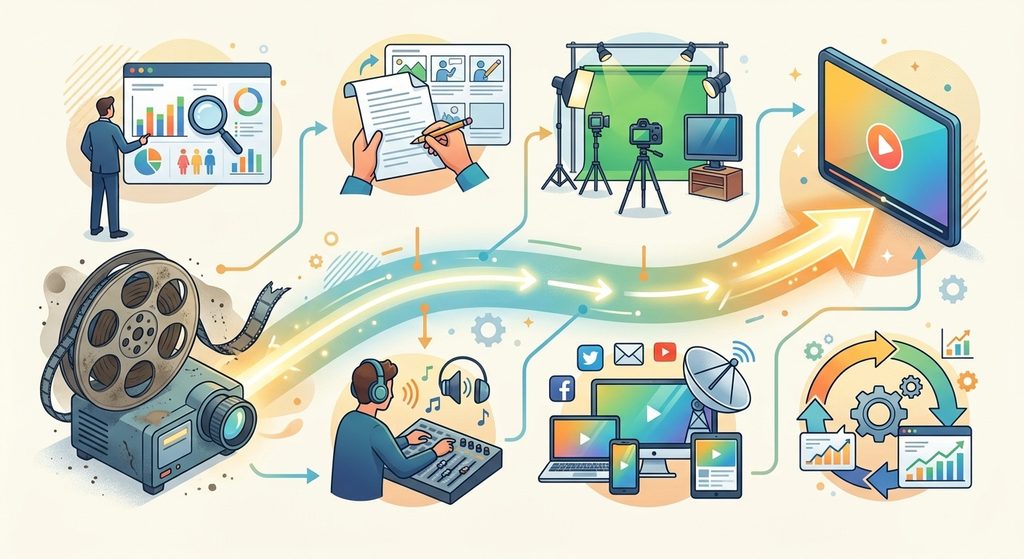
How to Improve the Performance of an Old Marketing Video

Creating a marketing video takes time, money, and planning. But once a video has been published, many businesses simply move on to the next piece of content. That can be a mistake.

An older marketing video may still contain useful information, a strong message, or footage that could attract customers today. Instead of abandoning it, businesses can often improve the performance of an old marketing video by updating its packaging, refreshing its message, improving its distribution, and connecting it to newer content.

You don’t always need to produce an entirely new video to get better results. Sometimes, a few strategic changes can give an existing video another opportunity to reach the right audience.

How to Improve the Performance of an Old Marketing Video
image generated by Gemini

Start by Reviewing the Video’s Current Performance

Before changing anything, determine why the video is underperforming.

Look at available analytics and ask:

  • How many people are watching?
  • Where are viewers discovering the video?
  • How long do they typically watch?
  • Where are viewers leaving?
  • Is the video generating website visits or leads?
  • Has interest in the topic changed?
  • Is the video still relevant to your target customer?

This information helps you avoid making changes based purely on guesswork.

For example, a video may have a useful message but receive very few clicks because its title and thumbnail are weak. Another may attract plenty of viewers but lose most of them during the opening because it takes too long to get to the point.

Those are two completely different problems and require different solutions.

Update the Video Title

One of the simplest ways to improve an old marketing video is to reconsider its title.

Older videos are sometimes given titles that make sense internally but don’t clearly communicate their value to potential customers. A better title should tell people what they can expect while naturally incorporating the topic they’re interested in.

YouTube recommends accurate, concise titles that help viewers understand what a video is about. It also advises putting the most important words toward the beginning of the title.

For example, instead of:

Our Company’s Marketing Approach

consider:

How Small Businesses Can Get More Customers With Video Marketing

The second title immediately communicates the subject and potential benefit.

Don’t turn the title into a string of keywords, though. The goal is to make it useful to humans first.

Create a Better Thumbnail

A thumbnail can determine whether someone stops scrolling and considers watching your video.

If an old video has a dated, cluttered, blurry, or generic thumbnail, replacing it may make the content more appealing to new viewers.

A strong business video thumbnail should:

  • Clearly communicate the subject
  • Be easy to understand at a small size
  • Avoid unnecessary visual clutter
  • Create curiosity without misleading viewers
  • Work well on both desktop and mobile devices
  • Match the actual content of the video

YouTube specifically recommends experimenting with updated thumbnails for older videos and using analytics to understand how titles and thumbnails affect performance.

If your channel has access to YouTube’s native A/B testing feature, older videos can be particularly useful candidates for testing different titles and thumbnails. YouTube currently allows eligible creators to compare up to three combinations, with the test evaluating performance based on watch time.

Improve the Video Description

An old description may be short, outdated, or missing important information.

Rewrite it so that it accurately explains what viewers will learn and gives them a reason to continue exploring your business.

Include relevant information such as:

  • What the video covers
  • Who the video is intended for
  • Important products or services mentioned
  • Links to relevant pages on your website
  • Related videos
  • A useful call to action
  • Relevant timestamps when appropriate

Avoid stuffing the description with repetitive keywords. A natural explanation is more useful to visitors and provides clearer context.

Add a Stronger Call to Action

An old video may educate viewers but fail to tell them what to do next.

Consider what action makes sense for someone who has just watched the video.

Depending on your business, that could be:

  • Visit a service page
  • Request a quote
  • Schedule a consultation
  • Download a guide
  • Read a related article
  • Watch another video
  • Contact your business
  • Sign up for an email list

The call to action should fit the viewer’s position in the buying process.

A beginner watching an educational video may not be ready to make a purchase. Sending that person to another helpful resource could be more effective than immediately asking for a sale.

Connect the Old Video to New Content

One of the best ways to revive an older video is to surround it with newer content.

Suppose you published a video about creating social media videos several years ago. Since then, you’ve published articles about short-form video, video SEO, content repurposing, and video analytics.

Link the older video from those newer pages where it genuinely adds value.

You can also create a new video that expands on the original topic and directs viewers toward the older resource.

This creates a network of related content rather than leaving the old video isolated.

Refresh Outdated Information

This is especially important for marketing videos.

Platforms, advertising options, software, pricing, social media features, and consumer behavior can change quickly. A video that was accurate several years ago may now contain information that is incomplete or outdated.

Review the video carefully.

Ask:

Is everything still accurate?

If the changes are minor, you may be able to update the title, description, links, and supporting content.

If the actual information inside the video is significantly outdated, consider creating a new version rather than pretending the old video is current.

You can then use the older video to introduce viewers to the updated version.

Improve the Video’s Search Visibility

Video SEO can help people discover your content through search engines.

For videos published on your own website, Google recommends making the video discoverable and indexable, using appropriate video metadata, providing stable thumbnail URLs, and considering structured data such as VideoObject. Videos can potentially appear in Google Search, Video mode, Google Images, and Discover.

If you embed an older video on your website, don’t simply place the video on a page with little surrounding information.

Build a useful page around it.

For example, an article about How to Market a Small Business With Video could include:

  • An introduction
  • The embedded video
  • A written explanation
  • Key takeaways
  • Frequently asked questions
  • Related resources
  • Links to relevant services or products

This gives visitors additional information and provides search engines with more context about the page.

Add Chapters or Key Moments

Longer videos can become easier to navigate when important sections are clearly identified.

If your video covers several distinct subjects, consider adding timestamps or chapters.

For YouTube videos, timestamps can help viewers jump directly to the sections they’re interested in. Google can also use information about important video segments for features such as key moments.

For example:

00:00 Introduction
01:15 Choosing a Video Topic
03:40 Creating the Script
06:10 Promoting Your Video
09:25 Measuring Results

This can make an older long-form video feel considerably more useful without changing the actual footage.

Repurpose the Video

Don’t limit an old marketing video to its original platform.

A single video can become the foundation for several pieces of content.

You might turn it into:

  • Short social media clips
  • Blog content
  • Email content
  • LinkedIn posts
  • Instagram Reels
  • YouTube Shorts
  • Frequently asked questions
  • Sales resources
  • Website content

This is particularly valuable for small businesses that don’t have the time or budget to create completely new videos every week.

The original video becomes a content asset rather than a one-time publication.

Promote the Video Again

Sometimes the problem isn’t the video itself. It simply isn’t being promoted anymore.

If the subject is still relevant, bring the video back into your marketing.

You could feature it in a newsletter, include it in a relevant blog article, share a short clip on social media, or use it as part of an email campaign.

You can also promote an older video when something changes in the market that makes its topic relevant again.

An older video isn’t automatically obsolete just because it isn’t new.

YouTube itself notes that older videos can experience renewed interest when a topic becomes more popular, new viewers discover a channel, or another video causes viewers to explore earlier content.

Improve the First Few Seconds

If you can edit the original footage, pay particular attention to the opening.

Viewers need to understand quickly why they should continue watching.

Remove unnecessary introductions, long logos, excessive greetings, or unrelated opening footage when possible.

Start with the problem, question, result, or benefit the viewer came to find.

For example:

Weak opening:
“Hi everyone, welcome back to our channel. Today we’re going to talk about…”

Stronger approach:
“Your business may already have everything it needs to create better marketing videos. Here’s how to turn your existing footage into content that generates more leads.”

YouTube emphasizes the importance of the opening seconds and recommends making sure the introduction delivers on the promise established by the title and thumbnail.

Don’t Change What Is Already Working

Refreshing an old video doesn’t mean changing every element.

If a video is already generating strong traffic, watch time, leads, or sales, be careful about making unnecessary changes.

Look for weaknesses rather than fixing things simply because they’re old.

YouTube explains that changing a title or thumbnail can affect performance because viewers may respond differently to the new presentation—not simply because the change itself gives the video a ranking boost.

That distinction matters.

The objective isn’t to make an old video look new. It’s to make a good piece of content more useful and easier for the right audience to discover.

Know When to Replace the Video

Not every old marketing video is worth saving.

Sometimes the better choice is to create a new version.

Consider replacing the video when:

  • The information is substantially outdated
  • The business has changed significantly
  • The product or service no longer exists
  • The production quality damages your brand
  • The target audience has changed
  • The original message no longer matches your strategy
  • The video receives little engagement despite repeated optimization

Even then, don’t automatically delete the old content. First determine whether it has valuable backlinks, search traffic, historical engagement, or other useful signals.

Build a Regular Video Refresh Process

Video optimization shouldn’t happen only when something goes wrong.

Set aside time every few months to review older marketing videos.

Create a simple process:

Step 1: Identify older videos with existing traffic or engagement.

Step 2: Review their analytics.

Step 3: Find opportunities to improve titles, thumbnails, descriptions, links, and calls to action.

Step 4: Check whether the information is still accurate.

Step 5: Repurpose useful sections into new content.

Step 6: Monitor performance after making changes.

Step 7: Keep the improvements that produce meaningful results.

Over time, this turns your existing video library into a growing marketing resource.

source: Nate Black

Final Thoughts

An old marketing video isn’t necessarily a failed marketing video.

It may simply need better positioning.

A stronger title can make the subject clearer. A refreshed thumbnail can make the video more appealing. Updated descriptions and links can improve the viewer journey. New supporting content can bring additional traffic. Analytics can reveal exactly where viewers are losing interest.

Most importantly, don’t assume that every marketing problem requires creating something from scratch.

Before spending money producing another video, look through your existing library. You may already have valuable content that can be improved, repackaged, updated, and promoted to a new audience.

The best video marketing strategy isn’t always about creating more videos. Sometimes, it’s about getting more value from the videos you already have.

The written content on this page was generated by ChatGPT.
How to Use YouTube Analytics to Choose Your Next Video Topic

Coming up with the next video idea can be one of the hardest parts of running a YouTube channel. You may have plenty of subjects you could cover, but that does not necessarily mean your audience wants to watch all of them.

Instead of relying entirely on guesswork, creators and businesses can use YouTube Analytics to see what is already attracting viewers, where people are losing interest, what topics their audience watches, and where potential content gaps may exist.

YouTube Studio provides several reports that can help with this process. The Analytics area includes information about content performance, reach, engagement, audience behavior, and trends. YouTube also provides a Trends section designed to help creators discover content gaps and potential ideas for future videos.

The goal is not to simply copy your most-viewed video. It is to understand why certain topics perform well and use those insights to develop the next useful piece of content.

How to Use YouTube Analytics to Choose Your Next Video Topic

Why YouTube Analytics Is Valuable for Video Topic Research

A successful video can tell you much more than how many people watched it.

It can reveal what your audience is interested in, how they discovered the video, whether they continued watching, and whether the topic attracted new or returning viewers.

That information can help you answer important questions before producing your next video:

  • Which subjects consistently attract viewers?
  • Which videos bring in new people?
  • Which topics encourage viewers to keep watching?
  • What questions or subjects appear to be missing from your channel?
  • Are viewers more interested in tutorials, reviews, demonstrations, Shorts, or longer videos?
  • What related subjects could naturally follow a successful video?

This makes your existing content a source of market research.

Rather than starting with a blank content calendar, you can start with evidence from people who have already watched your channel.

1. Start With Your Top-Performing Videos

The easiest place to begin is your existing content.

Open YouTube Studio and go to Analytics. YouTube’s Content reports can show how your audience finds and interacts with your content, including information about impressions, watch time, and top-performing content.

Look beyond your single most-viewed video. Try to identify patterns among several successful videos.

For example, imagine a small business marketing channel has these results:

  • How to Create a Business Video — 18,000 views
  • How to Write a Video Script — 14,500 views
  • How to Make a Product Demo — 12,800 views
  • How to Choose a Camera — 4,100 views
  • Best Video Editing Software — 3,700 views

The obvious conclusion might be that the audience wants marketing tutorials.

But you can go one step further.

The three strongest videos all teach viewers how to use video to accomplish something. That suggests the audience may respond better to practical, outcome-focused subjects than equipment reviews.

That observation can lead to new topics such as:

  • How to Create a Video That Generates Leads
  • How to Turn a Product Demo Into a Sales Video
  • How to Create a Business Video With Your Phone
  • How to Write a Call to Action for a Marketing Video

The winning topic is not necessarily a repeat of the old topic. It is often the next logical question.

2. Look for Patterns Instead of One-Time Hits

One unusually successful video can be misleading.

A video might receive a surge because of a temporary trend, external promotion, seasonal interest, or another factor unrelated to your normal audience.

For that reason, look for repeatable patterns.

Suppose five of your top ten videos involve tutorials. That is more meaningful than having one tutorial unexpectedly become popular.

Create groups based on subject matter, such as:

  • Tutorials
  • Product demonstrations
  • Reviews
  • Comparisons
  • Case studies
  • Beginner guides
  • Troubleshooting
  • Industry news
  • Interviews
  • Shorts

Then compare the performance of each group.

You may discover that tutorials consistently outperform other formats. Or perhaps comparison videos bring fewer views but attract highly engaged viewers.

Both findings can influence your next topic.

3. Study Watch Time and Average View Duration

Views tell you that people clicked or watched, but they do not tell the whole story.

YouTube’s Engagement reports include metrics such as watch time and average view duration, while audience-retention information can help you understand how viewers behave during individual videos.

This matters when choosing a topic because a video that attracts viewers and holds their attention can provide a stronger signal than a video that receives many quick clicks.

Consider two videos:

Video A:
20,000 views but viewers leave quickly.

Video B:
12,000 views with substantially stronger viewing time and retention.

Video B may contain a topic that is more useful to your core audience.

Instead of automatically producing another version of Video A, investigate what made Video B valuable.

Was it:

  • A specific problem?
  • A step-by-step format?
  • A stronger opening?
  • A narrower subject?
  • A more useful outcome?
  • A topic aimed at a specific type of customer?

These clues can help you build better ideas.

4. Pay Attention to Audience Retention

Audience retention can be especially useful when planning follow-up videos.

Suppose a 15-minute tutorial performs well overall, but viewers consistently leave around the section where you explain a complicated process.

That could suggest two different opportunities.

First, the original video could be improved.

Second, the difficult section could become an entire video.

For example, a video titled How to Build a Video Marketing Strategy might include a brief explanation of keyword research.

If viewers appear particularly interested in that section, you could create a dedicated follow-up:

How to Find Video Topics Your Customers Are Actually Searching For

One video can therefore become a roadmap for the next several videos.

5. Use the Audience Tab to Understand Who Is Watching

The Audience section can provide another layer of information.

YouTube reports metrics such as new, casual, and regular viewers. It also includes reports such as What your audience watches, Channels that your audience watches, and Formats your viewers watch on YouTube. YouTube specifically notes that the “What your audience watches” report can be used to find ideas for new videos and titles.

This is one of the most useful areas for topic research.

Imagine your channel is about digital marketing, but your audience is also watching videos about small-business sales, email marketing, and website conversions.

That tells you your audience’s interests extend beyond your existing content.

You could use those adjacent interests to expand your channel without abandoning its main subject.

For example:

Existing topic:
Video Marketing for Small Businesses

Related audience interest:
Sales

Potential next videos:

  • How to Use Video to Support Your Sales Team
  • How to Create a Video Sales Pitch
  • How to Turn Video Viewers Into Leads

The best new topic is often sitting next to something you already cover successfully.

6. Check What Your Audience Watches Outside Your Channel

This report deserves special attention.

YouTube says the What your audience watches report can show videos, Shorts, live streams, and podcasts that your viewers watched outside your channel during the relevant reporting period. It can also provide ideas for new topics, titles, thumbnails, and collaborations.

This gives you a chance to see what your audience is interested in when they are not watching you.

Look for recurring themes.

If several videos your audience watches are about the same problem, question, product, or industry topic, that could be an opportunity.

Do not copy another creator’s video. Instead, ask:

What useful angle has not been covered on my channel yet?

For example, if your audience frequently watches videos explaining Facebook advertising, but your channel focuses on video marketing, you could create:

How to Use Video Ads to Improve Facebook Campaigns

That connects an established audience interest with your channel’s expertise.

7. Use the Trends Tab to Find Content Gaps

YouTube Analytics also includes a Trends area that can help with content discovery.

According to YouTube, the Trends tab provides insights into what audiences and viewers across YouTube are searching for and can help creators discover content gaps and potential video ideas.

This is useful when your existing analytics do not provide an obvious answer.

You can combine your channel’s proven subjects with broader audience interests.

For example:

Your successful topic:
Business video marketing

Related audience interest:
Short-form content

Potential content gap:
How small businesses can use short-form videos to generate leads

This approach gives you something more strategic than simply chasing whatever topic happens to be popular.

8. Look at Traffic Sources Before Choosing a Follow-Up Topic

Traffic sources can help explain why a video performed well.

YouTube’s Reach reporting provides information such as impressions, click-through rate, views, and unique viewers, while traffic-source information helps you understand how people discovered your content.

A video that receives most of its traffic from YouTube Search may indicate strong search intent.

A video that receives substantial traffic from Browse features may have broader appeal.

A video driven heavily by external sources may have succeeded because it was shared somewhere else.

These differences matter.

If search is driving strong performance, consider creating another video that answers a closely related question.

If Browse traffic is strong, you might experiment with broader topics that appeal to people who are not specifically searching for your subject.

9. Find Videos That Bring in New Viewers

Not every successful video serves the same purpose.

Some videos are excellent at attracting people who have never encountered your channel before.

Others may be especially useful for existing subscribers and regular viewers.

YouTube’s Audience reports distinguish between new, casual, and regular viewers, giving creators a way to understand different audience groups.

If your goal is channel growth, identify the videos that consistently attract new viewers.

Then ask what those videos have in common.

Perhaps they:

  • Answer common questions
  • Solve specific problems
  • Use beginner-friendly language
  • Target search-oriented topics
  • Address a broad audience
  • Explain complicated subjects simply

Those characteristics can guide your next acquisition-focused video.

10. Find Topics That Encourage Returning Viewers

New viewers are important, but returning viewers are valuable too.

If a particular subject consistently brings people back to your channel, it may deserve its own content series.

For example, suppose you publish:

How to Create a Business Video

and viewers respond well.

Instead of immediately jumping to an unrelated topic, build a sequence:

  1. How to Create a Business Video
  2. How to Write a Business Video Script
  3. How to Film a Business Video
  4. How to Edit a Business Video
  5. How to Optimize a Business Video for YouTube
  6. How to Measure Business Video Performance

Now your channel has a logical path.

One successful topic becomes an entire content cluster.

11. Compare Similar Videos With Advanced Analytics

If you want to dig deeper, YouTube offers Advanced Mode, which allows creators to view expanded reports, compare performance, and export data.

This can be helpful when you have enough videos to make meaningful comparisons.

For instance, compare several videos that cover related subjects and examine:

  • Views
  • Watch time
  • Average view duration
  • Impressions
  • Click-through rate
  • Subscribers gained
  • Traffic sources

You are looking for relationships rather than a single “magic” number.

A topic that repeatedly produces strong results deserves more attention than one isolated spike.

12. Turn Successful Videos Into Topic Clusters

One of the smartest ways to use YouTube Analytics is to stop thinking about videos individually.

Think in topic clusters.

Suppose one of your strongest videos is:

How to Market Your Business With Video

You could build related videos around it:

  • How to Create a Video Marketing Strategy
  • How to Find Video Topics for Your Business
  • How to Write a Video Marketing Script
  • How to Create Product Demo Videos
  • How to Optimize Business Videos for YouTube
  • How to Measure Video Marketing ROI

Each video addresses a different search intent while remaining connected to the same broad subject.

This creates a stronger content library and gives viewers more reasons to continue watching your channel.

13. Do Not Chase Views Alone

It is tempting to choose your next topic based entirely on the video with the highest view count.

That can be a mistake.

A video with 100,000 views may not attract the right customers for your business. Meanwhile, a video with 5,000 highly relevant views could generate better leads, more subscribers, or more meaningful engagement.

For business channels, the question should not simply be:

“Which topic gets the most views?”

A better question is:

“Which topic attracts the kind of viewer I want more of?”

That distinction can completely change your content strategy.

14. Combine Analytics With Your Business Goals

YouTube Analytics should inform your decisions, not make every decision for you.

If your business sells accounting software, for example, a video about a random trending topic might generate views but do little for your company.

A better approach is to find the intersection between:

What your audience wants + What your channel does well + What your business needs to achieve.

That intersection is where many of your strongest video ideas will come from.

For example:

Audience interest: Small-business finances

Existing channel strength: Educational tutorials

Business objective: Generate software leads

Potential video:
How Small Businesses Can Track Expenses With a Simple System

That topic is useful to viewers while remaining commercially relevant.

A Simple YouTube Analytics Topic Research Process

You do not need to spend hours studying every number in YouTube Studio.

A simple process can work well.

Step 1: Find your top-performing videos

Look at your strongest videos over a meaningful period rather than focusing on a single recent upload.

Step 2: Identify common subjects

Group successful videos by topic, format, and viewer intent.

Step 3: Check engagement

Look at watch time, average view duration, and audience-retention information.

Step 4: Study your audience

Review new, casual, and regular viewers along with the subjects and formats they watch.

Step 5: Explore Trends

Look for topics, searches, and potential content gaps related to your niche.

Step 6: Find the next logical question

Ask what someone who enjoyed your successful video would probably want to learn next.

Step 7: Validate the idea

Check whether the subject fits your audience, your channel, and your business objectives.

Step 8: Create the video

Use the analytics as guidance, but add your own experience, examples, opinions, and perspective.

Step 9: Measure the result

Once the video has enough data, compare its performance with similar videos.

Step 10: Repeat

Every new upload gives you more information to use when planning the following one.

Example: Turning Analytics Into Your Next Five Videos

Imagine a business channel discovers that its strongest videos are about getting customers through online marketing.

Instead of randomly selecting five new topics, the creator could build a sequence:

Successful video:
How to Market Your Business With Video

Next:
How to Create a Video Marketing Strategy for a Small Business

Next:
How to Find Video Topics Your Customers Are Searching For

Next:
How to Write a Video Script That Converts Viewers

Next:
How to Turn Business Videos Into Leads

Next:
How to Measure Video Marketing ROI

The result is a connected content strategy rather than a collection of unrelated uploads.

Common Mistakes When Using YouTube Analytics for Topic Ideas

Choosing topics based only on views

Views are useful, but they should be considered alongside watch time, audience behavior, traffic sources, and business relevance.

Copying your most successful video

A successful subject is a clue, not an instruction to make the exact same video again.

Ignoring smaller successful videos

A video with modest views may still reveal a valuable niche topic with a highly engaged audience.

Chasing every trend

Not every trending subject belongs on your channel. Stay close to your audience and your expertise.

Ignoring your regular viewers

A strategy focused exclusively on new viewers can leave existing followers without compelling reasons to return.

Creating videos without a follow-up plan

When a topic performs well, look for related questions before moving to an entirely different subject.

Final Thoughts

YouTube Analytics can turn video planning from a guessing game into a much more informed process.

Your best next video may already be hiding inside your existing data.

Look at your strongest topics, examine how viewers interact with them, study what your audience watches elsewhere, explore emerging content gaps, and pay attention to the difference between videos that attract new viewers and those that keep regular viewers engaged.

Most importantly, don’t ask only “What video should I make next?”

Ask:

“What does my audience’s behavior tell me they want to see next?”

That small change in thinking can lead to a much more consistent YouTube content strategy—and over time, it can help you create videos that are more relevant to your audience, more useful to your business, and easier to build into a connected library of content.

source: Nate Black

Frequently Asked Questions

How can YouTube Analytics help me choose video topics?
YouTube Analytics can show which videos and subjects perform well, how viewers interact with them, who watches your content, what your audience watches elsewhere, and what topics may represent content gaps. These insights can help you identify related subjects for future videos.

Which YouTube Analytics metrics are most useful for choosing topics?
Views, watch time, average view duration, audience retention, traffic sources, and audience information can all be useful. The most important metric depends on your goal.

Where can I find new video ideas in YouTube Analytics?
The Trends section can provide insights into what audiences are searching for and potential content gaps. The Audience section can also show what your viewers watch outside your channel, which can reveal possible topics and formats.

Should I make more videos about my most popular topic?
Often, yes—but don’t simply repeat the same video. Look for related questions, problems, and subtopics that your audience may want to explore next.

How often should I check YouTube Analytics?
Review your analytics regularly rather than obsessing over every short-term fluctuation. The goal is to identify meaningful patterns that can influence your broader content strategy.

The written content on this page was generated by ChatGPT.
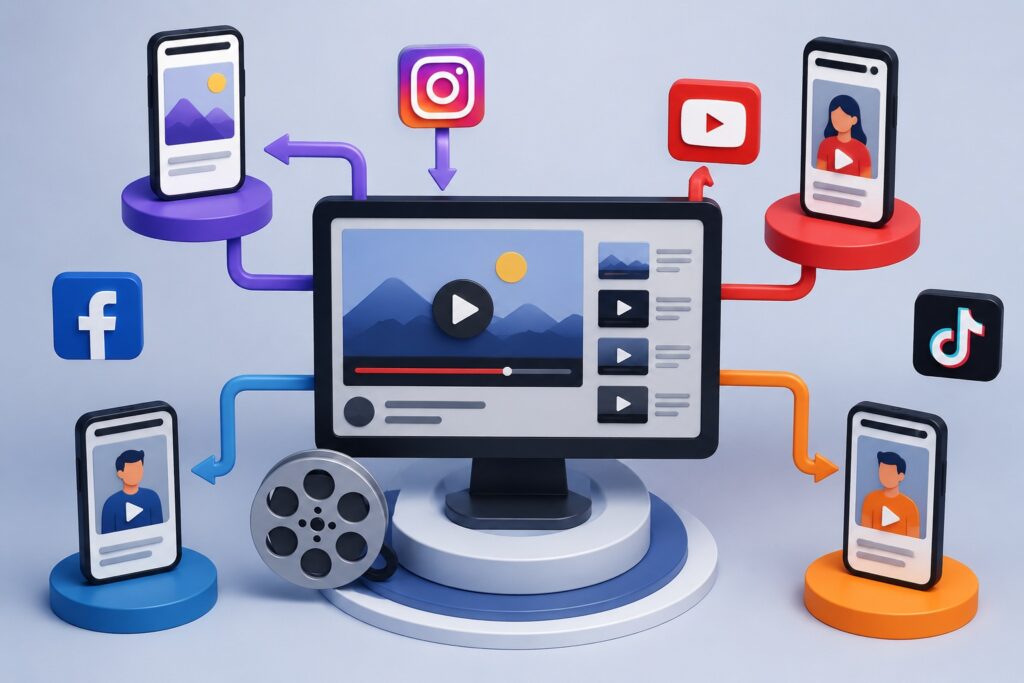
Repurposing High-Performing Videos Across Multiple Platforms for Growth

Video marketing has become one of the most effective ways for businesses to connect with their audience, build brand recognition, and drive conversions. However, producing high-quality video content requires time, creativity, and resources. If you’re creating a new video for every platform, you’re likely spending more than necessary while limiting your return on investment.

The smartest marketers don’t simply create more videos—they maximize the value of every successful one. By repurposing high-performing videos across multiple platforms, businesses can expand their reach, attract new audiences, improve search visibility, and generate consistent engagement without constantly starting from scratch.

This guide explains how to repurpose your best-performing videos strategically, ensuring every piece of content continues working long after it’s first published.

Repurposing High-Performing Videos Across Multiple Platforms for Growth
image generated by ChatGPT

What Is Video Repurposing?

Video repurposing is the process of transforming an existing video into multiple pieces of content designed for different platforms, audiences, and marketing goals.

Instead of uploading the exact same video everywhere, you modify the format, length, aspect ratio, captions, messaging, and call-to-action to fit each platform’s audience and algorithm.

For example, a 15-minute YouTube tutorial can become:

  • Several Instagram Reels
  • TikTok videos
  • LinkedIn educational clips
  • Facebook posts
  • Pinterest Idea Pins
  • Blog content
  • Email marketing assets
  • Podcast episodes
  • YouTube Shorts

One successful video can easily produce dozens of pieces of valuable content.


Why Repurposing Videos Is Essential for Business Growth

Many businesses make the mistake of publishing a video once and moving on to the next project. Unfortunately, that approach leaves significant marketing opportunities untapped.

Repurposing allows your content to continue generating value by reaching people who consume information differently.

Some audiences prefer watching long-form tutorials on YouTube, while others enjoy quick tips on TikTok or LinkedIn.

By adapting your content for multiple channels, you dramatically increase your chances of being discovered.

Additional benefits include:

  • Lower content production costs
  • Better return on investment (ROI)
  • More website traffic
  • Higher brand visibility
  • Improved SEO performance
  • Greater social media engagement
  • Increased lead generation

Instead of creating ten different videos, you can create one exceptional video and distribute it intelligently.


Identify Your Highest-Performing Videos First

Not every video deserves to be repurposed.

Begin by reviewing your analytics to identify videos that consistently perform well.

Look for videos with:

  • High watch time
  • Strong audience retention
  • Excellent engagement
  • Large numbers of shares
  • Consistent comments
  • High click-through rates
  • Quality leads or conversions

Videos that solve common customer problems tend to have the longest lifespan and the greatest repurposing potential.

Evergreen educational content often continues generating traffic for years.


Turn Long Videos into Short-Form Content

Short-form video dominates nearly every major social platform.

A single webinar, podcast interview, tutorial, or product demonstration can produce dozens of short clips.

Consider extracting:

  • Quick tips
  • Frequently asked questions
  • Product features
  • Customer testimonials
  • Industry statistics
  • Common mistakes
  • Before-and-after demonstrations

Each clip should focus on one valuable takeaway that viewers can consume in under one minute.

This strategy keeps your content fresh while reaching audiences with shorter attention spans.


Adapt Videos for Each Social Media Platform

Every platform has unique audience expectations and algorithms.

Rather than posting identical videos everywhere, tailor each version for maximum performance.

YouTube

  • Publish complete tutorials
  • Add keyword-rich titles
  • Create compelling thumbnails
  • Include timestamps
  • Optimize descriptions
  • Link to related videos

YouTube Shorts

  • Share quick educational tips
  • Highlight interesting moments
  • Add captions
  • Keep viewers engaged immediately

Instagram Reels

Focus on:

  • Visual storytelling
  • Fast pacing
  • Trending audio when appropriate
  • Strong opening hooks
  • Clear captions

TikTok

Create authentic content by:

  • Answering common questions
  • Sharing behind-the-scenes footage
  • Demonstrating products
  • Following platform trends naturally

Facebook

Repurpose videos that encourage discussion.

Educational videos, customer stories, and community-focused content typically perform well on Facebook.


LinkedIn

Professional audiences appreciate:

  • Industry insights
  • Business case studies
  • Leadership advice
  • Marketing strategies
  • Company success stories

Pinterest

Convert videos into vertical Idea Pins featuring:

  • Tutorials
  • Checklists
  • Product showcases
  • Step-by-step guides

Pinterest content often generates traffic months after publication.


Transform Videos into SEO-Friendly Blog Articles

One of the most overlooked repurposing strategies is converting videos into written content.

Search engines can easily crawl text, making blog articles an excellent companion to video marketing.

Start by:

  • Transcribing the video
  • Expanding explanations
  • Adding screenshots
  • Including statistics
  • Answering related questions
  • Organizing content with headings
  • Optimizing keywords naturally

Embedding the original video within the article increases user engagement and encourages visitors to spend more time on your website.

This combination strengthens your overall SEO strategy.


Convert Videos into Email Marketing Content

Your email subscribers don’t always follow your social media channels.

Instead of simply sending a video link, create a compelling email featuring:

  • A summary of the video
  • Key takeaways
  • A clickable thumbnail
  • Additional resources
  • A clear call-to-action

This approach encourages higher click-through rates while extending the lifespan of your video.


Create Multiple Calls-to-Action

Different audiences may respond to different offers.

When repurposing videos, customize your call-to-action based on the platform.

Examples include:

  • Visit your website
  • Download a free guide
  • Subscribe to your YouTube channel
  • Schedule a consultation
  • Request a quote
  • Join your email newsletter
  • Purchase a product
  • Register for a webinar

Matching the CTA to the platform often improves conversion rates.


Improve Accessibility with Captions

Many users watch videos with the sound turned off.

Adding captions not only improves accessibility but also increases viewer retention.

Benefits include:

  • Better user experience
  • Improved engagement
  • Enhanced SEO through searchable transcripts
  • Greater reach across international audiences

Captions make your content more inclusive while helping search engines better understand your videos.


Build a Content Library Instead of Individual Posts

Think beyond individual uploads.

Create a searchable library of evergreen content organized by topic.

For example:

Video Marketing

  • Beginner guides
  • Strategy tutorials
  • SEO tips
  • Analytics
  • Advertising

Business Growth

  • Lead generation
  • Customer retention
  • Branding
  • Sales

This organization allows older videos to remain discoverable while supporting future content creation.


Track Performance Across Every Platform

Repurposing is an ongoing process that improves with data.

Monitor metrics such as:

  • Views
  • Watch time
  • Engagement rate
  • Shares
  • Saves
  • Click-through rate
  • Website traffic
  • Leads generated
  • Conversion rate

Identify which formats and platforms consistently deliver the strongest results, then prioritize similar content in future campaigns.


Common Video Repurposing Mistakes to Avoid

Businesses often reduce the effectiveness of repurposed content by making avoidable mistakes.

Some of the most common include:

  • Uploading identical videos without optimization
  • Ignoring platform-specific formatting
  • Forgetting captions
  • Using weak thumbnails
  • Publishing without keyword optimization
  • Omitting clear calls-to-action
  • Repurposing outdated information
  • Failing to monitor analytics

Each platform rewards content that feels native rather than copied.


Create a Sustainable Repurposing Workflow

Instead of repurposing videos randomly, establish a repeatable workflow.

A simple process might look like this:

  1. Publish a long-form YouTube video.
  2. Extract 10–20 short clips.
  3. Create YouTube Shorts.
  4. Publish Instagram Reels.
  5. Share TikTok videos.
  6. Upload LinkedIn clips.
  7. Turn the transcript into a blog article.
  8. Send the video through your email newsletter.
  9. Create Pinterest Idea Pins.
  10. Review analytics and update your strategy.

This workflow allows one high-quality video to generate weeks or even months of valuable content.

source: Amber Figlow

Final Thoughts

Creating exceptional videos is only the beginning of an effective content marketing strategy. Businesses that consistently grow their online presence understand the importance of maximizing every successful piece of content rather than constantly producing new material.

Repurposing high-performing videos across multiple platforms extends their lifespan, improves search engine visibility, increases audience engagement, and delivers a significantly higher return on investment. By tailoring content to the strengths of each platform, optimizing it for search, and monitoring performance, you can transform a single video into a powerful marketing asset that continues driving traffic, leads, and sales long after its initial release.

Instead of asking, “What video should we create next?” consider asking, “How many ways can we reuse the great content we already have?” That simple shift in mindset can become one of the most effective strategies for sustainable business growth through video marketing.

The written content on this page was generated by ChatGPT.

How to Scale a Successful Video Marketing Campaign Step-by-Step

Video marketing has evolved from a nice addition to a core part of modern digital marketing. Businesses of every size are investing in video because it captures attention, builds trust, and helps customers make buying decisions. However, creating one successful video isn’t enough to generate consistent growth. The real challenge is learning how to scale your video marketing campaign without sacrificing quality, engagement, or return on investment.

Scaling doesn’t simply mean producing more videos. It means creating a repeatable system that allows you to reach more people, generate more leads, and increase conversions while making the best use of your time and budget. Whether you’re a small business owner, marketer, or entrepreneur, following a structured approach will help you expand your video marketing efforts with confidence.

How to Scale a Successful Video Marketing Campaign Step-by-Step
image generated by ChatGPT

Start With a Winning Campaign

Before scaling any campaign, identify what made your original video successful. Expanding a campaign that never delivered results will only increase wasted resources.

Review your best-performing videos and ask yourself:

  • Which videos generated the most views?
  • Which videos kept viewers watching the longest?
  • Which videos produced the most website visits?
  • Which videos generated leads or sales?
  • Which platforms performed best?

Instead of guessing, let your data reveal what resonates with your audience. High-performing videos often have clear messaging, a strong opening, valuable information, and a compelling call to action.

Define Clear Growth Objectives

Scaling works best when you know exactly what you’re trying to accomplish.

Examples of measurable goals include:

  • Increase monthly video views by 50%
  • Double website traffic from video content
  • Generate 100 qualified leads per month
  • Grow YouTube subscribers by 25%
  • Increase product sales through video by 30%

Having measurable objectives helps determine which metrics deserve the most attention throughout your campaign.

Know Your Audience Better Than Ever

One mistake many businesses make is creating videos for everyone. Successful campaigns focus on a clearly defined audience.

Develop detailed customer profiles by considering:

  • Age
  • Occupation
  • Interests
  • Pain points
  • Purchasing behavior
  • Preferred social media platforms
  • Questions customers frequently ask

The better you understand your audience, the easier it becomes to create videos that feel relevant and useful.

Build a Repeatable Video Marketing System

Businesses that consistently publish successful videos rarely create content randomly.

Instead, they develop a repeatable workflow.

A scalable production process often includes:

Research

Find trending industry topics, customer questions, and popular keywords.

Planning

Create monthly content calendars instead of deciding what to publish at the last minute.

Scripting

Use a consistent structure:

  • Hook
  • Problem
  • Solution
  • Proof
  • Call to action

Production

Record multiple videos during one filming session to save time.

Editing

Create reusable templates for:

  • Intro animations
  • Lower thirds
  • End screens
  • Branding elements

This system dramatically increases productivity while maintaining consistency.

Produce Content in Batches

Batch production is one of the most effective ways to scale.

Instead of filming one video every week, dedicate one day each month to recording several videos.

For example:

  • Monday: Research
  • Tuesday: Script writing
  • Wednesday: Filming 8–10 videos
  • Thursday: Editing
  • Friday: Scheduling and publishing

This approach reduces setup time and improves efficiency.

Repurpose Every Video

One long-form video can become dozens of content pieces.

For example, a 15-minute educational video can become:

  • YouTube video
  • Five Instagram Reels
  • Five TikTok videos
  • Multiple Facebook clips
  • Pinterest Idea Pins
  • LinkedIn video posts
  • Blog article
  • Email newsletter
  • Podcast episode
  • Short quotes for social media

Repurposing allows you to maximize the value of every recording session without constantly creating new material.

Optimize Videos for Search Engines

Creating excellent videos is only half the job. People must also be able to find them.

Improve discoverability by optimizing:

Video Titles

Use descriptive titles that naturally include your primary keyword.

Example:

“How to Scale a Successful Video Marketing Campaign Step-by-Step”

Descriptions

Write detailed descriptions explaining what viewers will learn.

Include:

  • Primary keyword
  • Secondary keywords
  • Website links
  • Social media links
  • Relevant timestamps

Tags

Use a combination of:

  • Broad keywords
  • Industry keywords
  • Long-tail phrases
  • Brand keywords

Closed Captions

Captions improve accessibility while giving search engines additional text to understand your content.

Publish Across Multiple Platforms

Scaling requires meeting your audience wherever they spend time.

Instead of relying on one platform, distribute content across:

  • YouTube
  • Facebook
  • Instagram
  • TikTok
  • LinkedIn
  • Pinterest
  • X
  • Company website
  • Email newsletters

Customize each version to match platform requirements rather than uploading identical copies everywhere.

Develop a Consistent Publishing Schedule

Consistency builds audience trust.

Whether you publish:

  • Two videos each week
  • Three Shorts daily
  • One educational video every Friday

Stick to a predictable schedule.

Consistency often outperforms occasional bursts of content followed by long periods of inactivity.

Create Content Around Customer Questions

One of the easiest ways to produce endless video ideas is by answering customer questions.

Common examples include:

  • How much does this service cost?
  • Which product is right for me?
  • What mistakes should I avoid?
  • How long does the process take?
  • What happens after purchase?

Educational videos establish authority while improving search visibility.

Expand Successful Topics

If one topic performs well, build an entire content series around it.

For example, if “Video SEO Tips” attracts thousands of viewers, create related videos such as:

  • Beginner’s Guide to Video SEO
  • Advanced Video SEO Strategies
  • Common Video SEO Mistakes
  • YouTube Ranking Factors
  • Video Metadata Best Practices

This topical clustering helps search engines recognize your expertise.

Invest in Better Equipment Strategically

Scaling doesn’t require buying the most expensive camera.

Prioritize upgrades that noticeably improve quality:

  • Good microphone
  • Proper lighting
  • Stable tripod
  • External storage
  • Editing software

Excellent audio often has a greater impact on viewer satisfaction than ultra-high-resolution video.

Automate Repetitive Tasks

Automation saves hours every week.

Consider automating:

  • Social media scheduling
  • Email notifications
  • Video publishing
  • Caption generation
  • Analytics reporting
  • Thumbnail templates

These efficiencies allow you to spend more time creating valuable content.

Build a Video Content Library

Organize every project into searchable folders.

Categorize assets by:

  • Topic
  • Product
  • Customer stage
  • Industry
  • Campaign
  • Platform

A well-organized library speeds up future production and simplifies content repurposing.

Collaborate With Experts

Partnerships can dramatically expand your reach.

Consider working with:

  • Industry influencers
  • Podcast hosts
  • Business partners
  • Customers
  • Employees
  • Content creators

Guest appearances introduce your brand to new audiences while increasing credibility.

Use Paid Promotion Wisely

Organic reach builds long-term authority, but paid advertising accelerates growth.

Promote videos that already perform well organically.

Focus on:

  • YouTube Ads
  • Facebook Video Ads
  • Instagram Ads
  • LinkedIn Sponsored Videos

Avoid spending heavily on videos that have not demonstrated audience interest.

Monitor Performance Regularly

Scaling successfully requires continuous optimization.

Track important metrics such as:

  • Views
  • Watch time
  • Audience retention
  • Click-through rate
  • Engagement rate
  • Website traffic
  • Leads generated
  • Conversion rate
  • Cost per acquisition
  • Return on investment

These insights reveal what deserves additional investment.

Test, Learn, and Improve

No campaign is perfect from the beginning.

Continuously experiment with:

  • Video length
  • Thumbnails
  • Titles
  • Opening hooks
  • Calls to action
  • Publishing times
  • Video formats

Small improvements made consistently often produce significant long-term growth.

Build a Recognizable Brand

As your campaign grows, maintain consistent branding.

Keep your:

  • Logo
  • Colors
  • Fonts
  • Intro
  • Outro
  • Tone of voice
  • Thumbnail style

Consistency helps viewers instantly recognize your content.

Turn Viewers Into Customers

Scaling views means little without conversions.

Every video should guide viewers toward a logical next step.

Examples include:

  • Subscribe
  • Download a free guide
  • Request a consultation
  • Start a free trial
  • Visit your website
  • Purchase a product
  • Join your email list

A clear call to action transforms attention into measurable business results.

Continue Learning From Your Audience

Successful video marketers never stop listening.

Read comments, conduct surveys, monitor reviews, and study analytics to discover what your audience truly wants. The more your content aligns with viewer needs, the easier it becomes to scale without losing engagement.

source: Video Made Simple by Boxset Media

Final Thoughts

Scaling a successful video marketing campaign is not about creating an endless stream of videos. It is about developing efficient systems, understanding your audience, optimizing content for search, distributing videos across multiple platforms, and continually improving based on performance data.

Businesses that approach video marketing strategically rather than randomly are better positioned to build authority, generate qualified leads, and achieve sustainable growth. Start by refining one successful campaign, build repeatable processes, and expand thoughtfully. Over time, these incremental improvements can transform video marketing into one of your most valuable and profitable digital marketing assets.

The written content on this page was generated by ChatGPT.

A/B Testing Video Titles, Thumbnails, and Descriptions for Higher CTR

Why Small Changes Can Lead to Big Results

Publishing a great video is only half the battle. Whether you’re creating content for YouTube, Facebook, Instagram, LinkedIn, or your own website, your audience first decides whether to click before they ever see what you’ve created. That decision often happens in just a few seconds.

Your title, thumbnail, and description work together as your video’s first impression. Even a professionally produced video can struggle if these elements fail to capture attention or communicate value. On the other hand, a few carefully tested adjustments can dramatically increase your click-through rate (CTR), helping your videos reach more viewers without spending additional money on advertising.

This is where A/B testing becomes one of the most valuable techniques in video marketing.

Instead of guessing what might work, you compare two versions, analyze the results, and make decisions based on real audience behavior. Over time, these small improvements compound into significant increases in traffic, engagement, and conversions.

A/B Testing Video Titles, Thumbnails, and Descriptions for Higher CTR
image generated by ChatGPT

What Is A/B Testing?

A/B testing is the process of comparing two versions of a marketing element to determine which one performs better.

For video marketing, you might test:

  • Video titles
  • Thumbnail designs
  • Video descriptions
  • Calls to action
  • Opening hooks
  • End screens

The goal is simple: improve the percentage of people who click on your video after seeing it.

For example, imagine two titles for the same video:

Version A:

“How to Create Better Marketing Videos”

Version B:

“Stop Wasting Money on Videos That Don’t Convert”

Although both describe similar content, they appeal to viewers differently. After collecting enough data, you may discover that one consistently generates a higher CTR.

Rather than relying on assumptions, A/B testing lets your audience tell you what they prefer.


Understanding Click-Through Rate (CTR)

Click-through rate measures how often people click your video after seeing it.

The formula is straightforward:

CTR = Clicks ÷ Impressions × 100

If your video appears 20,000 times and receives 1,200 clicks, your CTR is 6%.

While average CTR varies depending on industry, audience, and platform, improving it even by one or two percentage points can result in thousands of additional views over time.

Higher CTR also sends positive engagement signals that may help platforms recommend your content to more users.


Why Testing Titles Matters

Your title is usually the first thing potential viewers read.

An effective title should immediately communicate:

  • What the viewer will learn
  • Why it matters
  • Why they should watch now

Instead of stuffing keywords into every title, focus on clarity and usefulness.

Examples include:

  • How to Double Your Video Engagement Without Buying Ads
  • 10 Video Marketing Mistakes That Cost Businesses Customers
  • Beginner’s Guide to Creating Videos That Convert

Good titles create curiosity while accurately reflecting the video’s content.

Avoid misleading “clickbait” that promises something the video doesn’t deliver, as disappointed viewers often leave quickly, hurting overall performance.


Thumbnail Testing Can Produce Dramatic Results

Thumbnails often influence clicks more than any other visual element.

A strong thumbnail should remain clear and recognizable even on mobile devices.

When testing thumbnails, experiment with one variable at a time, such as:

  • Close-up faces versus product images
  • Bright backgrounds versus darker colors
  • Minimal text versus no text
  • Different emotional expressions
  • Clean layouts versus detailed designs

Consistency also matters. Developing a recognizable visual style can help returning viewers identify your content more easily.


Should You Test Video Descriptions?

Many creators overlook descriptions, but they play an important role in both discoverability and user experience.

A well-written description should:

  • Clearly summarize the video
  • Naturally include relevant keywords
  • Encourage viewers to continue watching
  • Link to related resources when appropriate
  • Include timestamps for longer videos

Testing different opening paragraphs, calls to action, and keyword placement can reveal which versions generate more clicks or longer viewing sessions.


Test One Variable at a Time

One of the biggest mistakes is changing everything simultaneously.

If you modify the title, thumbnail, and description together, you won’t know which change improved performance.

A better process looks like this:

  1. Publish the original version.
  2. Test a new title while keeping everything else the same.
  3. Measure the results.
  4. Keep the better-performing version.
  5. Test a different thumbnail.
  6. Repeat the process.

This structured approach produces reliable insights instead of guesswork.


Give Each Test Enough Time

Avoid drawing conclusions too quickly.

Depending on your audience size, allow enough time for your video to gather meaningful impressions before declaring a winner.

Testing over several days—or longer for lower-traffic channels—helps reduce the impact of daily fluctuations and gives a more accurate picture of performance.


Monitor More Than CTR

A higher CTR is valuable, but it isn’t the only metric worth tracking.

Also pay attention to:

  • Average view duration
  • Audience retention
  • Watch time
  • Engagement (likes, comments, shares)
  • Subscriber growth
  • Conversion rate
  • Website visits
  • Leads or sales generated

Sometimes a title that attracts more clicks may also attract the wrong audience, leading to lower watch time. The best-performing version is often the one that balances strong CTR with meaningful engagement.


Useful Ideas to Test

You don’t need to redesign your entire strategy. Start with simple experiments such as:

  • Questions versus statements in titles
  • Numbers versus no numbers
  • Short titles versus longer, descriptive titles
  • Different color combinations in thumbnails
  • Human faces versus product-focused images
  • Different calls to action in descriptions
  • Keyword placement in the first sentence
  • Different emotional triggers such as curiosity, urgency, or problem-solving

Even modest improvements can add up over dozens of videos.


Common Mistakes to Avoid

Many creators unintentionally limit their results by:

  • Changing multiple elements at once
  • Using misleading titles
  • Ignoring mobile users
  • Writing vague descriptions
  • Ending tests too early
  • Focusing only on views instead of conversions
  • Failing to document test results

Keeping a simple spreadsheet of your experiments can help identify long-term patterns and improve future decisions.


Build a Habit of Continuous Improvement

Successful video marketers rarely assume their first idea is the best one. They treat every upload as an opportunity to learn more about their audience.

By regularly testing titles, thumbnails, and descriptions, you’ll develop a better understanding of what captures attention, earns clicks, and keeps viewers engaged. Those insights can improve not only your current videos but every piece of content you create in the future.

A/B testing isn’t about chasing trends or making random changes. It’s about using data to refine your message, strengthen your presentation, and consistently deliver content that resonates with your audience.

Over time, those incremental improvements can lead to higher click-through rates, stronger audience engagement, increased search visibility, and more meaningful business results. Whether you’re growing a YouTube channel, promoting products, or building brand awareness, making A/B testing a regular part of your workflow is one of the smartest investments you can make in your video marketing strategy.

Frequently Asked Questions

How often should I A/B test my video titles?

Whenever possible. If a video continues receiving impressions, testing a new title or thumbnail can uncover opportunities to improve performance even months after publication.

Which should I test first: the title or the thumbnail?

Most marketers begin with the thumbnail because it’s often the first visual element viewers notice. After selecting a strong thumbnail, test the title to further improve CTR.

Does A/B testing help with YouTube SEO?

Yes. Improving click-through rate and viewer engagement can contribute to stronger overall performance, which may increase the likelihood of your videos being recommended and discovered by more viewers.

How long should an A/B test run?

The ideal duration depends on your audience size and traffic. Rather than focusing on a fixed number of days, wait until you’ve gathered enough impressions to make a meaningful comparison between versions.

source: YouTube Creators

Final Thoughts

Improving your video’s click-through rate doesn’t always require expensive equipment or a larger marketing budget. Often, the biggest gains come from refining the details that influence whether someone chooses to click in the first place.

By systematically testing your titles, thumbnails, and descriptions, measuring the results, and applying what you learn, you can create a repeatable process for growing your audience and increasing the effectiveness of every video you publish.

The written content on this page was generated by ChatGPT.
How to Use YouTube Studio Analytics to Grow Your Channel Faster

Every Successful YouTube Channel Has One Thing in Common

It is easy to assume that viral videos are created through luck or expensive production equipment. In reality, many of the fastest-growing YouTube channels achieve consistent success because they pay close attention to data instead of guessing what viewers want.

Every upload generates valuable information. The number of people who click, how long they stay, where they leave, and which videos convince them to subscribe all tell a story about your audience. Ignoring these insights means missing opportunities to improve future content.

YouTube Studio Analytics gives creators access to this information without requiring expensive software or advanced technical skills. Whether you manage a personal vlog, an educational channel, or a business brand, understanding analytics can help you make smarter decisions that lead to steady growth.

Instead of chasing trends blindly, you can create videos backed by real audience behavior.

How to Use YouTube Studio Analytics to Grow Your Channel Faster
image generated by ChatGPT

Why Analytics Matter More Than Subscriber Count

Many new creators celebrate every new subscriber while overlooking the performance data that actually drives long term success.

Subscriber numbers are important, but they are only one piece of the puzzle. A channel with fewer subscribers and strong viewer engagement will often outperform a larger channel with low watch time and poor retention.

Analytics reveal what your audience enjoys, what encourages them to continue watching, and what motivates them to return for more content.

When you understand these patterns, every video becomes an opportunity to improve your overall strategy.

Getting Familiar with YouTube Studio Analytics

YouTube Studio is designed to give creators a complete picture of channel performance.

Inside the dashboard, you can explore information related to:

  • Views
  • Watch time
  • Audience retention
  • Traffic sources
  • Subscriber growth
  • Click through rates
  • Demographics
  • Revenue for monetized channels

Instead of focusing on isolated numbers, successful creators examine how these metrics work together.

For example, a video may receive thousands of impressions but relatively few views. That usually points to a thumbnail or title problem rather than poor content quality.

Understanding the Overview Dashboard

The Overview section is often the first place creators visit after publishing a video.

Here you will find a quick summary of channel performance over different periods, allowing you to identify trends rather than reacting to daily fluctuations.

Views Tell You What Is Getting Attention

Views measure how many times your content has been watched.

While high view counts feel rewarding, they should never be the only success indicator.

A video that attracts 5,000 highly engaged viewers can provide more long term value than one that receives 50,000 quick clicks with poor retention.

Focus on sustainable growth instead of temporary spikes.

Watch Time Is One of YouTube’s Favorite Signals

Watch time measures the total amount of time viewers spend watching your content.

Longer watch sessions tell YouTube that people find your videos valuable, increasing the likelihood of appearing in recommendations and suggested feeds.

Improving watch time should be a priority for every creator.

Simple improvements such as stronger introductions, better storytelling, and smoother transitions often increase watch duration significantly.

Subscriber Growth Reveals What Builds Loyalty

Every creator wants more subscribers, but analytics can show exactly which videos are responsible for those gains.

Compare your top subscriber generating videos and look for similarities.

You may discover that tutorials consistently outperform opinion videos or that educational content attracts more loyal viewers than short entertainment clips.

These insights help shape a stronger content strategy.

Audience Retention: The Report That Changes Everything

One of the most valuable reports inside YouTube Studio is Audience Retention.

This graph tracks viewer behavior from the beginning of your video until the end.

Many creators are surprised when they discover large portions of their audience leaving within the first minute.

This information is incredibly valuable because it highlights areas that need improvement.

If viewers consistently leave during long introductions, shorten them.

If retention increases during demonstrations or storytelling sections, expand those elements in future videos.

The goal is not perfection but gradual improvement with every upload.

How Click Through Rate Influences Growth

Click Through Rate, commonly known as CTR, measures the percentage of people who click after seeing your video.

Even the best content cannot perform well if nobody chooses to watch it.

Improving CTR often comes down to three elements:

Better Thumbnails

Create images that are clean, easy to understand, and visually interesting.

Avoid overcrowding the design with unnecessary text or distracting elements.

Stronger Titles

A title should create curiosity while accurately describing the content.

Instead of vague wording, clearly communicate the value viewers will receive.

Matching Expectations

Your thumbnail and title should accurately reflect the video.

Misleading clickbait may increase initial views but often hurts watch time and audience trust.

Discover Where Your Audience Comes From

Traffic Sources reveal how viewers find your content.

Understanding these sources allows creators to focus their marketing efforts more effectively.

YouTube Search

Videos optimized with relevant keywords often generate consistent long term traffic.

Evergreen tutorials, how to guides, and educational content perform especially well in search results.

Suggested Videos

Suggested traffic appears alongside related content.

Creating multiple videos around similar topics increases the likelihood that YouTube recommends your content to viewers already interested in your niche.

Browse Features

The YouTube homepage and subscription feed fall into this category.

Consistent publishing schedules and strong engagement help improve visibility here.

External Traffic

Visitors may arrive through websites, newsletters, blogs, or social media platforms.

Sharing videos beyond YouTube expands your audience and creates additional growth opportunities.

Learn More About Your Viewers

The Audience tab provides detailed demographic information that helps creators better understand who is watching.

This includes:

  • Geographic location
  • Age groups
  • Returning viewers
  • New viewers
  • Subscriber activity
  • Peak viewing times

Knowing when your audience is online allows you to publish videos at times that maximize initial engagement.

If most viewers become active during evening hours, scheduling uploads before that period can improve early performance.

Turn Winning Videos Into Content Series

Many creators constantly search for new ideas while ignoring their existing success.

Analytics can reveal which topics consistently attract views and engagement.

Suppose a beginner camera tutorial performs exceptionally well.

Instead of moving to an unrelated subject, consider expanding the topic with additional content such as:

  • Camera settings for beginners
  • Affordable lighting setups
  • Video editing basics
  • Audio improvement techniques

Creating content clusters helps establish topical authority while giving subscribers more of what they already enjoy.

Compare Videos to Find Hidden Patterns

Comparing videos side by side often uncovers valuable insights.

Pay attention to differences in:

  • Average view duration
  • Click through rate
  • Watch time
  • Subscriber conversion
  • Engagement rate

Small patterns become obvious over time.

You may notice that shorter introductions consistently perform better or that question based titles generate more clicks than generic headlines.

These observations help refine your entire content strategy.

Build a Monthly Analytics Routine

Rather than checking numbers every hour, establish a regular review process.

A simple monthly routine might include:

Review Top Performing Videos

Identify the uploads that generated the highest watch time and subscriber growth.

Analyze Viewer Retention

Look for common drop off points and improve future videos accordingly.

Refresh Older Content

Update thumbnails, titles, and descriptions for videos with high impressions but low click through rates.

Plan Future Topics

Create new content based on subjects that have already proven successful.

This systematic approach removes guesswork and replaces it with informed decision making.

Mistakes That Slow Channel Growth

Even experienced creators sometimes misinterpret analytics.

Avoid these common errors:

  • Obsessing over daily view counts
  • Ignoring audience retention reports
  • Publishing without reviewing previous performance
  • Changing niches too frequently
  • Focusing on viral trends instead of evergreen content

Sustainable growth comes from consistent improvement rather than chasing overnight success.

source: Profit Pulse

Using Analytics as a Long Term Growth Strategy

The most successful YouTube creators rarely rely on luck. They study audience behavior, test new ideas, measure results, and continuously refine their approach.

YouTube Studio Analytics provides all the information needed to understand what works and what needs adjustment. Every graph represents real viewer behavior, making it one of the most valuable tools available to creators and businesses alike.

By reviewing performance regularly, improving underperforming videos, and building on proven successes, you create a channel that grows naturally over time. Instead of hoping your next upload performs well, you will have a clear strategy backed by data, allowing every new video to become stronger than the last.

The result is not just more views or subscribers but a loyal audience that returns consistently, engages with your content, and helps your channel grow month after month.

The written content on this page was generated by ChatGPT.

Explainer Videos vs Product Demo Videos: Which One Should You Use First?

Most businesses don’t struggle with whether video marketing works. That part is already settled. The real challenge shows up much earlier—choosing what kind of video to start with.

Two of the most commonly used formats are explainer videos and product demo videos. On the surface, they might look similar. Both are short, both are promotional, and both are used to increase sales. But in practice, they serve very different roles in your marketing strategy.

So the real question is not just what they are—but which one actually makes sense to create first when you’re starting from zero or building a new campaign?

To answer that properly, it helps to understand how each one behaves in the real world.

Explainer Videos vs Product Demo Videos: Which One Should You Use First?

What an Explainer Video Actually Does for Your Business

An explainer video is usually the first “conversation” your business has with a potential customer.

At this stage, people don’t really know you yet. They may have landed on your website, seen a social post, or clicked an ad out of curiosity. They are not looking for deep technical details. They are still trying to answer something very basic:

“What is this, and why should I care?”

That’s exactly where explainer videos perform best.

Instead of focusing on features or step-by-step usage, they focus on clarity. They take something that might be complicated—like a service, software, or business model—and turn it into something easy to understand in under two minutes.

Where explainer videos really shine

They are especially effective when:

  • Your product or service is new to the market
  • Your idea needs context before it makes sense
  • Your audience is cold and unfamiliar with your brand
  • You need to simplify something technical or abstract

A good explainer video removes confusion. And in marketing, clarity often comes before interest.

For example, if a company offers a subscription-based cleaning service, most people won’t immediately understand how scheduling, pricing, or recurring visits work. An explainer video can walk through that entire experience in a simple story, helping the viewer understand the value without effort.

That “instant understanding” is what makes explainer videos powerful at the beginning of a customer journey.


What a Product Demo Video Actually Focuses On

A product demo video comes in at a very different stage.

By the time someone is watching a demo, they already have some level of interest. They are no longer asking what the product is. Instead, they are asking something more practical:

“How does it actually work, and will it solve my problem?”

This is where detail matters.

Unlike explainer videos, demos don’t simplify the idea—they prove it. They show the product in action, often step by step, so the viewer can visualize exactly what owning or using it would feel like.

Where product demo videos perform best

They are most effective when:

  • Your audience already understands the product category
  • You’re targeting warm leads or returning visitors
  • The purchase decision depends on features or usability
  • You need to reduce hesitation before buying

For example, if you’re selling a project management tool, the audience likely already knows what such tools do. What they need now is confidence. A demo video showing task creation, team collaboration, and workflow automation helps remove doubt and makes the decision easier.

In other words, demos don’t introduce—they reassure.


The Real Difference Between the Two

Although both formats sit under video marketing, they operate at different stages of persuasion.

Here’s a simple way to think about it:

  • Explainer videos build understanding
  • Product demos build confidence

That difference changes everything.

Explainer videos are emotional and conceptual. They focus on the “why.”
Product demos are logical and functional. They focus on the “how.”

One prepares the audience. The other convinces them.


So Which One Should You Create First?

If you’re just starting out, the safest and most effective answer is usually this:

Start with an explainer video.

That might feel less exciting, especially if you’re eager to show off your product. But in most cases, skipping the explainer stage creates a hidden problem—people don’t fully understand what you do, which means they don’t engage deeply enough to care about the demo.

There are a few reasons why explainer videos typically come first:

1. Most audiences need context before details

If someone doesn’t fully understand your offer, showing them features won’t help. It only adds more confusion.

2. Cold traffic needs simplicity

People seeing your brand for the first time are not ready for technical explanations. They need a clear message before anything else.

3. It forces you to refine your message

Creating an explainer video forces you to simplify your business into its core idea. That clarity improves everything else—ads, landing pages, and even sales conversations.


When a Product Demo Should Come First Instead

There are situations where starting with a demo actually makes more sense.

For example:

1. Your product category is already familiar

If people already understand what your product is (like smartphones, apps, or tools), you don’t need to explain the concept—you just need to show what makes yours better.

2. You already have warm traffic

If visitors are already aware of your brand, a demo becomes more powerful than another introduction.

3. Your focus is direct conversion

If your goal is immediate sales rather than awareness, demos can push people closer to purchase faster.


The Most Effective Strategy: Use Both in Sequence

The real strength of video marketing comes when you stop thinking in terms of “which one is better” and start thinking in terms of “what order makes sense.”

A strong funnel often looks like this:

Stage 1: Awareness

  • Explainer videos
  • Short brand introductions
  • Educational content

Stage 2: Consideration

  • Product demos
  • Tutorials
  • Feature breakdowns

Stage 3: Decision

  • Testimonials
  • Case studies
  • Reviews

When structured this way, each video has a clear job. Nothing overlaps, and nothing feels wasted.


A Simple Real-World Example

Imagine a small business offering an online fitness coaching app.

At the beginning, most people don’t know what makes it different from hundreds of other fitness apps. An explainer video helps introduce the concept, the benefits, and the transformation it offers.

Once that interest is built, a product demo shows how the app actually works—tracking workouts, logging meals, and following guided programs.

The result is a smoother customer journey. People understand the idea first, then see the proof, and finally feel comfortable committing.


A Mistake Many Businesses Make

One of the most common mistakes is skipping the explainer stage entirely and jumping straight into product demos.

On paper, it sounds logical. If you show the product, people should buy it. But in reality, it often fails because the viewer is still trying to figure out the bigger picture.

Without that foundation, even a great demo can feel irrelevant.

source: XPLAI

Final Takeaway

There is no universal winner between explainer videos and product demo videos. The right choice depends entirely on where your audience is in their journey.

But as a general rule:

  • Start with an explainer video when you need to build awareness and clarity
  • Use a product demo video when you need to build confidence and drive decisions
  • Combine both when you want a complete, structured marketing system

When used in the right order, these two video types don’t compete with each other—they support each other.

And that combination is often what separates average video marketing from campaigns that actually convert.

The written content on this page was generated by ChatGPT.

How Consistency in Video Marketing Builds Audience Trust

Most businesses don’t struggle with creating video content once. The real challenge is showing up again and again with content that people can rely on. In video marketing, consistency isn’t just a scheduling habit—it becomes part of how your audience judges your credibility.

When people repeatedly see your brand delivering useful, relevant videos, something important happens: they stop seeing you as a random content creator and start seeing you as a dependable source.

Trust is not built instantly. It develops slowly, through repeated exposure and predictable value.

How Consistency in Video Marketing Builds Audience Trust

Why Consistency Matters More Than One Viral Video

It’s easy to get excited about the idea of going viral. A single video can bring thousands of views overnight. But what happens after that moment fades?

In most cases, nothing lasting.

Virality creates attention, but consistency creates relationships. And relationships are what build trust.

When a viewer sees your content regularly, your brand becomes familiar. That familiarity removes uncertainty. And when uncertainty drops, trust increases naturally.

Think about the brands or creators you trust most. It’s rarely because of one video—it’s because they show up consistently over time.


Familiarity Is the First Step Toward Trust

Before someone trusts your business, they need to recognize it. Familiarity is the bridge between awareness and trust.

Every time your audience sees your videos, they are quietly learning:

  • What your brand stands for
  • How you communicate
  • What value you offer
  • Whether you are reliable

Even if they don’t engage immediately, the repetition is still working in the background. Over time, your presence becomes part of their routine.

That repeated exposure is what turns a cold viewer into a warm lead.


Consistency Builds the Image of Reliability

A business that posts regularly sends a silent but powerful message: “We are active, stable, and committed.”

On the other hand, irregular posting can create doubt. If someone visits your page and sees long gaps between videos, they may question whether the business is still active or relevant.

Consistency removes that doubt.

Even simple, steady uploads—once a week or twice a month—signal that your business is engaged and paying attention. In the eyes of your audience, that reliability matters more than high production value alone.


Authority Is Built Through Repetition, Not One-Off Efforts

No one becomes an authority in a niche overnight. Authority is built through accumulation.

When you consistently publish helpful videos—tutorials, explanations, insights, or answers—you begin to occupy mental space in your audience’s mind.

Eventually, people start associating your brand with expertise.

For example, if someone repeatedly finds your videos helpful when searching for solutions in your industry, they will naturally begin to view you as a trusted voice.

Search engines also recognize this pattern. Regular content signals activity, relevance, and topical depth, all of which support better visibility over time.


Algorithms Reward Consistent Creators

Beyond human psychology, consistency also matters for platform algorithms.

YouTube, Facebook, Instagram, and other platforms are designed to promote active creators. When you upload regularly, you give the algorithm more data about your content and audience.

This often leads to:

  • More recommendations
  • Higher visibility in search results
  • Increased watch time distribution
  • Stronger engagement signals

In simple terms, consistency improves both trust with people and trust with platforms.


Emotional Trust Develops Over Time

Trust is not only logical—it’s emotional.

When people consistently see your face, hear your voice, or experience your content style, they begin forming a connection with your brand.

That emotional familiarity matters more than many businesses realize.

At some point, your audience stops asking, “Who are you?” and starts thinking, “I know this brand. I trust what they share.”

This emotional shift is what turns viewers into loyal customers.


What Real Consistency Looks Like in Video Marketing

Consistency does not mean posting every day or burning yourself out.

It means choosing a schedule you can realistically maintain over the long term.

Some practical examples include:

  • One well-planned video per week
  • Two videos per month with supporting short clips
  • Weekly short-form content combined with monthly in-depth videos

The important part is predictability. Your audience should know that you will show up regularly.


Mistakes That Break Consistency and Trust

Many businesses struggle not because they lack ideas, but because they lose momentum. Here are a few common issues:

Starting strong, then disappearing

A burst of early content followed by silence creates confusion and weakens trust instead of building it.

Posting without a clear direction

Random content makes it hard for audiences to understand your value, which reduces long-term engagement.

Focusing only on quantity

More videos do not always mean better results. Low-value content can damage credibility.


How to Maintain Long-Term Consistency

Staying consistent becomes much easier with structure.

Plan your content in advance

A simple content calendar helps you avoid last-minute decisions and keeps your ideas organized.

Batch your production

Filming multiple videos in one session reduces pressure and ensures you always have content ready.

Repurpose your videos

One video can become:

  • Short clips for social media
  • Blog content
  • Email content
  • Educational posts

Focus on evergreen topics

Content that stays relevant over time continues to bring value long after it is published.


The Long-Term Impact of Consistent Video Marketing

The real power of consistency is that its results compound.

At first, progress may feel slow. But over time, consistent video marketing builds a strong foundation of:

  • Brand recognition
  • Audience trust
  • Organic traffic growth
  • Higher conversion rates
  • Stronger customer loyalty

Each video adds another layer to your brand’s digital presence. Eventually, your content works for you even when you’re not actively promoting it.

source: @omnivistapro

Final Thoughts

Consistency in video marketing is not about being perfect or producing endless content. It’s about reliability, structure, and long-term commitment.

When your audience knows they can expect value from you regularly, trust develops naturally. And once trust is established, every other part of your marketing becomes easier.

In the end, businesses that win with video aren’t always the loudest or most viral—they are the ones that keep showing up.

The written content on this page was generated by ChatGPT.