Tag Archives: video content strategy

Step-by-Step Guide to Planning Your First Marketing Video

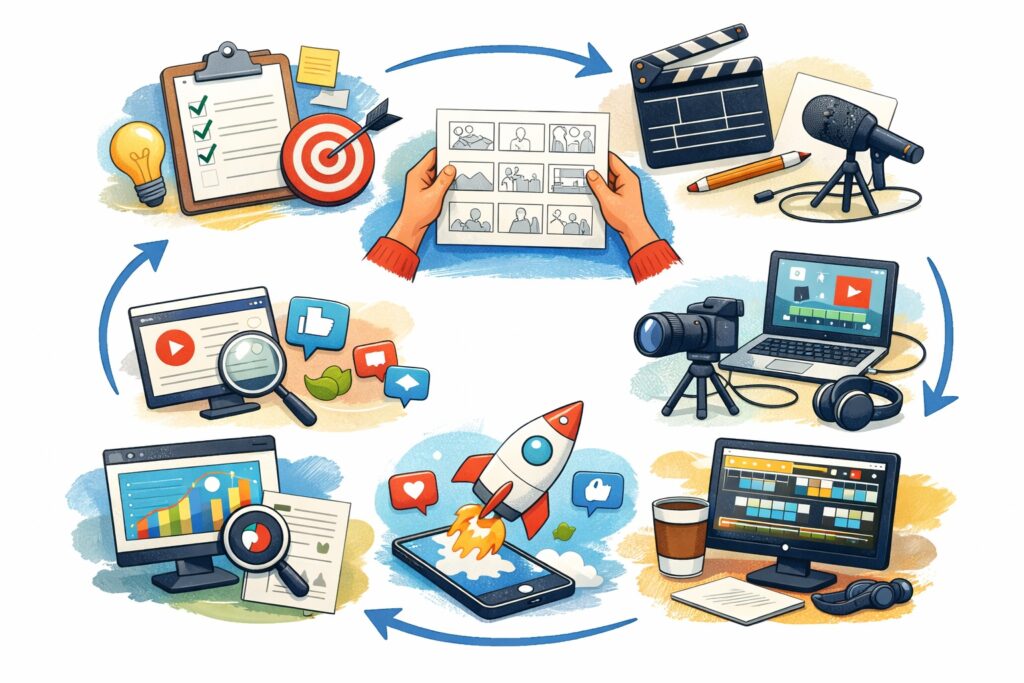
The first time a business decides to create a marketing video, excitement usually mixes with uncertainty. Ideas come quickly. Execution, however, feels less clear. Should the video sell something directly? Tell a story? Educate viewers? Many first attempts fail not because of poor filming or editing, but because planning was rushed or skipped entirely.

A successful marketing video rarely happens by accident. Behind every engaging video is a thoughtful process that defines the message, audience, and outcome long before the camera turns on. Planning gives direction, saves money, and prevents the common mistake of creating content that looks good but achieves little.

If you’re preparing to create your first marketing video, this guide walks through each stage carefully so you can move forward with confidence and purpose.
Step-by-Step Guide to Planning Your First Marketing Video

Start With One Clear Objective

Before thinking about visuals, scripts, or equipment, decide what success looks like.

Many businesses try to accomplish too much in a single video. They want to introduce the company, explain services, generate leads, and entertain viewers all at once. The result often feels scattered.

Instead, choose one primary goal:

  • Introduce your brand to new audiences
  • Explain how a product works
  • Drive traffic to a website
  • Generate inquiries or bookings
  • Build trust through education

A focused objective shapes every decision that follows. When viewers finish watching, the next step should feel obvious to them.


Understand Exactly Who You’re Talking To

A marketing video is not meant for everyone. The more specific your audience, the more effective your message becomes.

Think beyond general demographics. Consider real-world behavior:

  • What problems does your audience face daily?
  • What questions do they ask before buying?
  • Where do they usually discover businesses like yours?
  • What tone would feel natural to them: professional, casual, educational, or inspirational?

For example, a video aimed at small business owners should sound practical and solution-focused, while content for younger social media audiences may benefit from faster pacing and visual energy.

When viewers feel understood, they stay engaged longer, which improves both conversions and search visibility.


Choose the Right Type of Marketing Video

Your goal determines your video format. Each type serves a different role in the customer journey.

Common beginner-friendly formats include:

Explainer Videos
Perfect for introducing a service or simplifying complex ideas.

Product Demonstrations
Show how something works in real situations rather than describing it.

Educational or How‑To Videos
Build authority while helping potential customers solve problems.

Customer Testimonials
Create credibility through authentic experiences.

Short Social Media Videos
Designed for quick attention and brand exposure.

Your first video does not need cinematic production. Clarity and usefulness matter far more than elaborate visuals.


Develop a Simple but Intentional Story

People remember stories more than features or statistics. Even a short marketing video benefits from a basic narrative structure:

  1. Present a relatable problem
  2. Show the struggle or challenge
  3. Introduce your solution
  4. Demonstrate results
  5. Offer a next step

This structure keeps viewers emotionally invested while guiding them naturally toward your call to action.

Avoid scripting every sentence to sound overly polished. Natural language feels more trustworthy and keeps delivery authentic.


Write a Script That Sounds Human

A script prevents rambling and ensures your message stays clear, but it should never sound robotic.

Helpful scripting principles:

  • Open with a strong hook within the first few seconds
  • Use conversational language instead of corporate jargon
  • Keep sentences short and easy to follow
  • Speak directly to the viewer using “you”
  • End with a clear action step

Read the script aloud while writing. If it feels awkward to say, it will feel awkward to watch.

Many successful videos rely on structured talking points rather than rigid word-for-word scripts.


Create a Visual Plan Before Filming

Planning visuals saves enormous time during production.

A simple storyboard does not require artistic skills. Even rough sketches or bullet points work. Outline:

  • Camera angles
  • On-screen text or graphics
  • Demonstrations or product shots
  • Transitions between scenes

This preparation prevents missed footage and reduces reshoots later.

Think of the storyboard as a roadmap that keeps filming efficient and stress-free.


Prepare Equipment and Environment

High-quality video today is more accessible than ever. A modern smartphone can produce excellent results when used correctly.

Focus on essentials first:

  • Stable camera positioning using a tripod
  • Clear audio with an external microphone if possible
  • Good lighting, preferably natural light near windows
  • Clean, distraction-free background

Viewers will forgive simple visuals, but poor sound quality often causes them to stop watching immediately.


Decide the Ideal Length and Format

Attention spans vary depending on where the video will appear.

General guidelines:

  • Social media videos: 30–90 seconds
  • Website or landing page videos: 1–3 minutes
  • Educational or tutorial videos: 3–8 minutes

Also consider platform orientation:

  • Vertical format for mobile-first platforms
  • Square format for feeds
  • Horizontal format for YouTube and websites

Planning this early avoids editing complications later.


Plan Distribution Before Production

One of the most overlooked steps is deciding where the video will be used before filming begins.

Ask yourself:

  • Will this video live on your homepage?
  • Is it designed for YouTube search traffic?
  • Will clips be reused on social media?
  • Should shorter versions be created for ads?

Knowing distribution channels influences framing, pacing, and messaging choices during production.

A single well-planned video can often be repurposed into multiple smaller pieces of content.


Optimize the Video for Search Visibility

Creating a video is only half the work. Optimization determines whether people actually find it.

Key SEO practices include:

  • Writing keyword-focused titles that match search intent
  • Crafting detailed descriptions explaining the video’s value
  • Adding captions or transcripts for accessibility and indexing
  • Designing compelling thumbnails that encourage clicks

Search engines increasingly prioritize video content, especially when viewers stay engaged and watch longer.


Promote the Video Consistently

Publishing alone rarely generates results. Promotion amplifies reach.

Effective promotion strategies include:

  • Embedding the video in blog posts
  • Sharing across multiple social platforms
  • Including it in email campaigns
  • Pinning it to profiles or landing pages
  • Encouraging team members or partners to share

Consistency matters more than virality. Steady exposure builds momentum over time.


Measure Results and Improve the Next Video

Your first marketing video is not meant to be perfect. It is meant to teach you what works.

Track meaningful metrics such as:

  • Watch time and audience retention
  • Click-through rates
  • Comments or shares
  • Leads or conversions generated

Patterns quickly emerge. Maybe viewers drop off early, or perhaps shorter videos perform better. Each insight improves future planning.

Video marketing becomes easier and more effective with every iteration.

source: Elif Hız

Why Planning Makes the Biggest Difference

Many businesses assume success depends on expensive equipment or professional editing. In reality, clarity of purpose and preparation have a far greater impact.

Planning transforms video marketing from guesswork into strategy. It ensures your message reaches the right audience, communicates value quickly, and guides viewers toward action.

Your first video does not need perfection. It needs intention.

Start small. Learn from feedback. Refine your process. Over time, video becomes one of the most powerful marketing tools your business can use to build trust, visibility, and long-term growth.

The written content on this page was generated by ChatGPT.

The Complete Guide to Video Thumbnails That Drive Clicks

If your video were a storefront, the thumbnail would be the display window. Before viewers hear a word you say or watch a single second of footage, they make a decision based entirely on what they see. In crowded search results and fast scrolling social feeds, thumbnails determine whether your content gets ignored or earns attention.

Many businesses invest heavily in filming and editing but treat thumbnails as an afterthought. That mistake quietly limits reach, engagement, and conversions. A well-designed thumbnail can dramatically improve click-through rates, increase watch time, and help videos rank higher in search results.

This guide breaks down exactly how to create video thumbnails that attract clicks while supporting long-term SEO performance.

The Complete Guide to Video Thumbnails That Drive Clicks

Why Video Thumbnails Matter More Than Ever

Search platforms rely heavily on engagement signals. When users consistently choose your video over others, algorithms interpret that behavior as relevance and quality.

A strong thumbnail directly influences:

  • Click-through rate (CTR)
  • Watch time potential
  • Audience retention
  • Video rankings in search results
  • Brand recognition

Even a small improvement in CTR can multiply views over time. A video that receives more clicks early often gains momentum, appearing more frequently in recommendations and suggested content.


The Psychology Behind Click-Worthy Thumbnails

Successful thumbnails work because they trigger curiosity and clarity at the same time. Viewers want to know two things instantly:

  1. What is this video about?
  2. Why should I watch it?

High-performing thumbnails typically use psychological cues such as:

Emotional Expression

Human faces naturally draw attention. Expressions showing surprise, excitement, concern, or curiosity create emotional connection before playback begins.

Contrast and Visual Hierarchy

The brain scans images quickly. Bold contrast helps viewers understand the focal point immediately.

Curiosity Gaps

A thumbnail should hint at value without revealing everything. When viewers feel there’s something to learn or discover, they click.


Essential Elements of High-Converting Thumbnails

1. A Clear Focal Point

Avoid clutter. A thumbnail should communicate one main idea, not five competing visuals.

Good examples include:

  • One subject
  • One product
  • One action
  • One strong visual concept

If viewers need more than two seconds to understand the image, it’s too complicated.


2. Readable Text That Adds Context

Text works best when it reinforces the video’s promise rather than repeating the title word-for-word.

Best practices:

  • Use 3 to 5 words maximum
  • Choose bold, easy-to-read fonts
  • Ensure readability on mobile devices
  • Use contrasting colors

Remember that most viewers see thumbnails on small screens first.


3. Strong Color Strategy

Color is one of the fastest ways to stand out in search feeds.

Effective approaches include:

  • Bright foreground against darker backgrounds
  • Consistent brand color accents
  • Avoiding colors that blend into platform interfaces

Consistency also helps audiences recognize your content instantly over time.


4. High-Quality Images Only

Blurry or poorly lit thumbnails reduce perceived credibility. Even excellent content struggles when the preview looks unprofessional.

Use:

  • High-resolution images
  • Proper lighting
  • Sharp focus
  • Clean composition

A thumbnail should feel intentional, not like a random frame pulled from the video.


Thumbnail Design Principles That Increase Click-Through Rate

Keep It Simple

The highest-performing thumbnails often look surprisingly minimal. Simplicity improves clarity and makes your message digestible at a glance.

Design for Mobile First

Most video consumption happens on phones. Always zoom out and test your thumbnail at small sizes before publishing.

Ask yourself:

  • Can I still read the text?
  • Is the subject still clear?
  • Does it stand out among others?

Create Visual Contrast

Contrast can come from:

  • Color differences
  • Light vs dark backgrounds
  • Subject isolation
  • Bold outlines or shadows

Contrast guides the viewer’s eye instantly.


Thumbnail SEO: The Overlooked Ranking Factor

While thumbnails are visual assets, they influence measurable SEO signals.

When more users click your video, platforms interpret it as relevance. This increases visibility in search and suggested feeds.

To support SEO performance:

  • Match thumbnail messaging with keywords in your title
  • Deliver exactly what the thumbnail promises
  • Avoid misleading visuals that cause quick drop-offs

High CTR combined with strong watch time sends powerful ranking signals.


Branding Your Thumbnails for Long-Term Growth

Consistency builds familiarity. Over time, viewers begin recognizing your videos before reading the title.

Consider creating a recognizable style using:

  • Consistent fonts
  • Brand colors
  • Similar layouts
  • Logo placement (subtle, not dominant)

Branding should enhance recognition without overwhelming the main message.


Common Thumbnail Mistakes Businesses Make

Overcrowding the Image

Too many elements confuse viewers and reduce clarity.

Using Too Much Text

Long sentences shrink readability and weaken impact.

Misleading Clickbait

While exaggerated thumbnails may earn short-term clicks, they damage audience trust and reduce retention.

Ignoring Audience Expectations

A corporate audience may respond differently than entertainment viewers. Align design style with your niche.


Tools for Creating Professional Thumbnails

You don’t need advanced design experience to produce effective thumbnails. Many tools simplify the process:

  • Canva for quick branded layouts
  • Adobe Express for customization
  • Photoshop for advanced editing
  • Online background removal tools for clean subject isolation

Templates can speed up workflow while maintaining consistency.


A Step-by-Step Thumbnail Creation Process

Step 1: Define the Video’s Core Promise
Identify the single takeaway viewers will gain.

Step 2: Choose the Strongest Visual Moment
Use emotion, action, or transformation.

Step 3: Add Supporting Text
Highlight the benefit or curiosity factor.

Step 4: Apply Brand Styling
Colors, fonts, and layout consistency.

Step 5: Test at Small Sizes
Ensure clarity on mobile screens.

Step 6: Compare Against Competitors
Search your topic and confirm your thumbnail stands out.


A/B Testing Thumbnails for Better Results

Many creators overlook testing, yet small adjustments can produce significant gains.

Test variables such as:

  • Facial expression vs no face
  • Bright vs neutral backgrounds
  • Text vs no text
  • Close-up vs wide shot

Track performance using analytics dashboards and replace underperforming thumbnails when needed.


How Thumbnails Influence Viewer Retention

A strong thumbnail attracts the right audience. When viewers know what to expect, they stay longer.

Misalignment between thumbnail and content leads to:

  • Quick exits
  • Lower watch time
  • Reduced ranking potential

The best thumbnails act as accurate previews, not exaggerations.


Future Trends in Video Thumbnail Optimization

As video platforms evolve, thumbnail strategy continues to change. Emerging trends include:

  • Cleaner minimalist designs
  • Emotion-driven visuals
  • Personalized branding styles
  • AI-assisted thumbnail testing
  • Data-driven visual decisions

Businesses that treat thumbnails as part of marketing strategy rather than decoration will have a competitive advantage.

source: Aprilynne Alter

Final Thoughts

A video thumbnail is not just an image. It is a marketing asset, a branding tool, and an SEO signal combined into one small frame.

Businesses that consistently create intentional, clear, and visually compelling thumbnails often see stronger engagement without increasing advertising spend or production costs.

The goal isn’t to trick viewers into clicking. The goal is to communicate value instantly.

When your thumbnail clearly answers why a video matters, clicks follow naturally and growth becomes sustainable.

The written content on this page was generated by ChatGPT.
How Closed Captions and Transcripts Boost Video SEO

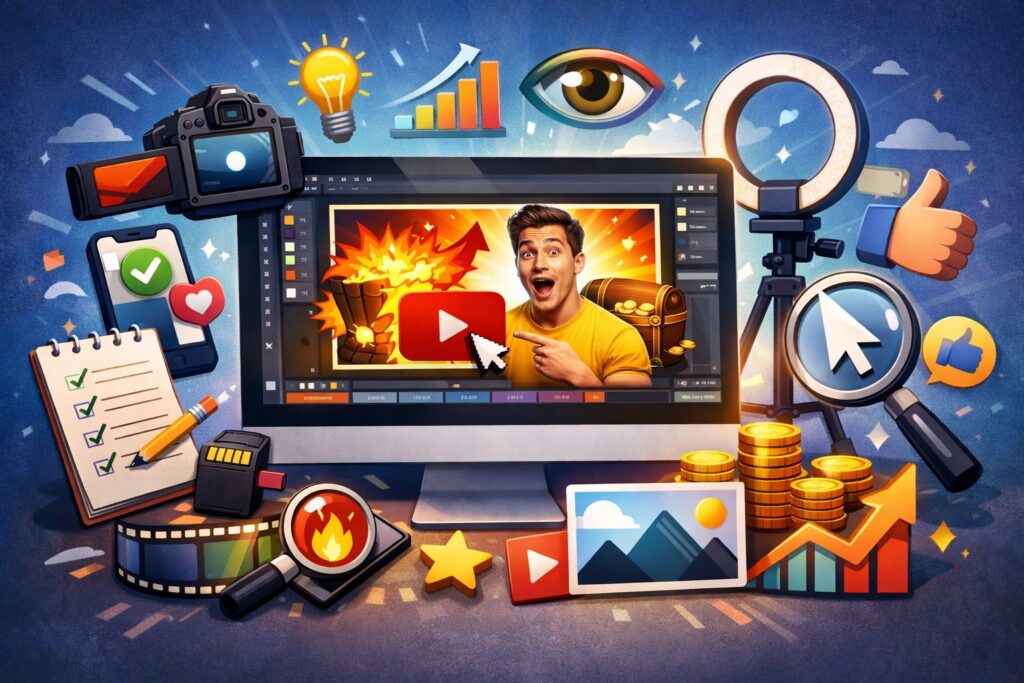
Video has become one of the most powerful ways to reach an online audience. From product demos to educational tutorials and brand storytelling, businesses rely heavily on video to communicate their message. However, publishing a great video alone does not guarantee visibility in search results. For your content to perform well online, search engines must be able to understand what your video contains.

This is where closed captions and transcripts play a crucial role. These tools do far more than improve accessibility. When implemented properly, captions and transcripts can significantly strengthen your video SEO strategy by helping search engines interpret your content, increasing engagement, and improving discoverability across multiple platforms.

Below is a deeper look at how closed captions and transcripts work and why they should be part of every video marketing strategy.

How Closed Captions and Transcripts Boost Video SEO

What Are Closed Captions and Transcripts?

Before exploring their SEO benefits, it helps to understand the difference between the two.

Closed captions are synchronized text that appears on the screen during a video. They represent spoken dialogue and often include sound descriptions such as music cues or background noises.

Transcripts, on the other hand, are complete written versions of everything said in a video. They are usually displayed below the video on a webpage or provided as a downloadable text document.

While both serve accessibility purposes, they also provide valuable text data that search engines can crawl and analyze.


Why Search Engines Need Text to Understand Video

Search engines are excellent at scanning written content, but they still rely heavily on text to interpret multimedia. While artificial intelligence is improving the ability to recognize images and speech, written words remain the most reliable way for search engines to determine the topic of a video.

If a video is uploaded without captions or transcripts, search engines have limited information to work with. They might only rely on the title, description, and tags. This restricts how accurately the content can be indexed.

Adding captions and transcripts solves this problem by converting spoken words into searchable text. Suddenly, your video contains hundreds or even thousands of additional keywords and contextual signals that search engines can evaluate.

The result is better indexing and greater chances of appearing in search results.


Increased Keyword Relevance

One of the biggest advantages of transcripts is the natural inclusion of keywords.

When people speak in videos, they often mention related terms, phrases, and questions that might not appear in a simple description or title. A transcript captures all of this language, creating a richer set of keywords for search engines to analyze.

For example, a video about video marketing may naturally include phrases such as:

  • video optimization techniques
  • improving YouTube rankings
  • creating engaging marketing videos
  • increasing video engagement

These phrases expand the semantic context of your content, which helps search engines match your video with a wider variety of user searches.

This organic keyword diversity can improve your chances of ranking for both primary keywords and long-tail search queries.


Improved Accessibility Expands Your Audience

Accessibility is another important factor that indirectly improves SEO performance.

Closed captions make videos accessible to people who are deaf or hard of hearing. They also help viewers who prefer watching videos without sound, which is common on mobile devices and social media platforms.

When more people are able to understand and engage with your content, watch time and engagement metrics increase. Search engines consider these metrics when determining the quality and relevance of a video.

Higher engagement often leads to better rankings.


Longer Watch Time and Viewer Retention

Viewer retention plays a critical role in video SEO. Platforms like video hosting sites track how long people watch a video before leaving.

Captions help viewers stay engaged for several reasons:

  • They allow users to follow along in noisy environments.
  • They make complex topics easier to understand.
  • They help viewers who are not fluent in the spoken language.

Because captions improve comprehension, viewers are more likely to continue watching the video until the end.

Higher retention signals to search algorithms that the content provides value, which can positively influence rankings.


More Opportunities for Featured Snippets

Transcripts can also create opportunities for your content to appear in featured snippets within search results.

When a transcript is placed on a webpage below a video, search engines can easily extract answers from the text. If someone searches a question that your transcript addresses clearly, the search engine may display that section of text as a highlighted snippet.

This increases visibility and can drive additional traffic to your website.


Stronger On-Page SEO

Embedding a transcript on your webpage adds valuable written content that supports your overall SEO efforts.

Many video pages contain very little text aside from a short introduction. A transcript can dramatically increase the amount of indexable content on the page, which helps search engines understand the topic more thoroughly.

It also allows you to naturally include related keywords without forcing them into the content.

When combined with a well-written introduction, headings, and internal links, a transcript can transform a simple video page into a comprehensive piece of content that performs well in search results.


Better Indexing Across Video Platforms

Closed captions are particularly useful when uploading videos to hosting platforms. These platforms use captions to help categorize and recommend content.

When captions accurately reflect the dialogue in your video, the platform can better understand your subject matter. This increases the chances that your video will appear in recommended content feeds and search results within the platform itself.

Better categorization leads to increased visibility and more potential viewers.


How to Add Captions and Transcripts Effectively

While captions and transcripts are valuable, their quality matters.

Automatic captioning tools have improved significantly, but they are not always accurate. Reviewing and editing captions before publishing ensures that the text reflects the spoken content correctly.

Here are a few best practices:

Use accurate captions.
Errors can confuse both viewers and search engines.

Place transcripts on the same page as the video.
This allows search engines to crawl the text easily.

Structure transcripts clearly.
Breaking the transcript into paragraphs or sections improves readability.

Include speaker labels when relevant.
This is particularly useful for interviews or discussions.

Optimize surrounding content.
Add headings, summaries, and context around the transcript to strengthen the page’s SEO value.


Additional Benefits Beyond SEO

Although captions and transcripts are often discussed in the context of search rankings, they provide several additional benefits for content creators and businesses.

They make videos easier to repurpose into blog posts, social media captions, or marketing materials. The transcript essentially becomes a written asset that can be adapted into other forms of content.

Captions also improve the viewing experience for international audiences who may rely on text to better understand spoken language.

These advantages extend the lifespan and usefulness of your video content.


The Growing Importance of Video Accessibility

Online content is increasingly expected to be accessible to everyone. Many organizations and platforms encourage or require captioned video content to ensure inclusivity.

As accessibility standards become more widespread, captions and transcripts are no longer optional additions. They are becoming a standard practice for professional content creators and businesses.

Integrating them early in your video production process ensures your content remains competitive and widely accessible.

source: ViewCreator

Final Thoughts

Closed captions and transcripts may seem like small details in the video creation process, but their impact on SEO and audience engagement is significant.

By converting spoken dialogue into searchable text, these tools help search engines understand your content, improve accessibility, increase viewer retention, and strengthen overall page optimization.

For businesses and creators looking to maximize the reach of their video content, captions and transcripts are among the most effective and overlooked SEO techniques available.

As video continues to dominate online marketing, incorporating these elements into every piece of content will not only improve search visibility but also create a better experience for viewers around the world.

The written content on this page was generated by ChatGPT.